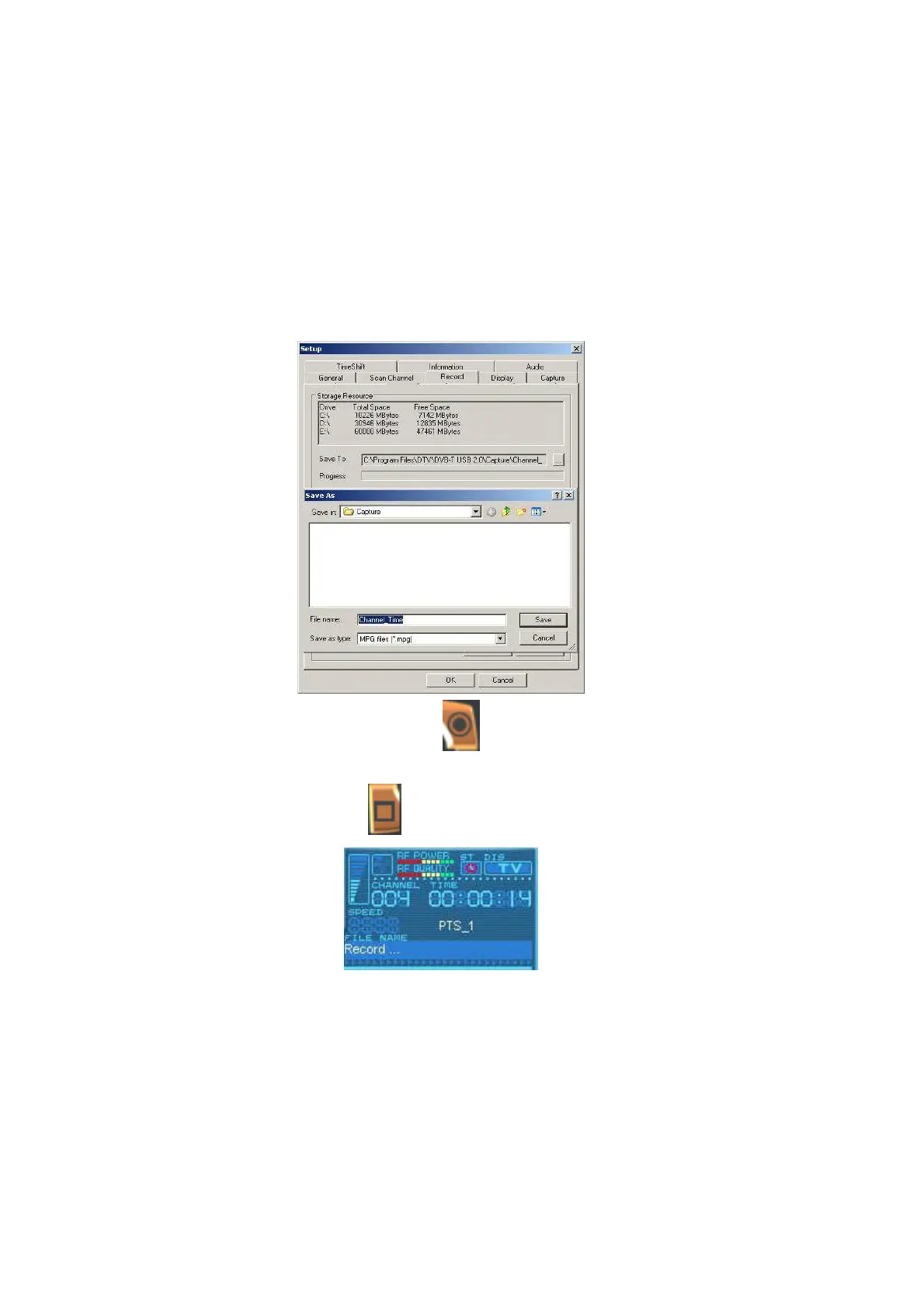
4.2 Recording Setting
There are two ways of recording: one is real time recording, and another is scheduling recording.
I. Real time recording: when you record the program under the real time mode, the recorded
file will be saved to the default destination folder at C:\Program Files\DTV\DVB-T USB
2.0\Capture\Video.mpg. If you want to save the program file to a different destination, you
may set up the path based on your preference.
After the above setting finished, you can click the “ ” on the control panel when you watch digital
programs. If you start recording, the clock on the left of the control panel will turn red. If you wish stop
the recording, please press the button “ ”.
II. Scheduling Recording: Please choose Setup. Select Record tab and check Enable Preset.
Double click on Channel column in Preset Record section.



 To Next Page