Using, Creating and Editing Songs
Recording Your Performance
CVP-305/303/301 Owner’s Manual
147
5 Press the [6
ππ
ππ
††
††
] button to select the quarter-note length.
6 Play the chords F, and G7 in the chord section of the keyboard.
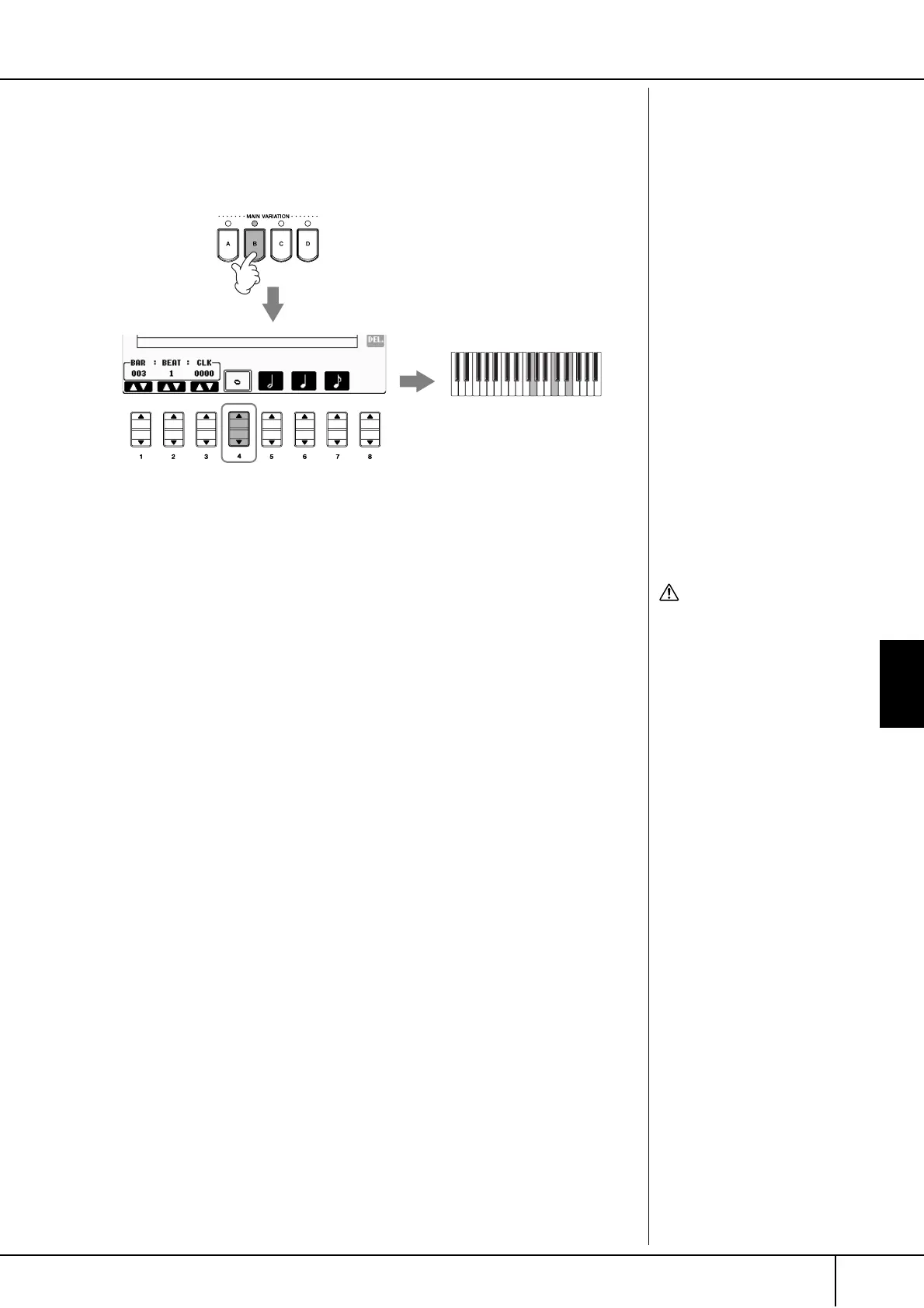
7 Press the STYLE CONTROL [MAIN VARIATION B]button.
8 Press the [4
ππ
ππ
††
††
] button to select the whole-note length.
9 Play the chord C in the chord section of the keyboard.
10 Press the SONG [STOP] button to move the cursor to the beginning
of the Song.
11 Press the SONG [PLAY/PAUSE] button to hear the newly entered
notes.
12 Press the [EXIT] button to exit from the Step Record display.
If you want, you can also edit already recorded Songs in the same manner
(page 148).
13 Press the [F] (EXPAND) button to convert the input chord change
data into the Song data.
14 Press the [I] (SAVE) button to call up the Song Selection display for
saving your data, then save the data in the Song Selection display
(page 63).
7
8
9
C
CAUTION
The recorded Song data will
be lost if you select another
Song or turn the power to the
instrument off without exe-
cuting the Save operation
(page 63).
Deleting data
Mistakenly entered notes can be
deleted (page 140).
Entering fill-ins
Turn the STYLE CONTROL
[AUTO FILL IN] button to ON,
and simply press one of the
STYLE CONTROL [MAIN VARI-
ATION (A, B, C, D)] buttons.
(The appropriate fill-in section
plays and then automatically
goes to the selected [MAIN
VARIATION (A, B, C, D)] pattern
playback.)




 To Next Page