Display Settings
CVP-305/303/301 Owner’s Manual
19
Introduction
Display Settings
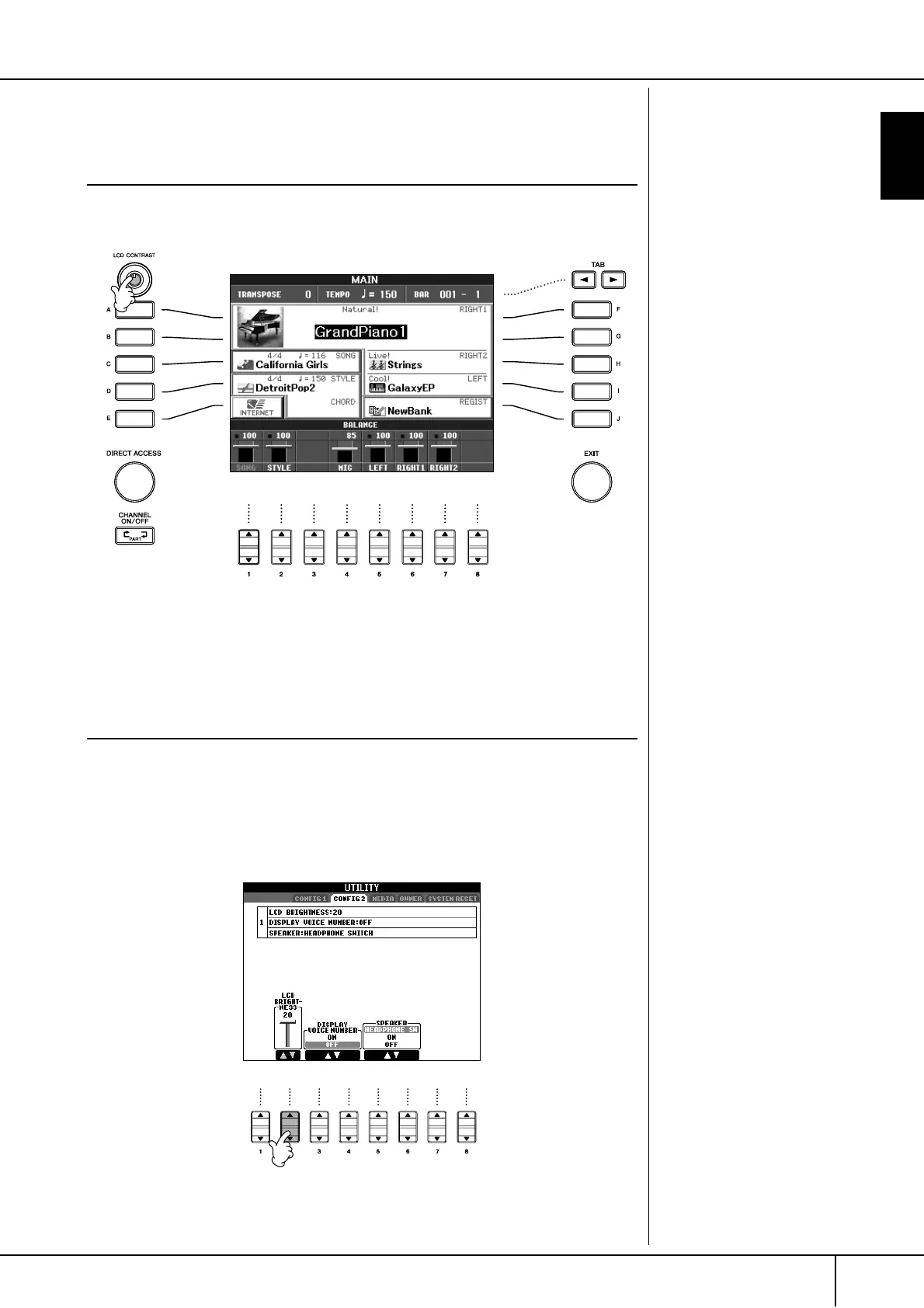
Adjusting the Contrast of the Display
You can adjust the contrast of the display by turning the [LCD CONTRAST] knob
located to the left of the display.
Adjusting the Brightness of the Display (CVP-
305/303)
Adjust the brightness of the display.
1 Call up the operation display.
[FUNCTION] → [I] UTILITY → TAB[
√
][
®
] CONFIG 2
2 Press the [2
ππ
ππ
††
††
] button to adjust the brightness of the display.





 To Next Page