CVP-305/303/301 Owner’s Manual
23
Quick Guide
Quick Guide
Playing the Demos
The Demos are more than just songs—they also provide helpful, easy-to-understand introductions to the
features, functions and operations of the instrument. In a way, the Demos are an interactive “mini-man-
ual”—complete with sound demonstrations and text showing what it can do for you.
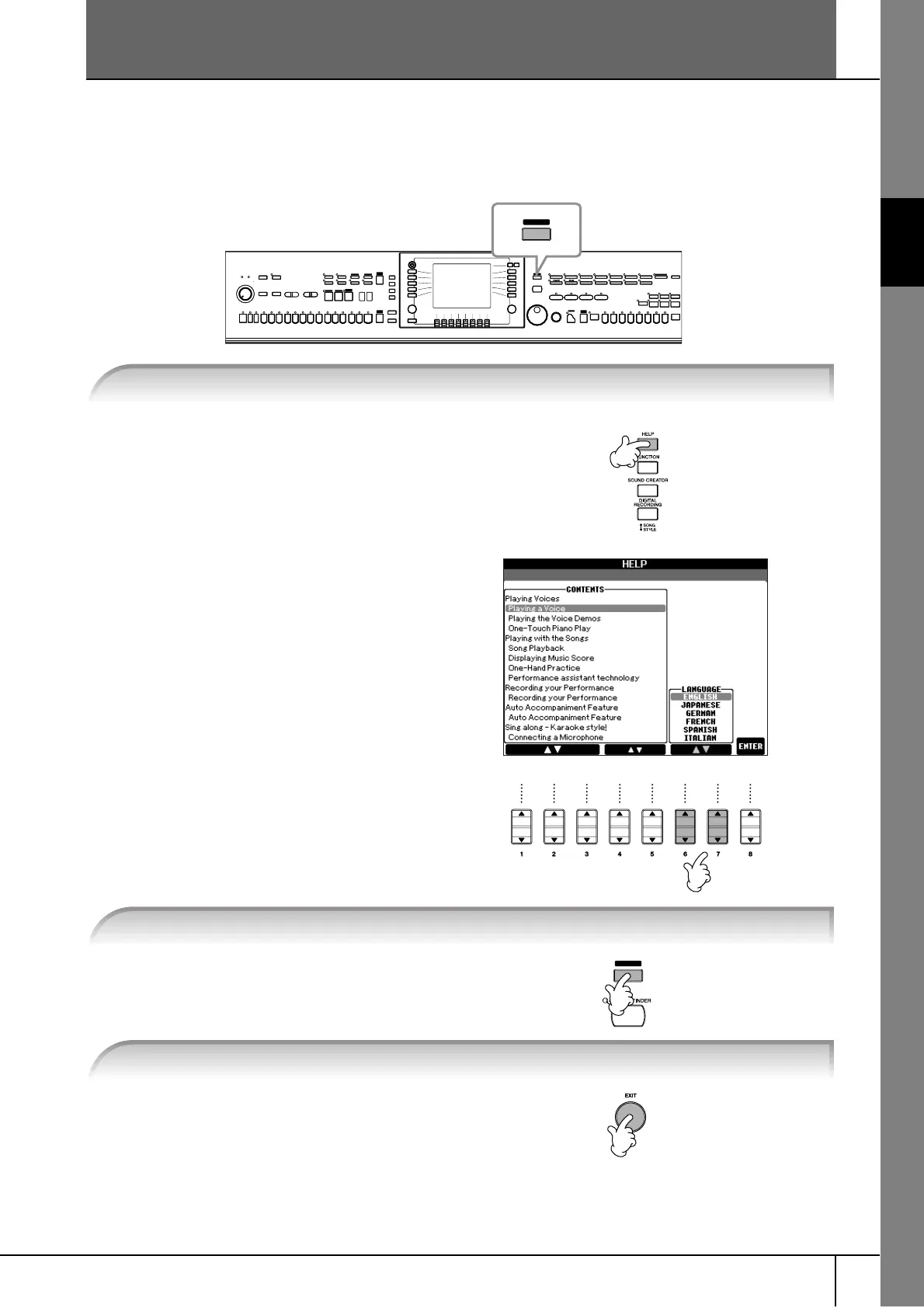
1 Press the [HELP] button to call up
the language selection display.
2 Press the [6
ππ
ππ
††
††
]/[7
ππ
ππ
††
††
] buttons
to select the desired language.
Demos will play back continuously until
stopped.
When the Demo stops, the display returns
to the MAIN display.
DEMO
1 Select the desired Language.
1
2
2 Press the [DEMO] button to start the Demos.
DEMO
3 Press the [EXIT] button to stop the Demo playback.





 To Next Page