20 CVP-509/505/503/501 Reference Manual
Styles – Playing Rhythm and Accompaniment –
3
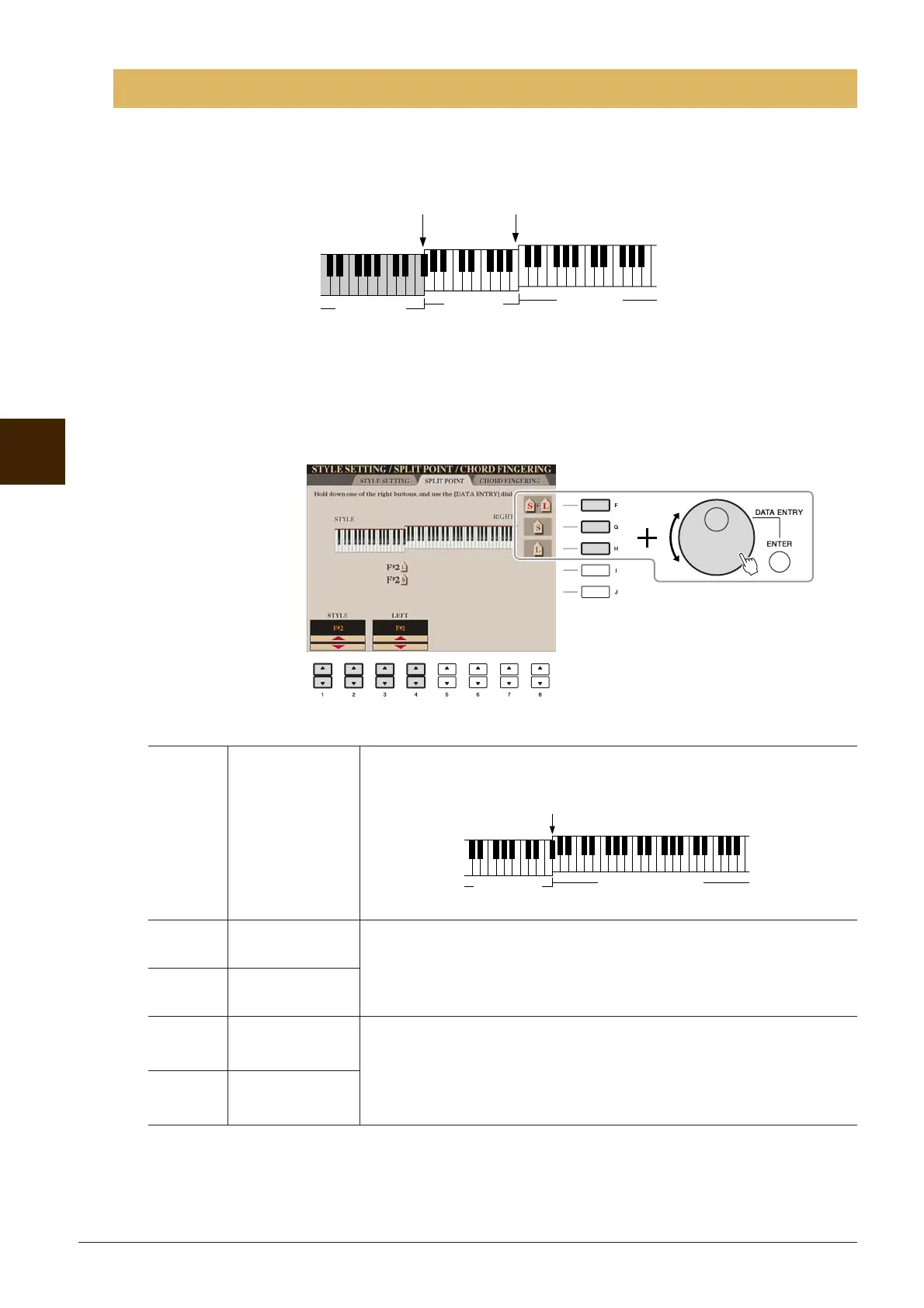
These are the settings (there are two Split Points) that separate the different sections of the keyboard: the
Chord section, the LEFT part section and the RIGHT 1 and 2 section. The two Split Point settings (below)
are specified as note names.
1 Call up the operation display.
[FUNCTION] → [C] STYLE SETTING/SPLIT POINT/CHORD FINGERING → TAB [E][F] SPLIT
POINT
2 Set the Split Point.
Split Point Settings
[F] Split Point (S+L) Sets the Split Point (S) and Split Point (L) to the same note. Press the [F]
button and rotate the [DATA ENTRY] dial.
[G] Split Point (S) Sets each Split Point. Press one of the desired buttons and rotate the
[DATA ENTRY] dial.
NOTE Split Point (L) cannot be set lower than Split Point (S).
[H] Split Point (L)
[1 ▲▼]/
[2 ▲▼]
STYLE You can specify each Split Point by note name. “STYLE” indicates Split
Point (S) and “LEFT” indicates Split Point (L).
[3 ▲▼]/
[4 ▲▼]
LEFT
Split Point (S)
Chord section
Voice RIGHT
1–2
Split Point (L)
Voice LEFT
Split Point (S+L)
Chord section
+ Voice LEFT
Voice RIGHT 1 and 2






 To Next Page