70 CVP-509/505/503/501 Reference Manual
Mixing Console – Editing the Volume and Tonal Balance –
8
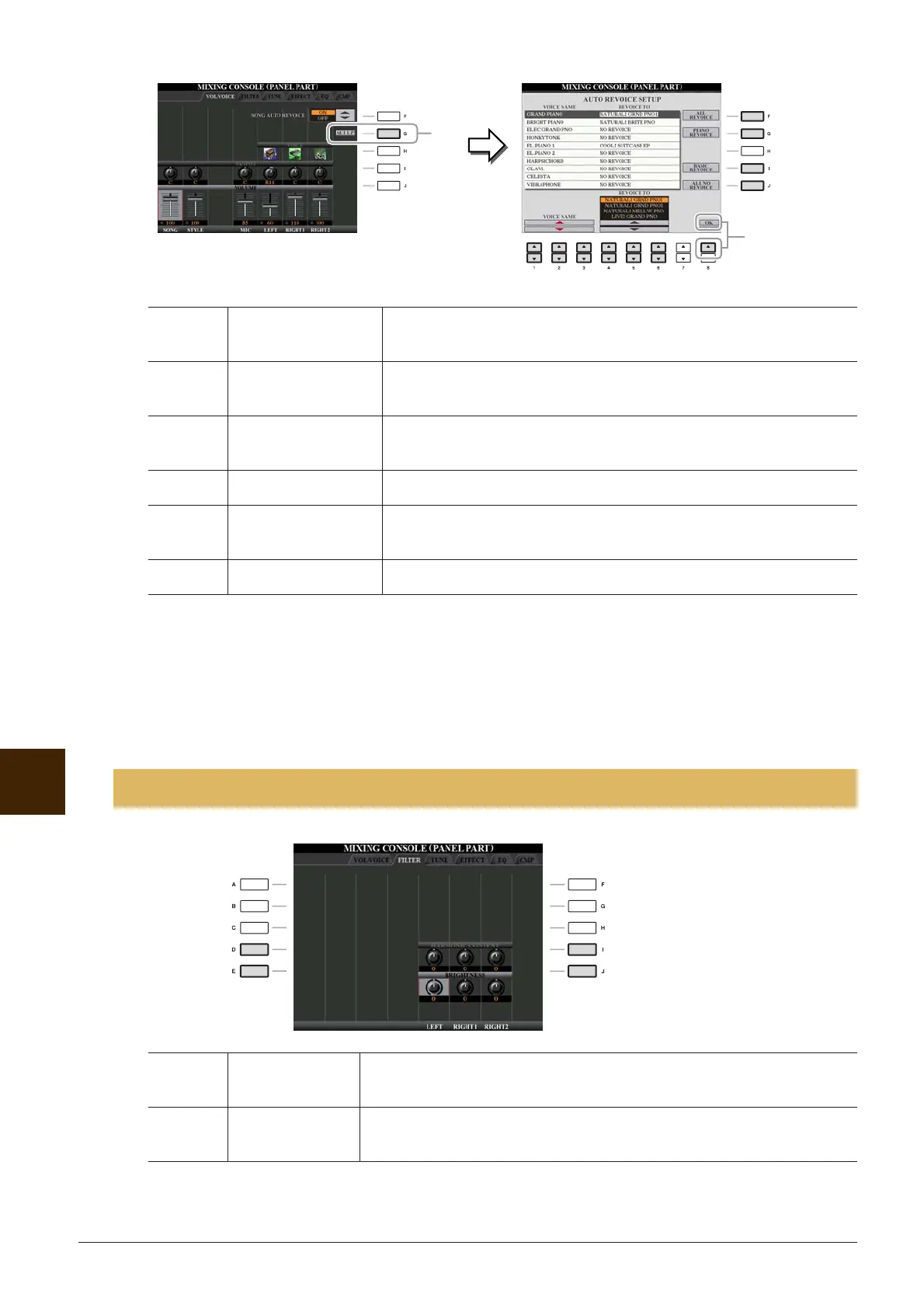
2 Press the [8 ▲] (OK) button to apply your Revoice settings.
NOTE To cancel the Revoice operation, press the [8 ▼] (CANCEL) button.
3 In the VOL/VOICE Page, press the [F] button to set the SONG AUTO REVOICE to ON.
[1 ▲▼]–
[3 ▲▼]
VOICE NAME Selects the XG Voices to be replaced (Voices usually used when play-
ing back).
[4 ▲▼]–
[6 ▲▼]
REVOICE TO Selects the Voices used to replace the XG Voices (when SONG AUTO
REVOICE is set to ON).
[F] ALL REVOICE Replaces all of the replaceable XG Voices with the rich and authentic
Voices of the instrument.
[G] PIANO REVOICE Replaces only the piano Voices.
[I] BASIC REVOICE Replaces only the recommended Voices that are suitable for playing
back the song.
[J] ALL NO REVOICE All the Voices are returned to the original XG Voices.
Editing FILTER Parameters
[D]/[I] HARMONIC
CONTENT
Allows you to adjust the resonance effect (page 12) for each part.
[E]/[J] BRIGHTNESS Determines the brightness of the sound for each part by adjusting the cut-
off frequency (page 12).
2
1







 To Next Page