9
76 CVP-509/505/503/501 Reference Manual
Internet Direct Connection – Connecting the CVP-509/505/503/501 Directly to the Internet –
Internet Direct Connection
– Connecting the CVP-509/505/503/501 Directly to the Internet –
Contents
Editing the Browser Settings . . . . . . . . . . . . . . . . . . . . . . . . . . . . . . . . . . . . . . . . . . . . . . . . . . . . .76
Registering Bookmarks of Your Favorite Pages . . . . . . . . . . . . . . . . . . . . . . . . . . . . . . . . . . . . . .77
• Editing Bookmarks. . . . . . . . . . . . . . . . . . . . . . . . . . . . . . . . . . . . . . . . . . . . . . . . . . . . . . . . . . . . .78
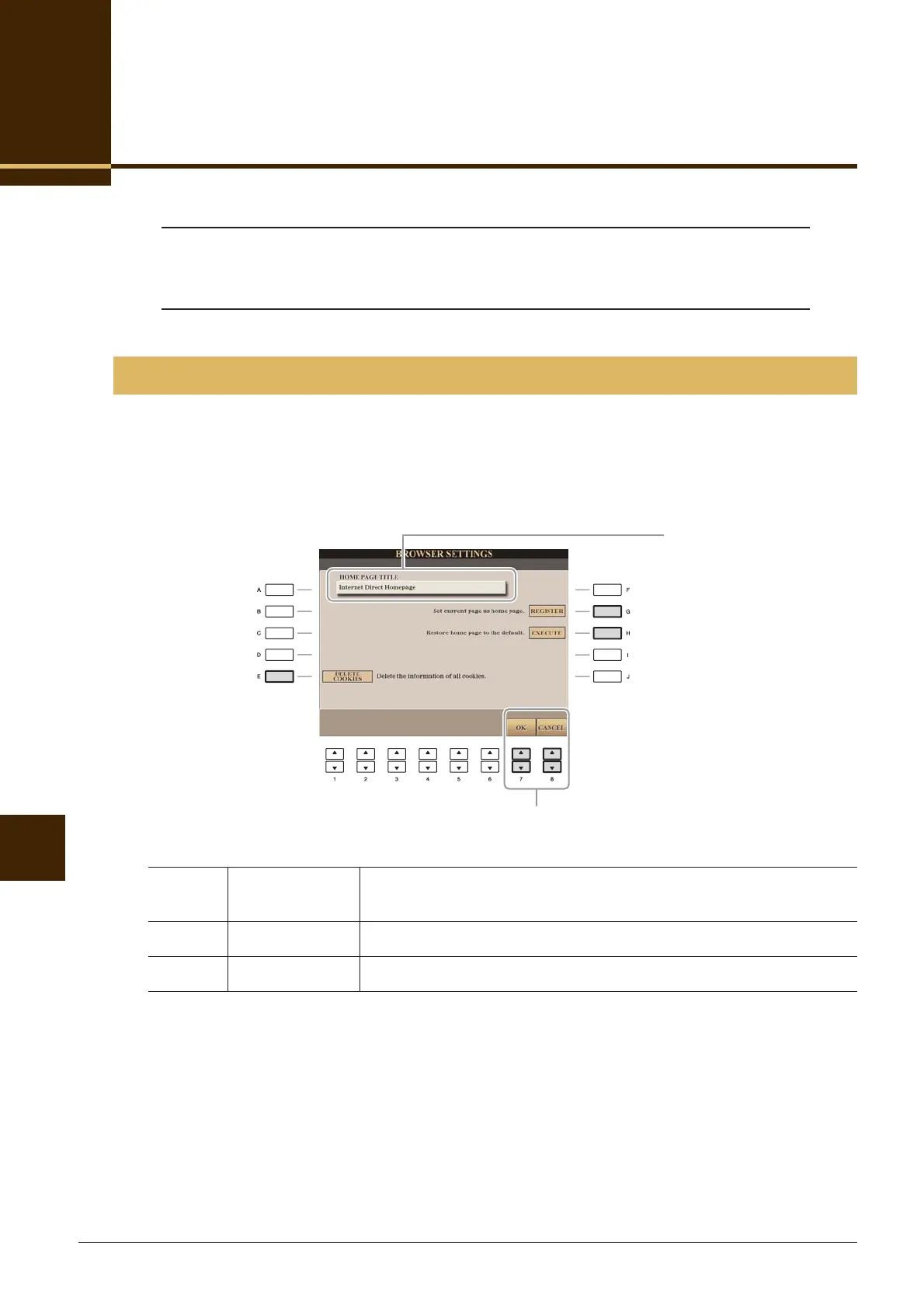
You can change the home page and delete cookies in the Browser setting display.
1 Call up the operation display.
[INTERNET] → [5 ▼] SETTING → [D] BROWSER SETTINGS
2 Press the [7 ▲▼] (OK) button to close the display.
To cancel, press the [8 ▲▼] (CANCEL) button.
Editing the Browser Settings
[E] DELETE
COOKIES
Deletes the cookies.
[G] REGISTER Register the currently selected page as the Home page.
[H] EXECUTE Restores the home page setting.
2
Shows the title of the web page
registered as the Home page.






 To Next Page