CVP-509/505/503/501 Reference Manual 45
Songs – Recording Your Performances and Creating Songs –
4
To create a Song, you can compose your performance by entering it one event at a time (called “Step
Recording”), as well as recording your performance in real time (described in the Owner’s Manual). This
section explains operations of Step Recording and re-recording or editing existing Song data.
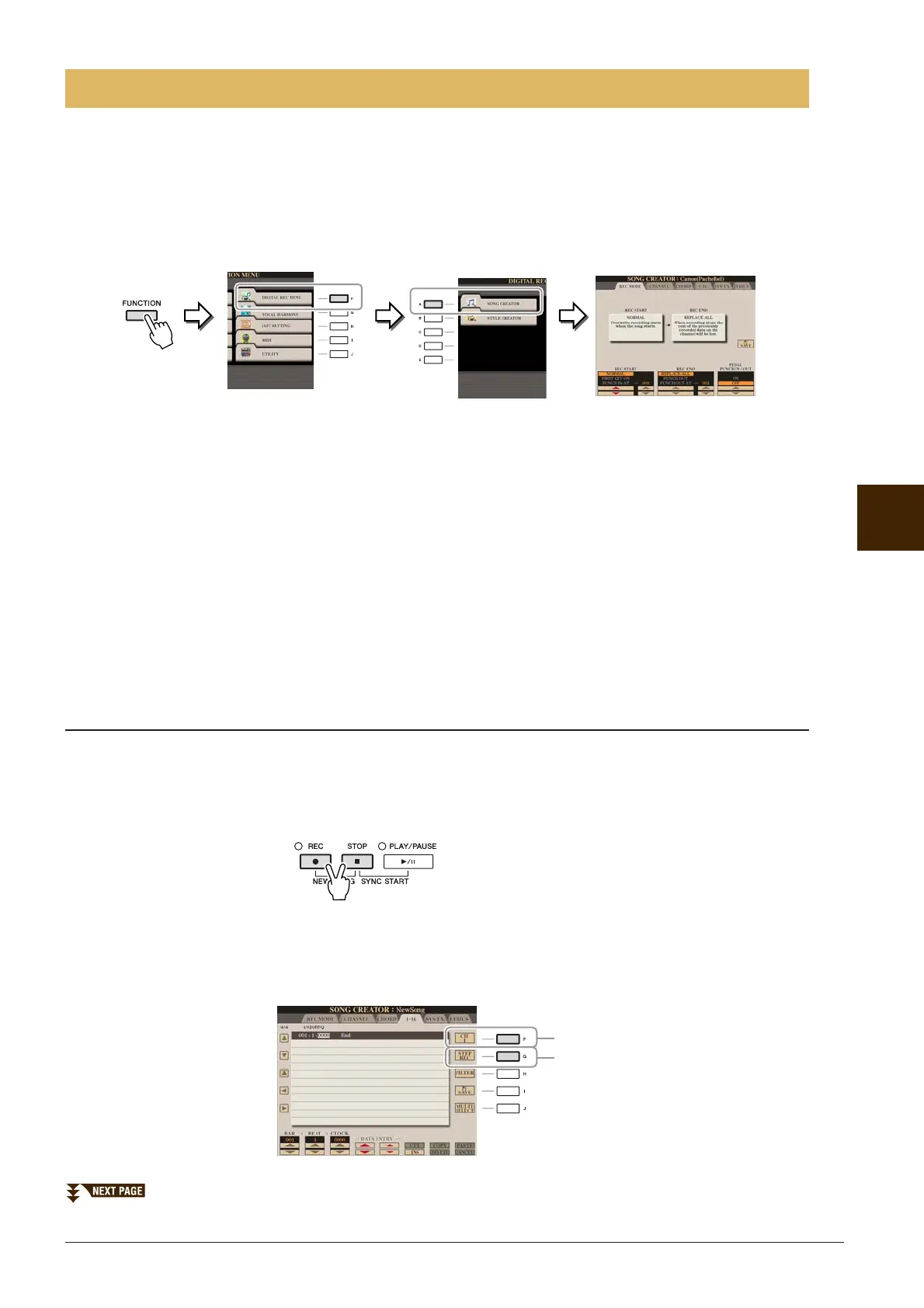
Call up the operation display.
[FUNCTION] → [F] DIGITAL REC MENU → [A] SONG CREATOR
There are six Pages (tabs) in the Song Creator display.
• REC MODE Re-records the Song. See page 52.
• CHANNEL Edits the Channel events. See page 54.
• CHORD Records the Chords and Sections with timing (page 49) or edits them (page 58).
• 1-16 Records the melodies (Step Recording; see below) or edits the recorded melodies (page 58).
• SYS/EX. Edits the System Exclusive events (tempo, time signature, etc.). See page 58.
• LYRICS Inputs/edits the Song name and lyrics. See page 58.
Recording Melodies (Step Recording)
1 Press the SONG [REC] and SONG [STOP] buttons simultaneously.
A blank Song (“New Song”) is called up for recording.
NOTE Selecting a blank Song initializes the panel settings.
2 Call up the operation display.
[FUNCTION] → [F] DIGITAL REC MENU → [A] SONG CREATOR → TAB [E][F] 1-16
Creating/Editing Songs (Song Creator)
3
4






 To Next Page