5
Music Finder – Calling Up Ideal Setups (Voice, Style, etc.) for Each Song –
CVP-509/505/503/501 Reference Manual 61
Music Finder
– Calling Up Ideal Setups (Voice, Style, etc.) for Each Song –
Contents
Creating a Set of Favorite Records. . . . . . . . . . . . . . . . . . . . . . . . . . . . . . . . . . . . . . . . . . . . . . . . 61
Editing Records . . . . . . . . . . . . . . . . . . . . . . . . . . . . . . . . . . . . . . . . . . . . . . . . . . . . . . . . . . . . . . . 62
Saving the Record as a Single File . . . . . . . . . . . . . . . . . . . . . . . . . . . . . . . . . . . . . . . . . . . . . . . . 63
• Calling Up Music Finder Records Saved to USER/USB . . . . . . . . . . . . . . . . . . . . . . . . . . . . . . . 63
Viewing Record Information on the Internet (MUSIC FINDER Plus) . . . . . . . . . . . . . . . . . . . . . 64
As convenient as the Search function is in exploring the depths of the Music Finder records, you may want to
create a custom “folder” of your favorite records—so you can quickly call up the panel settings and song data
you use frequently.
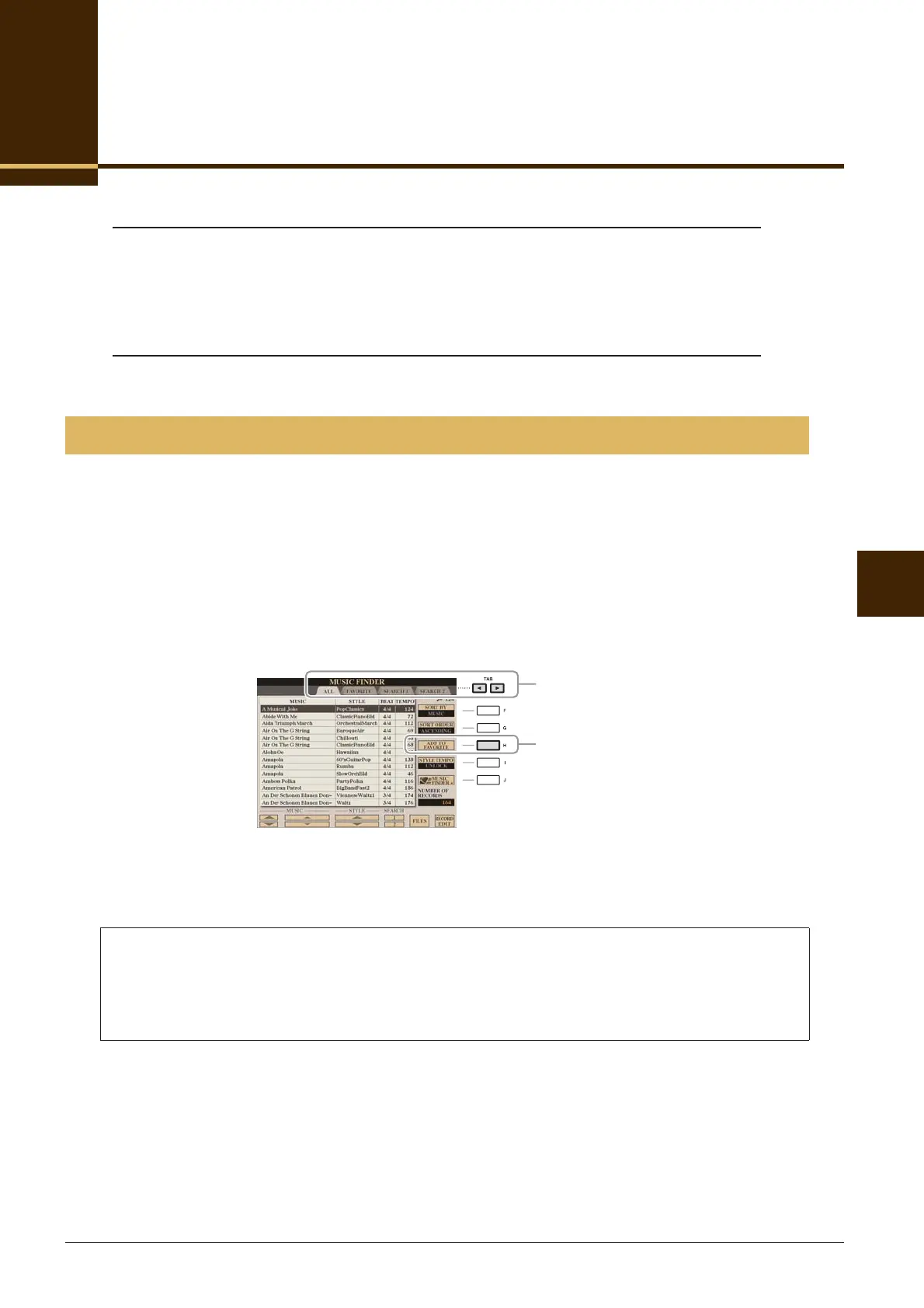
1 Select the desired record from the MUSIC FINDER display.
2 Press the [H] (ADD TO FAVORITE) button to add the selected record to the FAVORITE
display, then press the [G] (YES) button to actually add the record.
3 Call up the FAVORITE display by using the TAB [E][F] buttons, and check to see if the
record has been added.
Creating a Set of Favorite Records
Deleting Records from the FAVORITE Display
1 Select the record you want to delete from the FAVORITE display.
2 Press the [H] (DELETE FROM FAVORITE) button, then press the [G] (YES) button to actually
delete the record.
2
3







 To Next Page