64 CVP-509/505/503/501 Reference Manual
Music Finder – Calling Up Ideal Setups (Voice, Style, etc.) for Each Song –
5
NOTE The available contents of the Music Finder Plus service are subject to change.
1 Make sure that your instrument is connected to the Internet, and press the [MUSIC
FINDER] button to call up the MUSIC FINDER display.
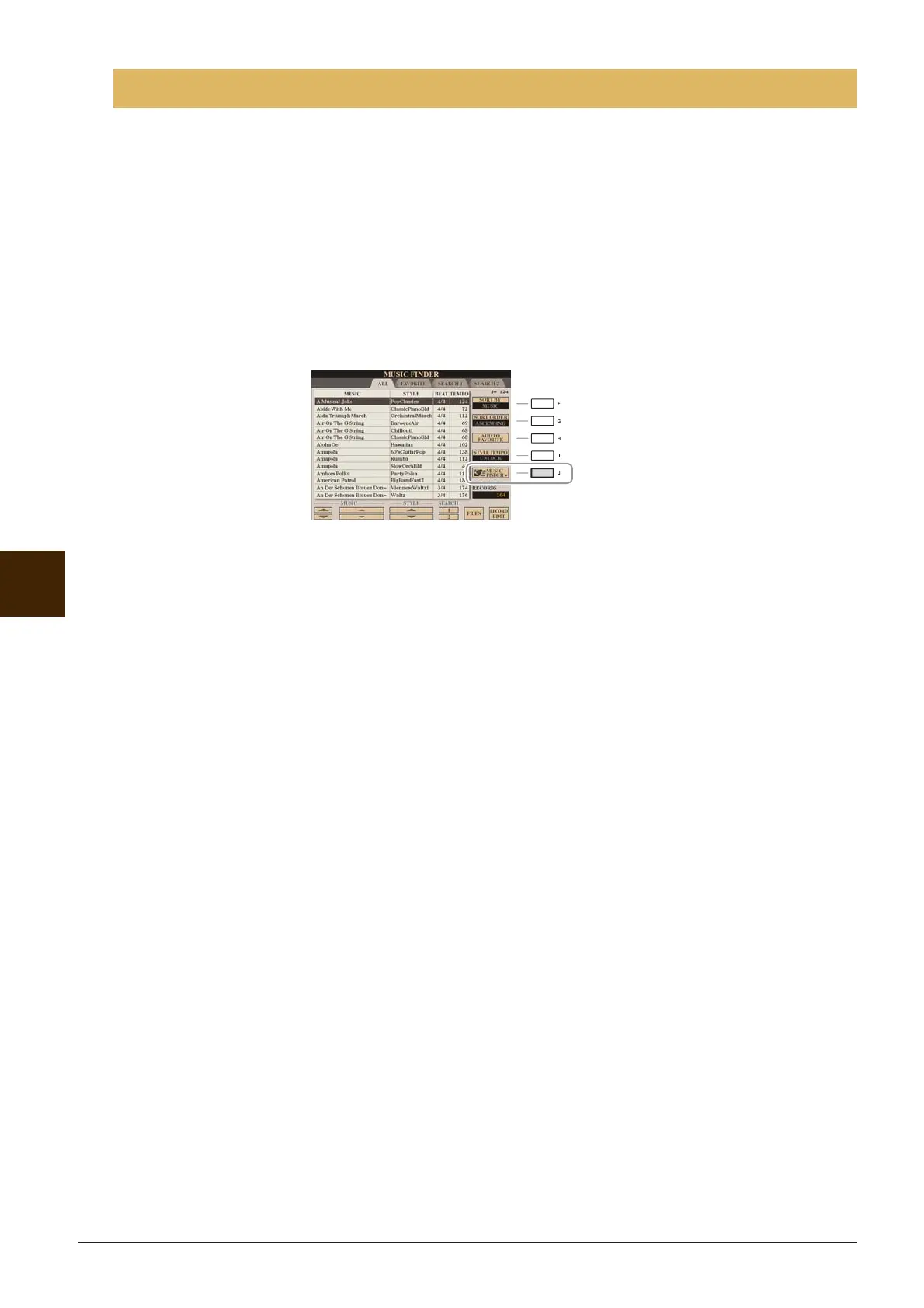
2 Select the record whose information you want to view by using the [1 ▲▼]–[5 ▲▼]
buttons or the [DATA ENTRY] dial.
3 Press the [J] (MUSIC FINDER +) button to open the Web page.
The information of the selected record is shown.
4 Press the [EXIT] button to exit the browser screen and return to the MUSIC FINDER
display.
Viewing Record Information on the Internet (MUSIC FINDER Plus)






 To Next Page