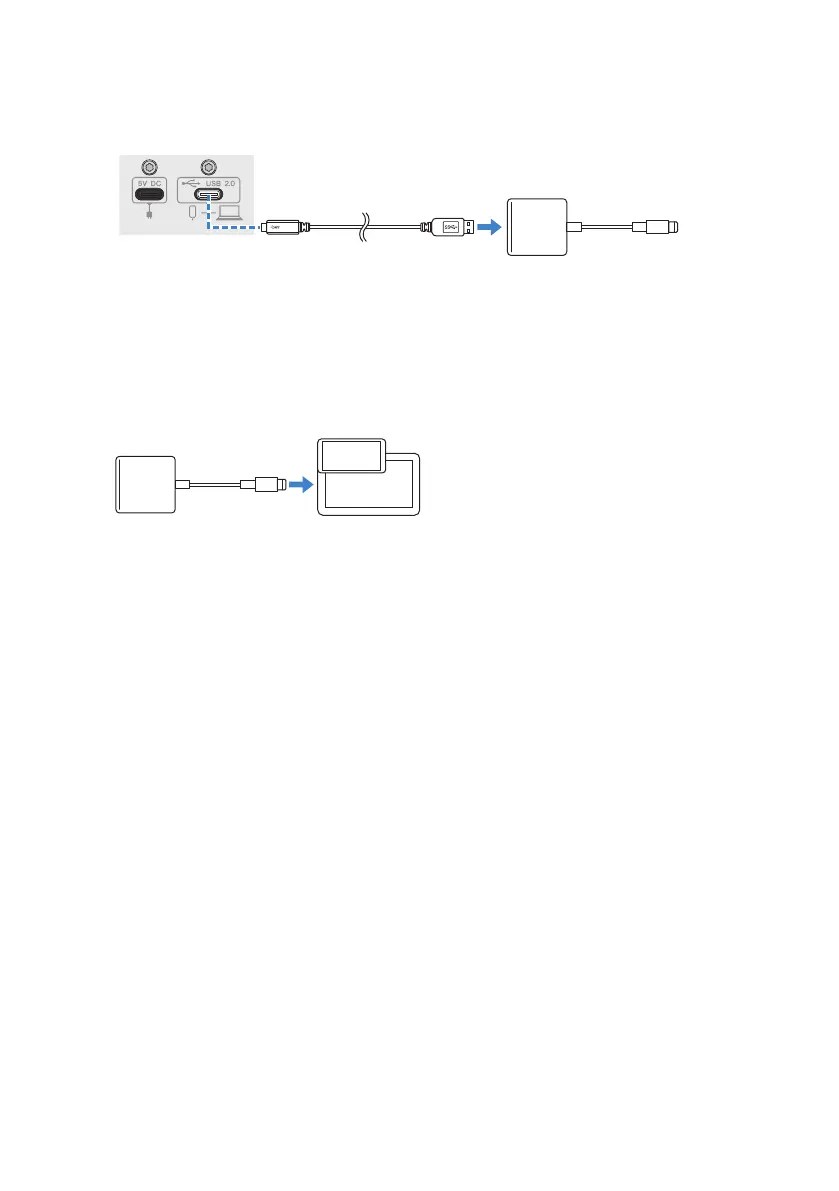
5 Connect this product to an Apple Lightning to USB 3 Camera Adapter using the
included USB cable.
USB cable
(included)
Rear panel
NOTE
If you’re using an iPad that has a USB-C connector, use the Apple USB-C Digital AV Multiport Adapter. You can also use the
USB-C charging cable included with the iPad to connect directly to this product. However, the amount of time you can use
the iPad will be limited by how much battery charge remains.
6 Connect the Apple Lightning cable to the iPhone/iPad.
This product is automatically recognized by the iPhone/iPad once connected.
There is no need to configure any settings on the iPhone/iPad.
18
Getting ready to use this product > Connecting to an iPhone/iPad


 To Next Page