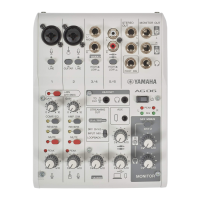
Troubleshooting
Power-related
The power LED will not light up
(
Is the power of this product turned on?
The LED will not light up if this product is not turned on.
(
When using an iPhone, iPad or Android device: An external power supply is required, such as a USB
power adapter or USB mobile battery. You’ll need a USB power adapter or USB mobile battery that
can output at least 5 V and 1 A of power.
(
When using a Windows PC, Mac or iPad (USB-C connector): The unit operates on USB power (at
least 5 V and 1 A). If the power LED will not light up, there may not be enough bus power. Connect a
separate USB power adapter, USB mobile battery or similar device to supply external power.
The power LED is flashing, or lights only intermittently
(
There might be a problem with the power supply.
(
The LED flashes when there is some kind of problem with the power supply. Connect a commercially-
available USB power adapter or USB mobile battery to the [5V DC IN] USB port to supply power.
(
Are you using the appropriate USB cable?
(
Make sure to use the included USB cable.
(
When directly connecting the USB-C port of your iPad or computer to this product, you’ll need either
the USB-C charging cable that was included with the iPad, or a commercially available USB-C to USB-C
cable.
64
Troubleshooting > Power-related


 To Next Page