5 Configure the settings for the AG
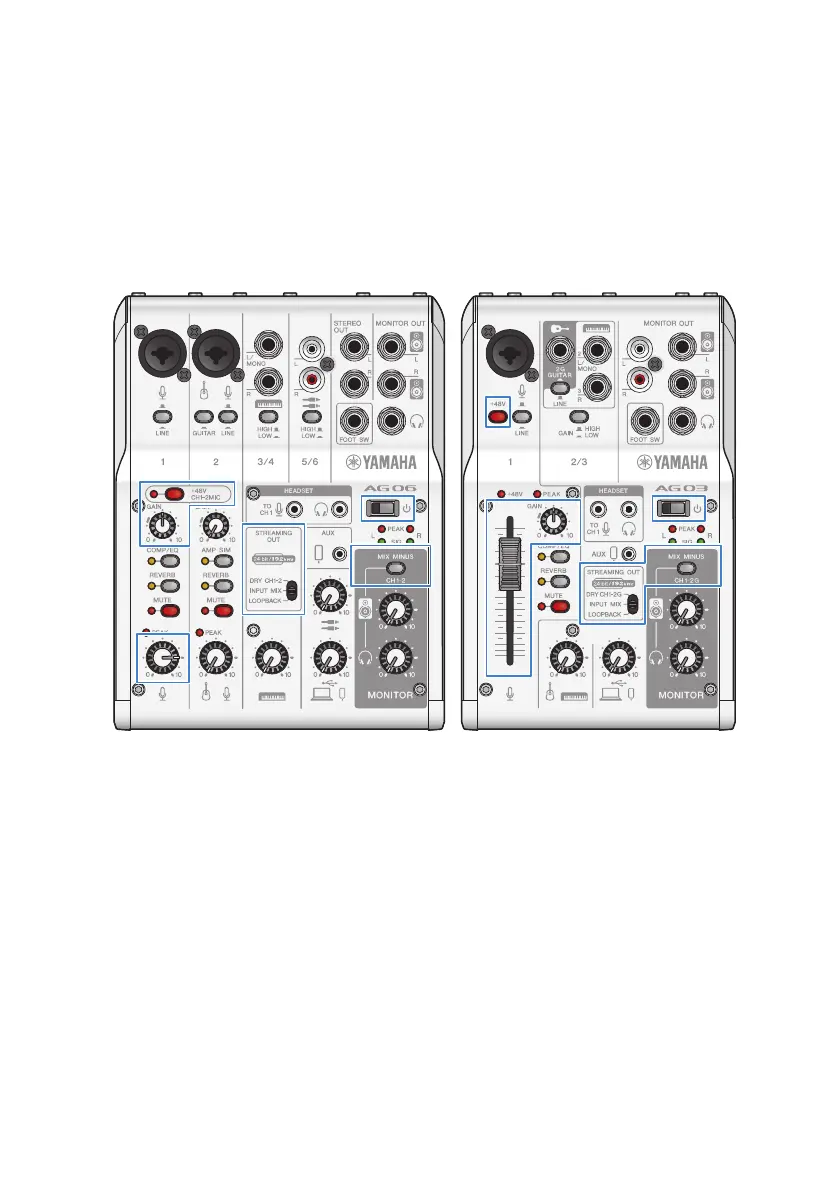
Make the settings for each switch on the front panel as follows.
(
[LINE] switch: off
(
Phantom [+48V] switch: on (when using a condenser mic)
(
Channel 1 [GAIN] knob, level knob, fader: as appropriate (see illustration)
(
[STREAMING OUT]: [INPUT MIX]
(
[MIX MINUS]: off
Once you’ve made the settings on this product, launch the “AG Controller” app and click
“Sound Check” at the bottom of the screen.
28
Using this product for livestreaming (17LIVE, Twitch, YouTube Live) > Using with an iPhone/iPad


 To Next Page