4 Configure the settings for the AG
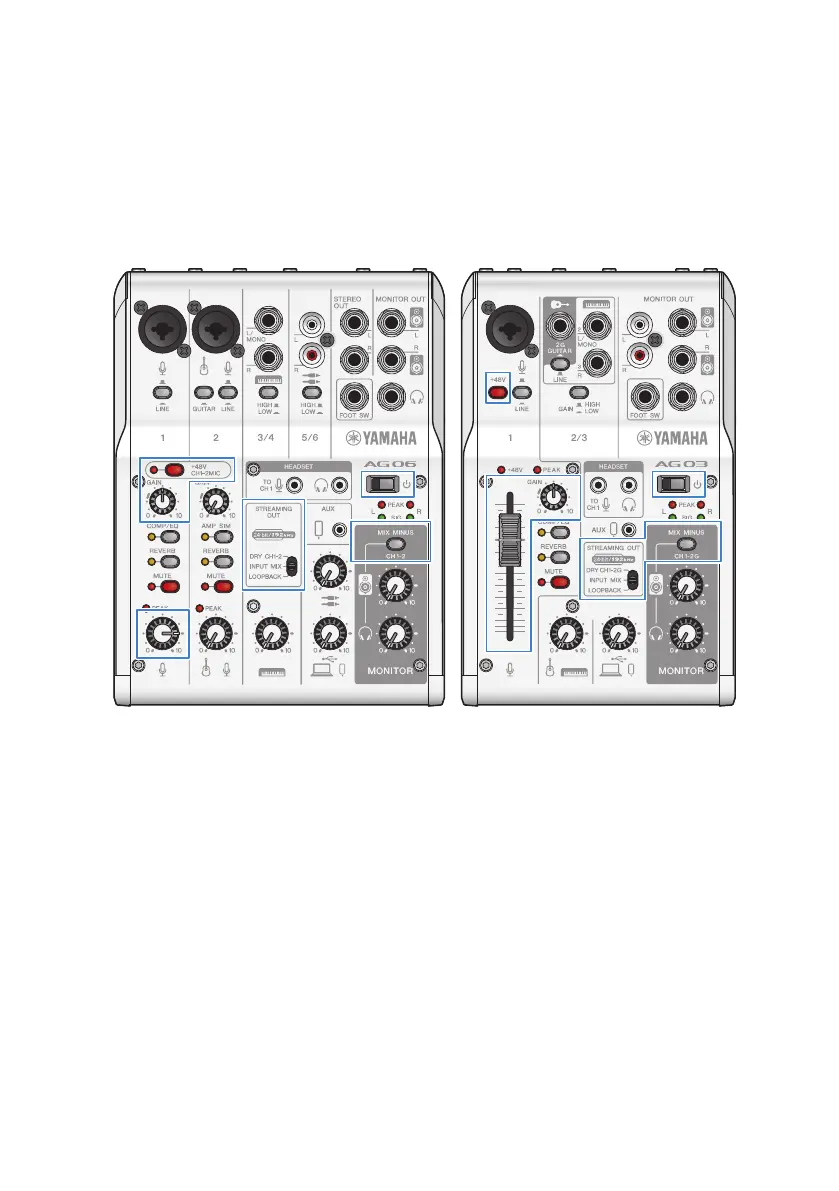
Make the settings for each switch on the front panel as follows.
(
Phantom [+48V] switch: on (when using a condenser mic)
(
Channel 1 [GAIN] knob, level knob, fader: as appropriate (see illustration)
(
[STREAMING OUT]: [INPUT MIX]
(
[MIX MINUS]: off
36
Using this product for livestreaming (17LIVE, Twitch, YouTube Live) > Using this product with your computer


 To Next Page