17
English
USING THE BUILT-IN TIMER
Sleep timer
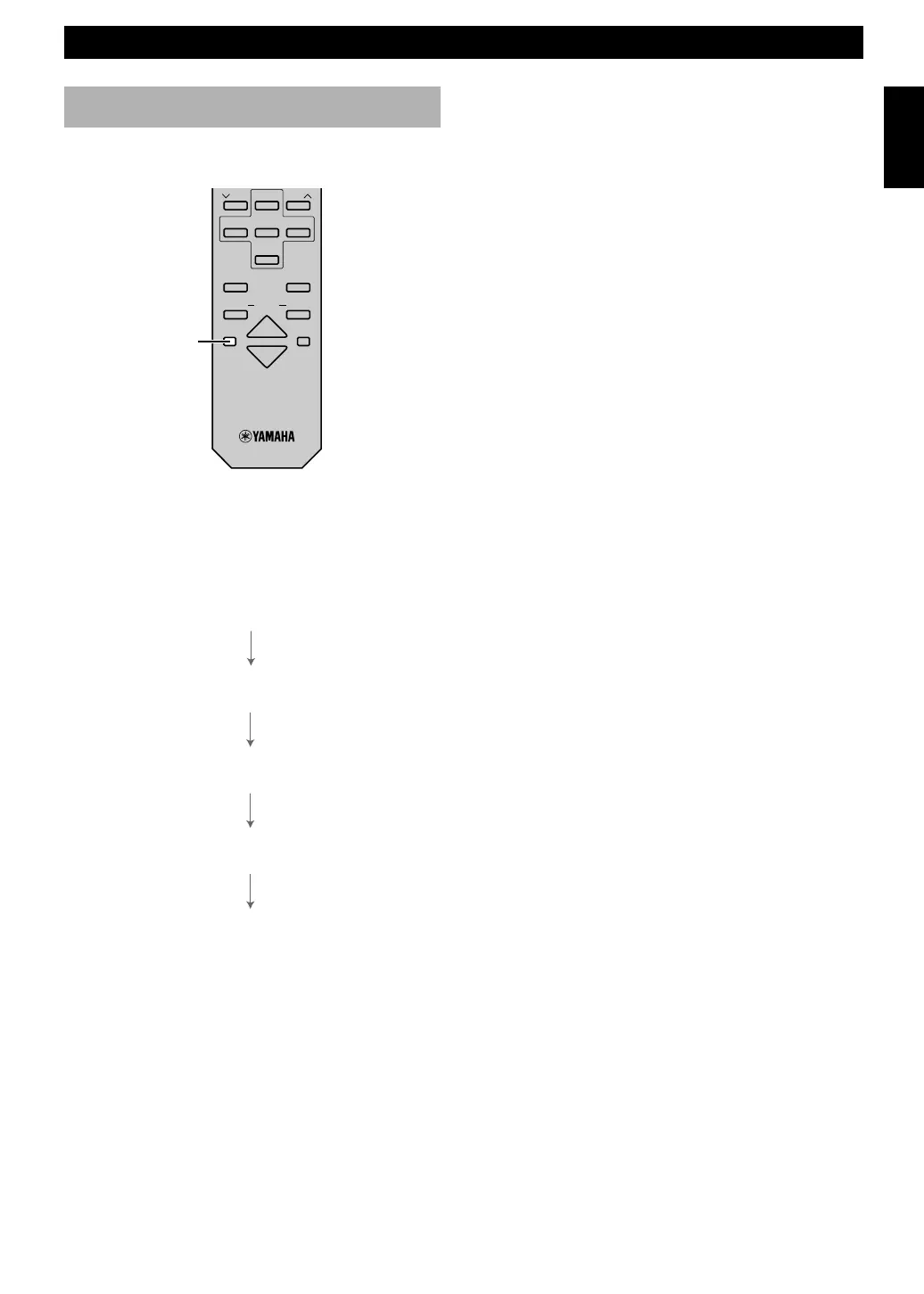
The unit can be turned off automatically at a selected
SLEEP time.
1 Play the desired sound source.
2 Press SLEEP repeatedly until the desired sleep time
appears in the display. Each time you press SLEEP,
the sleep time changes as follows:
About 4 seconds after setting, the normal display will
resume.
•“SLEEP” will appear in the display.
3 The unit will turn off automatically when the selected
sleep time is reached.
SLEEP
SLEEP 2h00m
SLEEP 1h30m
SLEEP 1h00m
SLEEP 0h30m
SLEEP OFF
PRESET
TUNER
PRESET
MD CD TAPE
AUX
MD
REC
/
PAU SE
TAPE
REC
/
PAU SE
MODE
SLEEP
DISPLAY
DUBBING
VOLUME
START


 To Next Page