EasyManua.ls Logo

Yamaha DS55 - Page 25

Yamaha DS55
39 pages
Print Icon
To Next Page IconTo Next Page
To Previous Page IconTo Previous Page
Loading...
Bulk
Dump
of
One
Voice
All
Data Bulk
Dump
Setup
Data Bulk
Dump
ment
(another
DS55,
compatible
tone
generator,
MIDI
data
recorder,
etc.)
using
the
Bulk
Dump
functions
described
below.
The
Exclusive
parameter
can
be
turned
“on”
or
“off.”
If
Exclusive
is
"off,"
none
of
the
following
parameters
can
be
se-
lected.
This
function
performs
a
MIDI
“bulk
dump”
of
the
currently
selected
voice
(i.e.
the
voice
currently
residing
in
the
DS55’s
edit
buffer).
This
means
that
the
data
for
the
currently
selected
voice
is
transmitted
via
the
DS55
MIDI
OUT
connector,
and
can
be
received
by
compatible
MIDI
equipment
such
as
another
DS55,
a
tone
genera-
tor
such
as
the
TX81Z,
or
a
MIDI
data
recorder
such
as
the
MDF1.
A
MIDI
data
recorder
can
be
used
to
store
libraries
of
voices
that
you
can
later
reload
and
use
as
required
(see
“RECEIVING
VOICE
DATA
FROM
EXTERNAL
EQUIPMENT”
on
page
24).
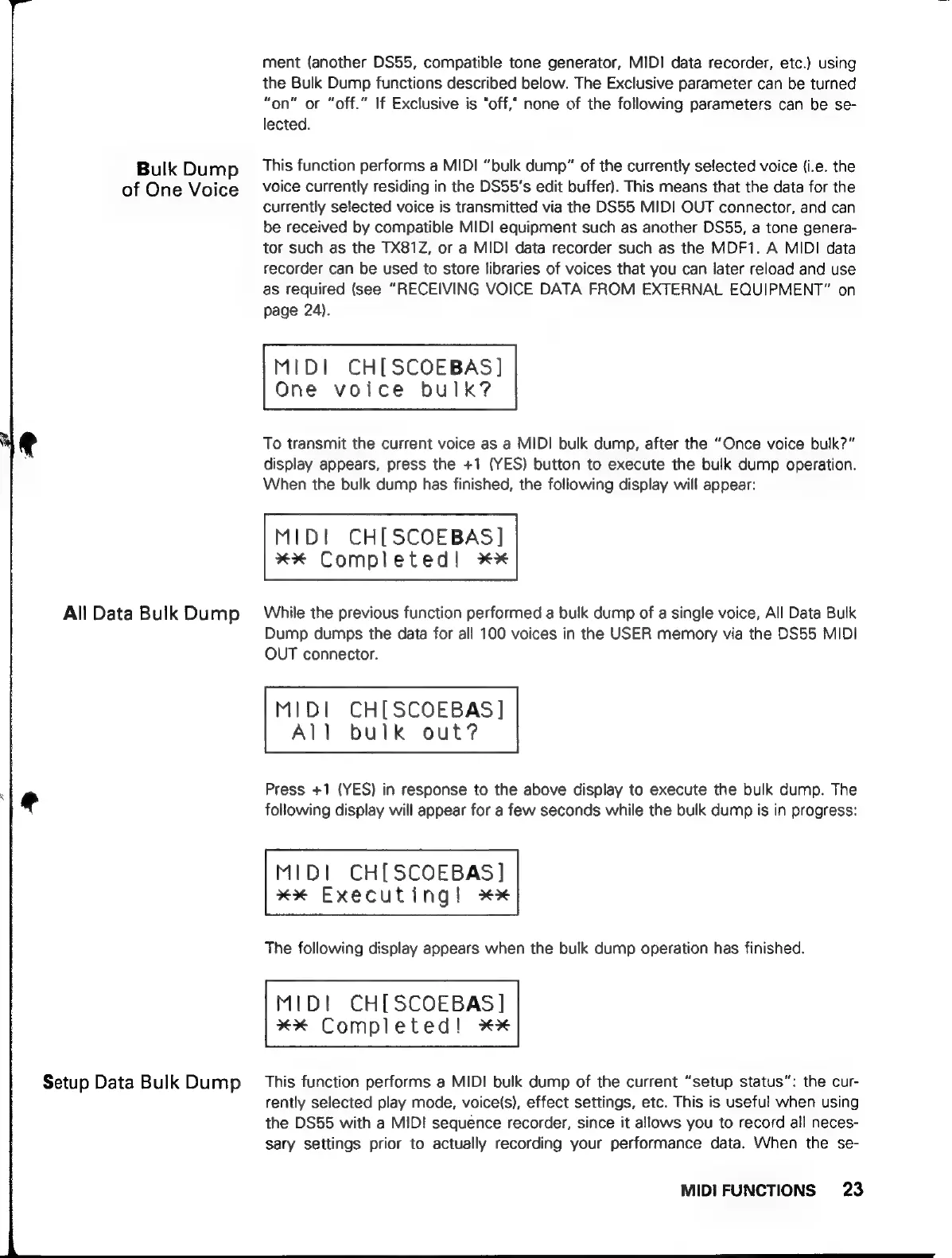
MIDI
CH[SCOEBAS]
One
voice
bulk?
To
transmit
the
current
voice
as
a
MIDI
bulk
dump,
after
the
“Once
voice
bulk?”
display
appears,
press
the
+1
(YES)
button
to
execute
the
bulk
dump
operation.
When
the
bulk
dump
has
finished,
the
following
display
will
appear:
MID!
CH[SCOEBAS]
xx
Completed!
XX
While
the
previous
function
performed
a
bulk
dump
of
a
single
voice,
All
Data
Bulk
Dump
dumps
the
data
for
all
100
voices
in
the
USER
memory
via
the
DS55
MIDI
OUT
connector.
MIDI
CH[SCOEBAS
]
All
bulk
out?
Press
+1
(YES)
in
response
to
the
above
display
to
execute
the
bulk
dump.
The
following
display
will
appear
for
a
few
seconds
while
the
bulk
dump
is
in
progress:
MIDI
CHISCOEBASI
xx
Executing!
zez
The
following
display
appears
when
the
bulk
dump
operation
has
finished.
MIDI
CHISCOEBASI
XX
Completed!
XX
This
function
performs
a
MIDI
bulk
dump
of
the
current
''setup
status':
the
cur-
rently
selected
play
mode,
voice(s),
effect
settings,
etc.
This
is
useful
when
using
the
DS55
with
a
MID!
sequence
recorder,
since
it
allows
you
to
record
all
neces-
sary
settings
prior
to
actually
recording
your
performance
data.
When
the
se-
MIDIFUNCTIONS
23