16
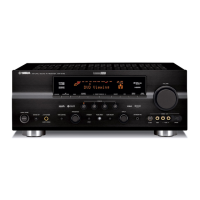
1 Input Source Display
Shows the currently selected input source.
2 Multi-informatiom Display
Shows the currently selected DSP program, or information for
several adjustments or setting changes made on this unit.
3 SPEAKERS A/B Indicators
The indicator A or B which corresponds to the currently
selected main speakers lights up. If both main speakers A or B
are selected, both indicators light up.
4 Digital Audio Input Signal Indicators
When digital audio signals not encoded with the Dolby Digital
(AC-3) are input to this unit, “PCM DIGITAL” lights up.
When digital audio signals encoded with the Dolby Digital
(AC-3) are input to this unit, “ DIGITAL” lights up.
5 DIGITAL, DSP and PRO LOGIC indicators
“ DIGITAL” lights up when the built-in Dolby Digital (AC-3)
Decoder is on and the signals of selected source encoded with
the Dolby Digital (AC-3) is not in 2-channels. “DSP” lights up
when the built-in digital sound field processor is on, and “
PRO LOGIC” lights up when the built-in Dolby Pro Logic
Surround Decoder is on. Depending on the selected DSP
program, both “ DIGITAL” and “DSP”, or both “DSP” and “
PRO LOGIC” will light up.
6 SLEEP Indicator
Lights up while the built-in SLEEP timer is functioning.
DISPLAY PANEL


 To Next Page
 Loading...