PM5DV2/DSP5D Editor Owner’s Manual
13
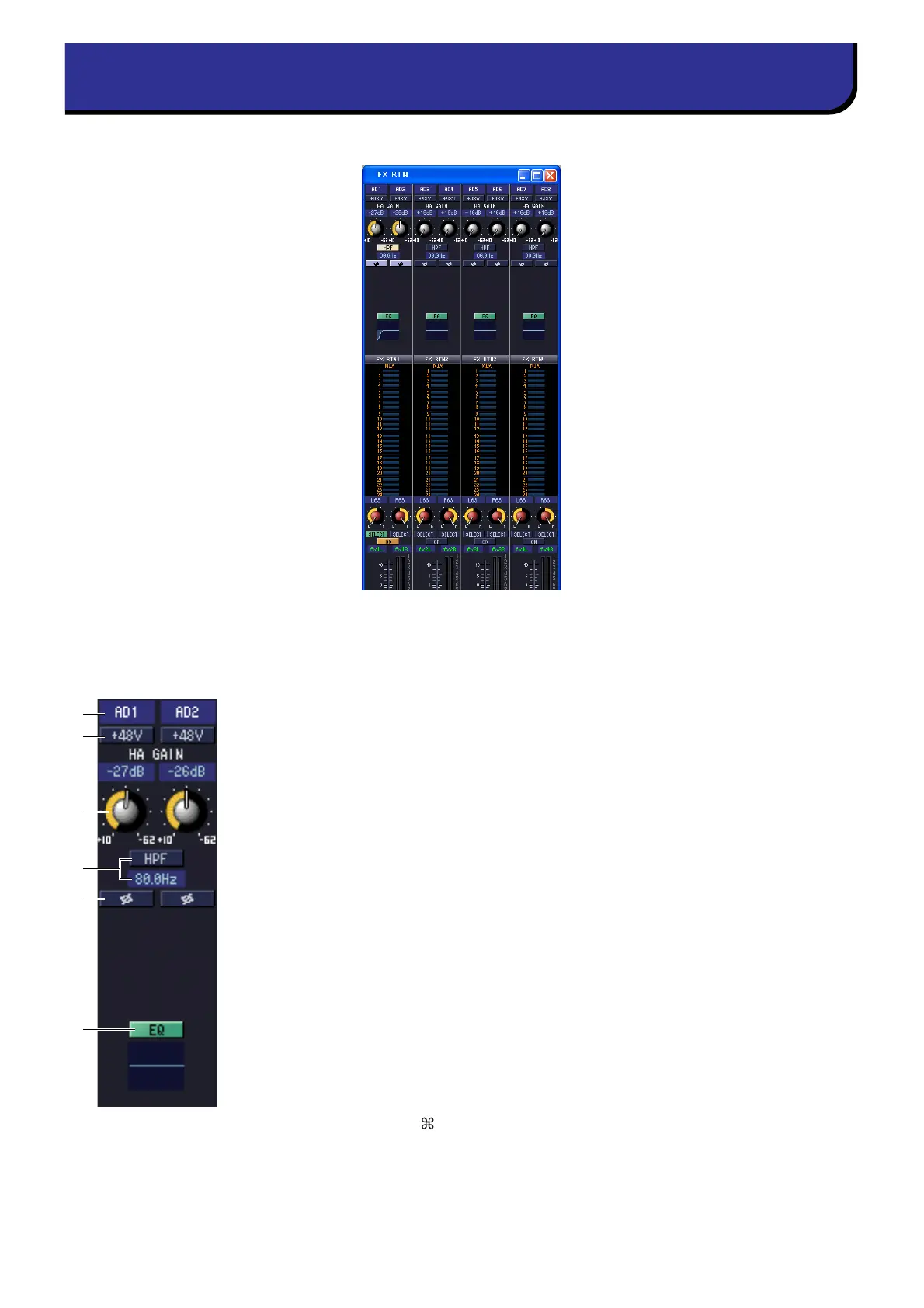
In this window you can view and edit the parameters of FX RTN channels 1–4. You can use the [View] menu to
choose the parameters that will be displayed in the window.
A Input patch
Selects the input source that will be assigned to the FX RTN channel. The input sources
that can be assigned are the same as for an input channel (➥ p.8).
B +48V
Switches on/off the phantom power (+48V) of the internal HA (PM5D-RH model and
DSP5D only) or of the external HA (AD8HR, AD824) patched to the FX RTN channel.
C HA GAIN
Drag the knob in the screen to adjust the gain of the internal HA (PM5D-RH model
and DSP5D only) or of the external HA (AD8HR, AD824) patched to the FX RTN
channel.
D HPF (High Pass Filter)
Switches the high pass filter on/off. You can drag the numeric value up or down to edit
the cutoff frequency.
E Ø (Phase)
Inverts the phase of the signal after AD conversion.
F EQ (Equalizer)
Switches the EQ on/off. The graph immediately below the button shows the approxi-
mate response of the EQ. You can drag the graph to edit the response of the EQ, or hold
down the <Ctrl> key ( key) of your computer keyboard and click the graph to reset
it to a flat response.
FX RTN window
6
1
2
5
3
4











 To Next Page