PM5DV2/DSP5D Editor Owner’s Manual
36
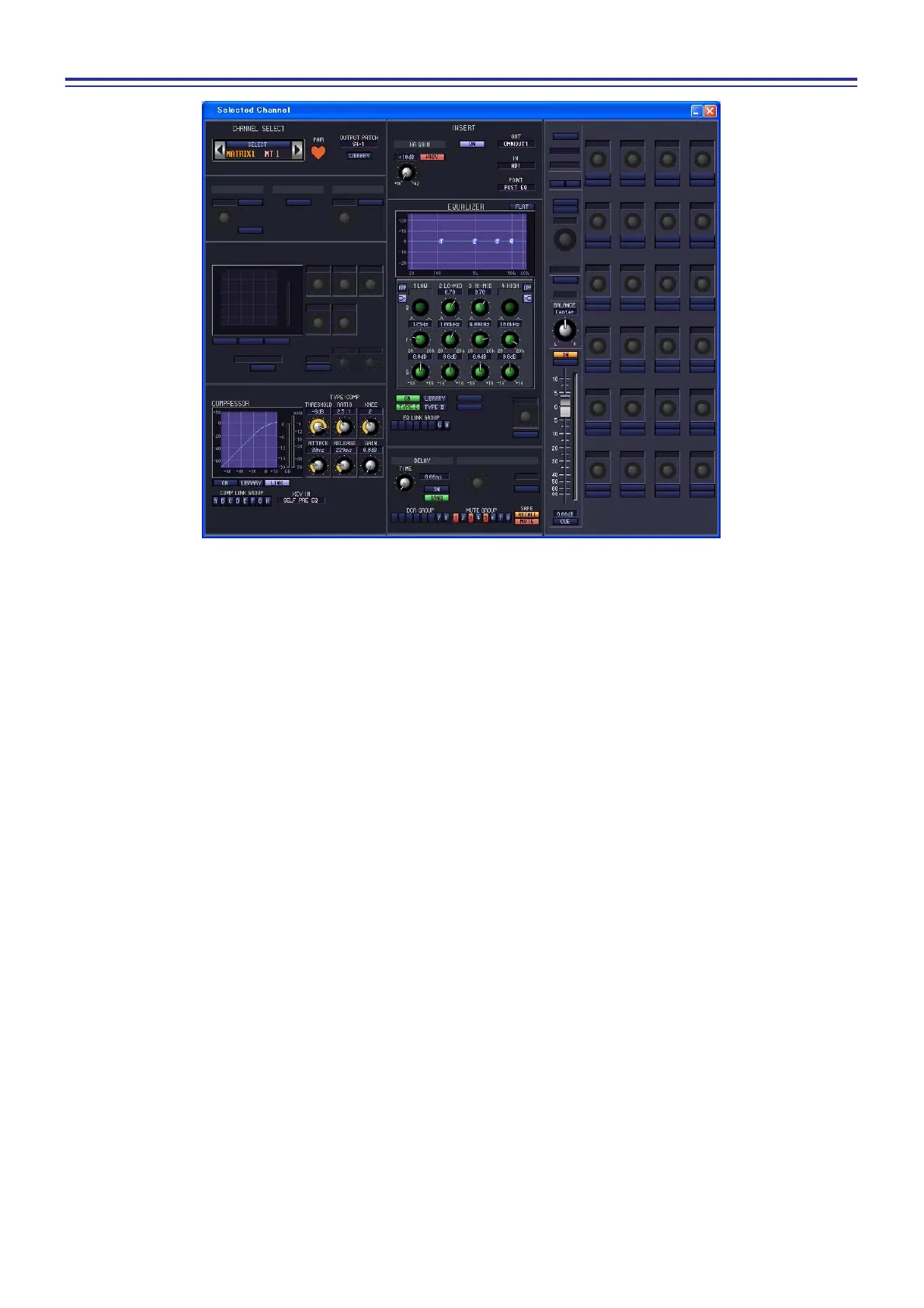
If a MATRIX channel is selected
❏ CHANNEL SELECT (Channel selection)
Except for the fact that the operations apply to a MATRIX channel, and that INPUT PATCH is replaced by OUT-
PUT PATCH, this is the same as for the channel select area of input channels (➥ p.22).
❏ COMPRESSOR
Except for the fact that the COMP LINK GROUP is A–H, and that the types of signal that can be selected for key-
in are different, this is the same as for the compressor of an input channel (➥ p.25).
❏ INSERT
Except for the fact that the insert points that can be selected are different, this is the same as for the insert settings
of an input channel (➥ p.26).
❏ EQUALIZER
Except for the fact that there is no LOWER/UPPER button, and that the EQ LINK groups are G/H, this is the
same as for the equalizer of a MIX channel (➥ p.32).
❏ DELAY
This is the same as for the delay settings of an input channel (➥ p.28).
❏ DCA GROUP / MUTE GROUP / SAFE
These are the same as the DCA Group / Mute Group / Safe settings of a MIX channel (➥ p.33).











 To Next Page