PM5DV2/DSP5D Editor Owner’s Manual
28
M ATT (Attenuation)
Adjusts the amount of attenuation/gain following AD conversion.
N GANG
If this button is on, the attenuation/gain settings of two adjacent odd-numbered/even-numbered channels will be
linked while maintaining the current offset value.
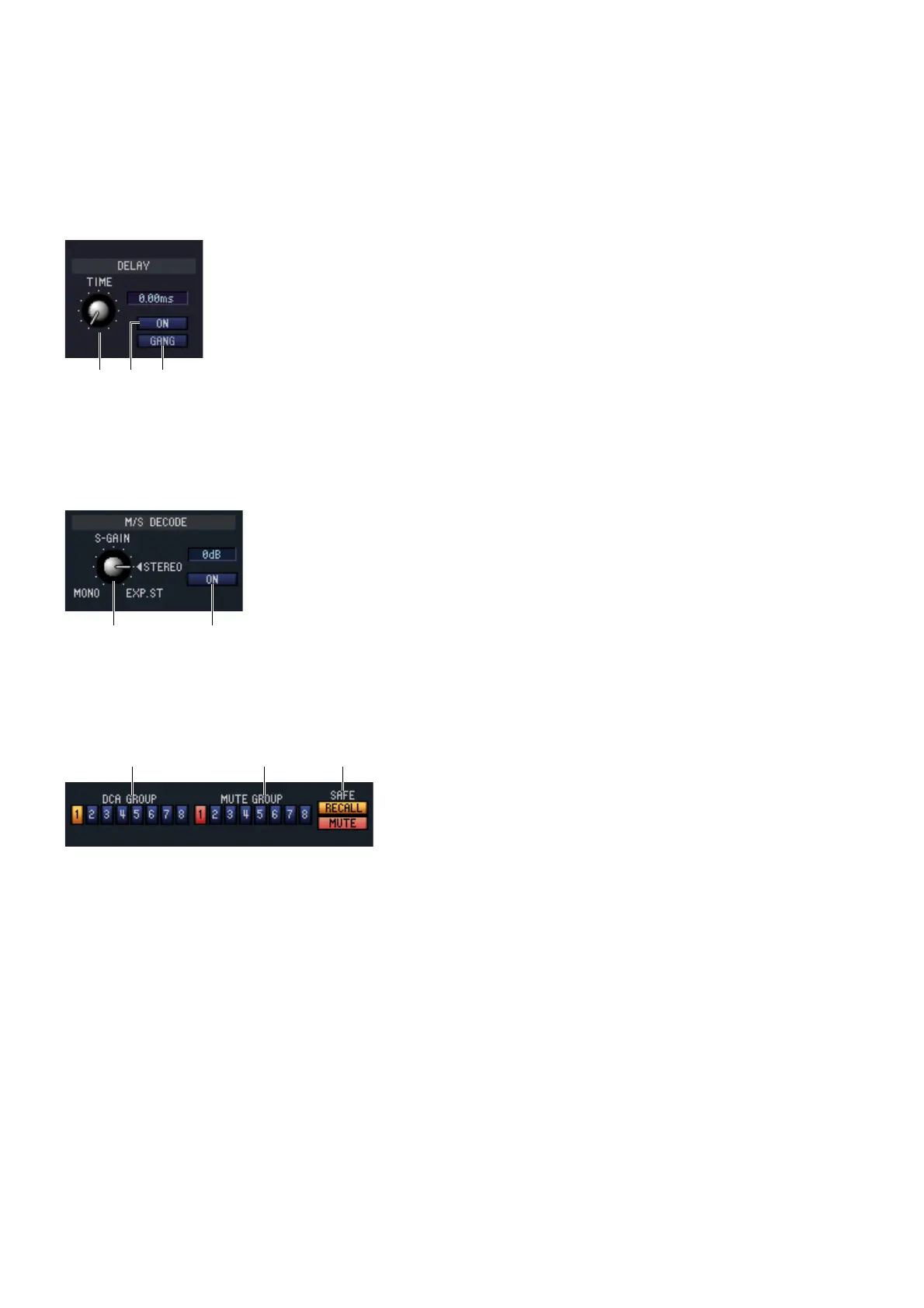
❏ DELAY (except for FX RTN channels)
A TIME (Delay time)
Adjusts the delay time for each channel.
B ON (On/off)
Switches the delay on/off. The current value (ms units) is shown in the box at the right.
C GANG
If this button is on, the delay time of two adjacent odd-numbered/even-numbered
channels will be linked while maintaining the current offset value.
❏ M/S DECODE (except for FX RTN channels)
A S-GAIN
This knob sets the proportionate level of the S mic relative to the level of the M
mic. The current value (dB units) is shown in the box at the right.
B ON (On/off)
This button switches M/S decoding on/off for two adjacent odd-numbered/even-
numbered input channels (or ST IN channel L/R).
❏ DCA GROUP / MUTE GROUP / SAFE
A DCA GROUP
Selects the DCA group (1–8) to which that channel belongs.
B MUTE GROUP
Selects the mute group (1–8) to which that channel belongs.
C RECALL SAFE / MUTE SAFE
These enable/disable Recall Safe and Mute Safe for the chan-
nel.
1 32
1 2











 To Next Page