PM5DV2/DSP5D Editor Owner’s Manual
27
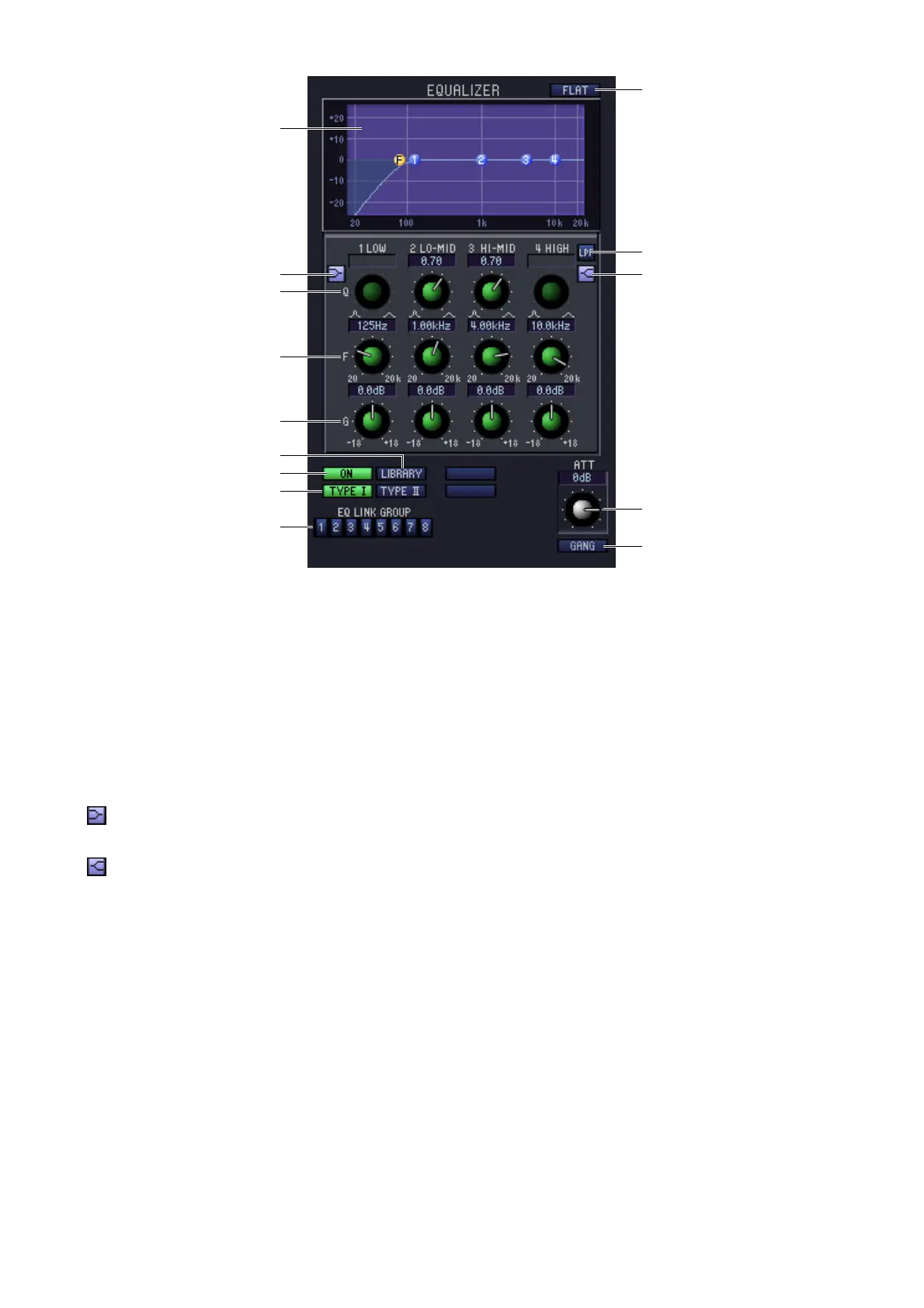
❏ EQUALIZER
A EQ graph
Indicates the approximate response for the EQ of the currently selected channel.
B FLAT
If you click this button, the gain of all bands will be reset to 0.0 dB.
C Q
D F (Frequency)
E GAIN
These knobs adjust the Q, center frequency, and boost/cut amount for the four bands LOW, LO-MID, HI-MID,
and HIGH.
F (LOW shelving)
If this button is on, the LOW EQ will be switched to a shelving type (the Q knob of the LOW EQ will disappear).
G (HIGH shelving)
If this button is on, the HIGH EQ will be switched to a shelving type (the Q knob of the HIGH EQ will disap-
pear).
H LPF (Low Pass Filter)
If this button is on, the HIGH EQ will function as a low pass filter. The Q knob of the HIGH EQ will disappear,
and the GAIN knob will act as the low pass filter on/off switch.
I ON (On/off)
Switches the EQ on/off.
J LIBRARY
Accesses the INPUT EQ page of the LIBRARY window.
K TYPE I/TYPE II (EQ type)
Selects either TYPE I (an algorithm equivalent to the EQ in the earlier 02R series) or TYPE II (a newly developed
algorithm) as the EQ type.
L EQ LINK GROUP
Selects the EQ link group (1–8) to which that channel belongs.
J
6
3
4
5
9
K
1
2
8
7
L
M
N











 To Next Page