PM5DV2/DSP5D Editor Owner’s Manual
15
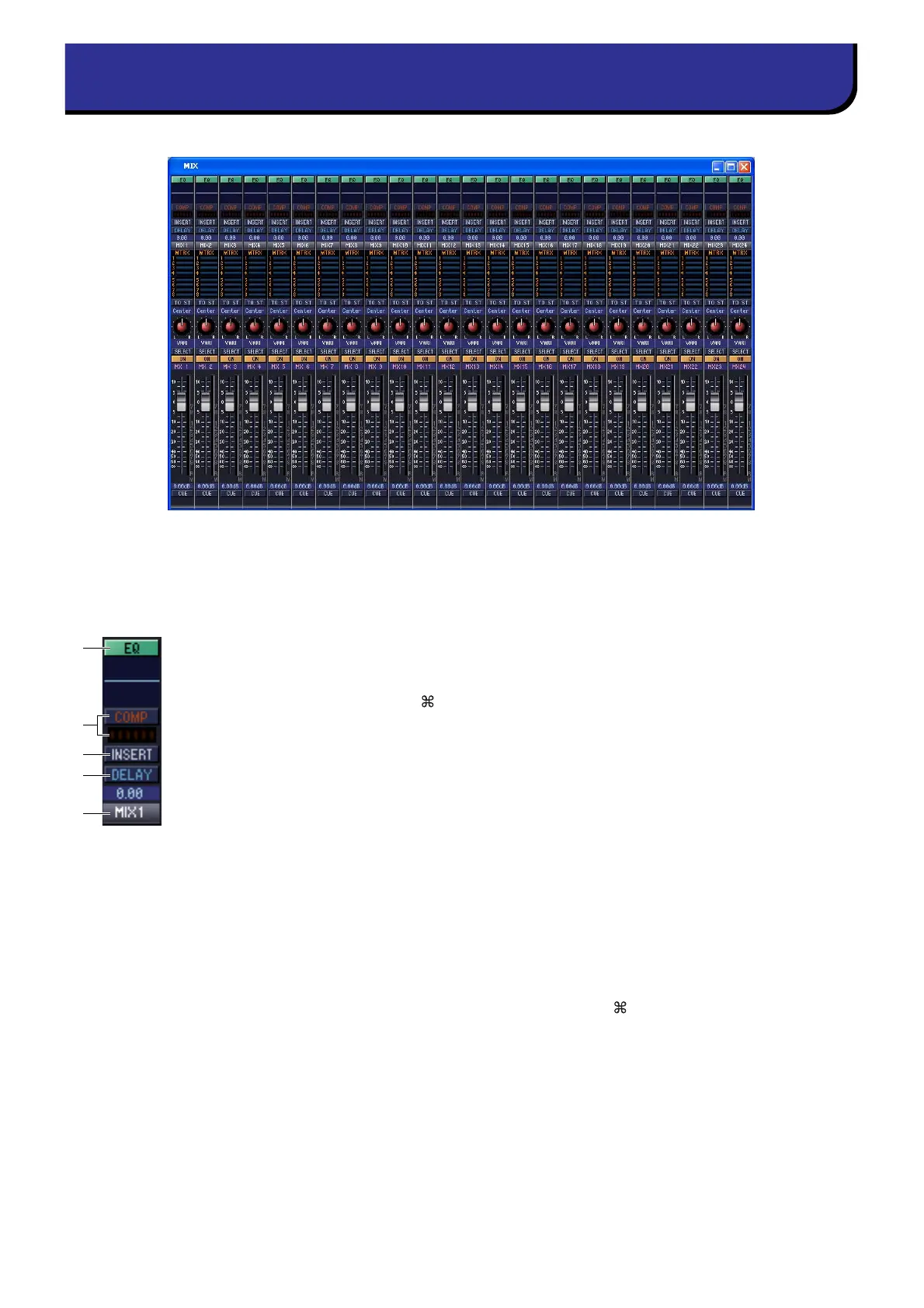
In this window you can view and edit the parameters of MIX channels 1–24. You can use the [View] menu to choose
the parameters that will be displayed in the window.
A EQ (Equalizer)
Switches the EQ on/off. The graph immediately below the button shows the approxi-
mate response of the EQ. You can drag the graph to edit the response of the EQ, or hold
down the <Ctrl> key ( key) of your computer keyboard and click the graph to reset
it to a flat response.
B COMP (Compressor)
Switches the compressor on/off. When the compressor is on, the GR meter immediately
below the button shows the amount of gain reduction.
C INSERT
Switches the INSERT PATCH path between enabled/disabled.
D DELAY
Switches the delay on/off. You can also edit the delay time by dragging the numeric
value located immediately below the button up or down
E Channel number
Indicates the number of the MIX channel corresponding to this module. You can dou-
ble-click this number to open the Selected Channel window for this channel. If you
hold down your computer keyboard’s <Ctrl> key ( key) and double-click this, the
Locked window will open.
MIX window
5
4
1
3
2











 To Next Page