PM5DV2/DSP5D Editor Owner’s Manual
55
C Grid
This grid lets you assign channels (horizontal rows) to DCA groups (vertical columns). Currently-patched grids
are indicated by a symbol. To enable or disable an assignment, click the desired grid.
D CLEAR
These buttons clear all input channels and output channels assigned to the corresponding DCA group. When you
click one of these buttons a window will appear, asking you to confirm the operation. To execute the Clear opera-
tion, click the OK button.
Clicking the CLEAR button for input channel DCA groups 7/8 will not affect the output channel assignments.
(The converse also applies.)
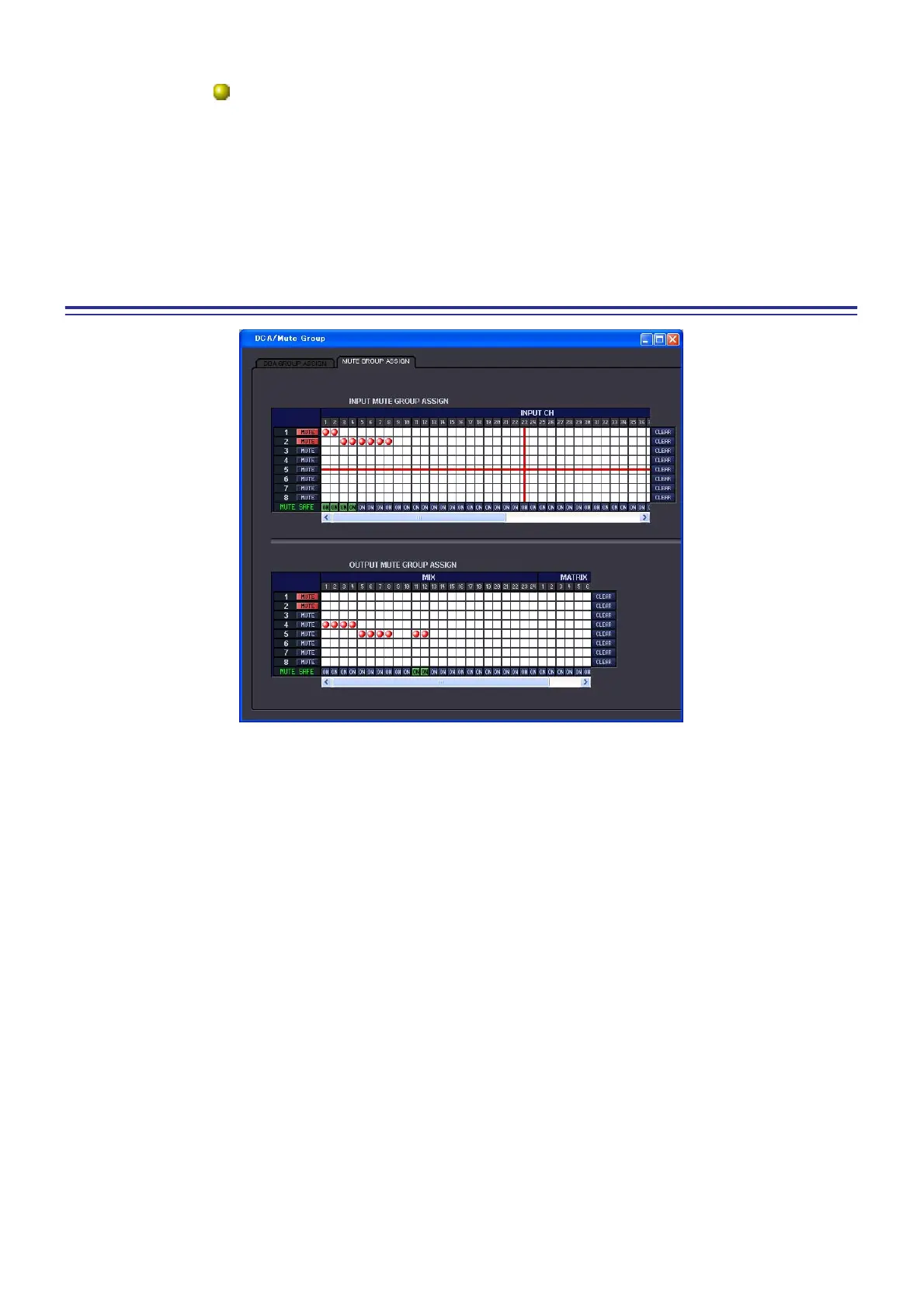
MUTE GROUP ASSIGN page
Here you can specify the channels that will be assigned to mute groups 1–8. The upper part of the screen lets you
assign input channels to mute groups, and the lower part of the screen lets you assign output channels to mute
groups.
Except for the fact that assignments for both input channels and output channels can be made in a single screen, and
the fact that the screen can be resized vertically and horizontally, basic operation here is the same as in the PM5D’s
MUTE GROUP ASSIGN screen.











 To Next Page