1414
Basic Operations
Handy FeaturesHandy Features
TV
POWER
POWER
AUDIO
/
DTS
SELECT
NIGHT
SW
TV CH
TV INPUT
SLEEP
PRESET PRESET
A B C D E
CENTER
SURR
SHIFT
STEREOMATRIX 6.1
A-B
REPEAT
ANGLE
SUBTITLE
DVR-S200 WB56620
TV
CHCH
POWER
POWER
AUDIO
/
DTS
SELECT
NIGHT
SW
TV CH
TV INPUT
SLEEP
PRESET PRESET
A B C D E
CENTER
SURR
SHIFT
STEREOMATRIX 6.1
A-B
REPEAT
ANGLE
SUBTITLE
DVR-S200 WB56620
ON SCREEN MENU
TEST
RETURN
STATUS
TV VOL
VOLUME
SET MENU
ENTER
Useful Features
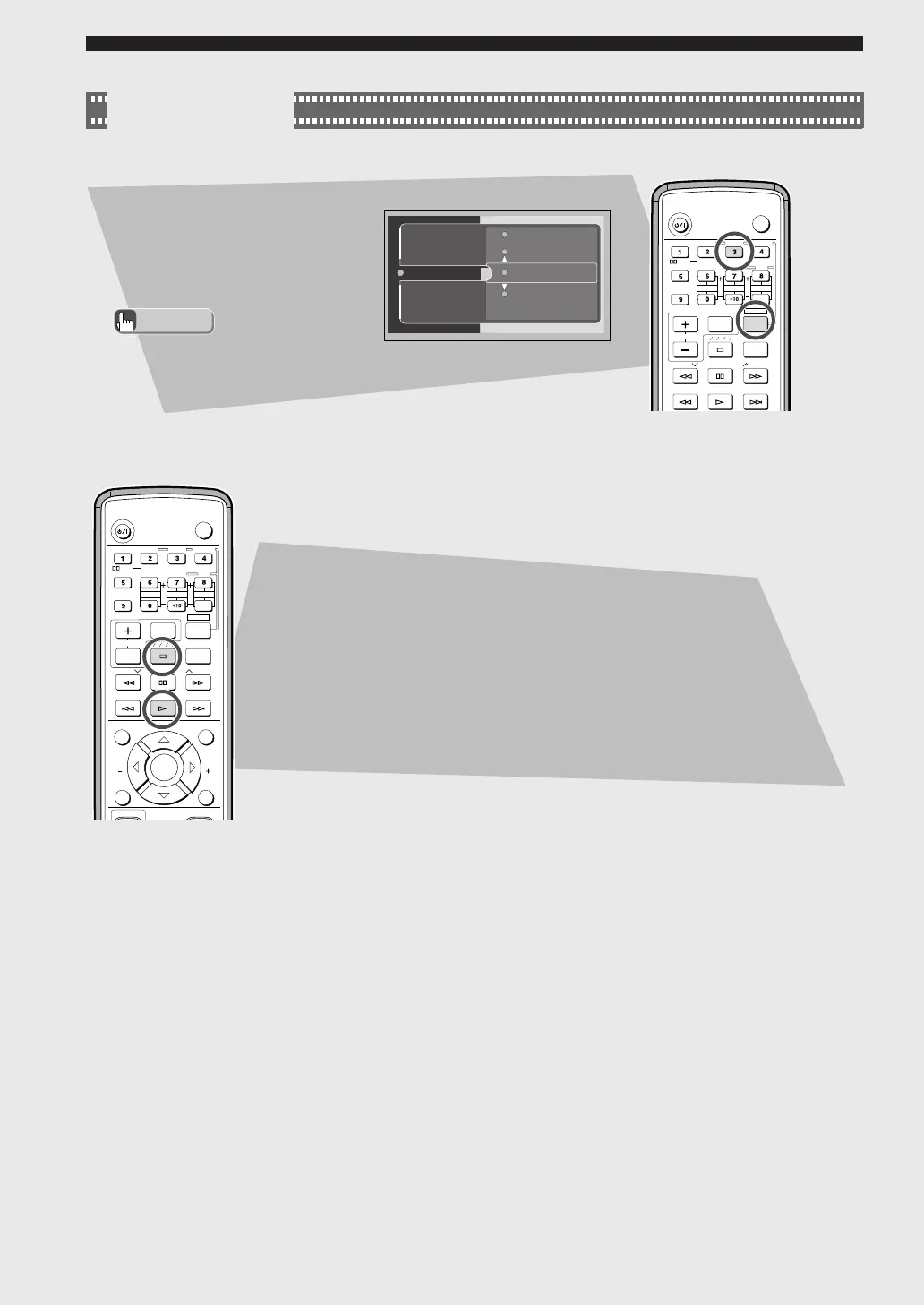
Switching the Viewing Angle
While holding down SHIFT, press
ANGLE.
The video angle changes each
time you press ANGLE while
holding down SHIFT.
Restarting Playback from the Stop Position
(Memory Resume)
Pressing a during playback enables Memory Resume. CinemaStation
memorizes the stop position.
Pressing w starts playing back the disc from the stop position.
• You can change the angle with
h, g, or Number buttons,
instead of ANGLE.
Advice
2
4
Angle
3
5
This selection is available
when the DVD disc contains
multi-angle content.
004DVX-S200-en 03.10.24, 0:30 PM14











 To Next Page