32
Playing Video and Music Discs
TV
CH
CINEMA
CH
POWER
POWER
AUDIO
/
DTS
SELECT
NIGHT
SW
TV CH
TV INPUT
SLEEP
PRESET PRESET
A B C D E
CENTER
SURR
SHIFT
STEREOMATRIX 6.1
A-B
REPEAT
ANGLE
SUBTITLE
DVR-S200 WB56620
ON SCREEN MENU
TEST
RETURN
STATUS
TV VOL
VOLUME
MUTE
AMP
DVD/CD
VCR
VIDEO 1
VIDEO 2TUNERMD/CD-R
MOVIE MUSIC SPORTS GAME
SET MENU
ENTER
g
h
ON
SCREEN
ENTER
g
g
• Playback Control is not available during Program Play of a video CD.
Press q to return to the screen in step 3, and
press ON SCREEN to turn off the On Screen
Menu.
Program Play starts. Press w to start Program Play when
Program Play does not start.
Advice
Note
• Once Program Play is set, the PROG indicator lights up in the
CinemaStation Display.
Chapter 1
Title 1
Title 9
Title 10
Title 2
Title 3
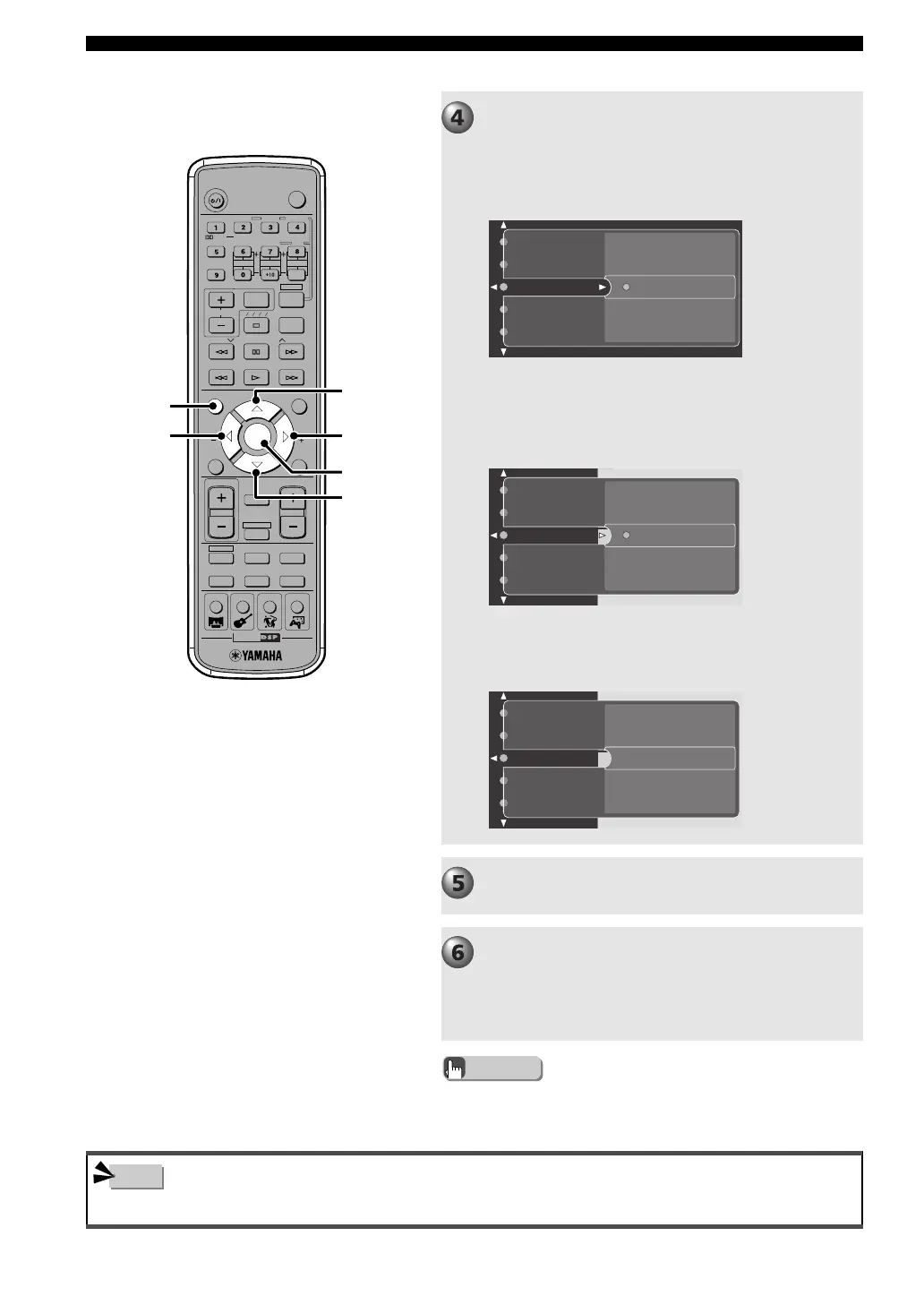
Select the chapter or track to add to Program
Play.
E.g. DVD video
Press h or g to select the title number to add,
then press ENTER.
Perform step 4 until you add all desired chapters
or tracks.
➡
Press h or g to select the chapter number to
add, then press ENTER.
Chapter 1
Title 1
Title 9
Title 10
Title 2
Title 3
E.g. CD
Press h or g to select the track number to add,
then press ENTER.
Track 2
Track 14
Track 1
Track 3
Track 4
008DVX-S200-en 03.11.20, 2:25 PM32











 To Next Page