INSTRUMENT AND CONTROL FUNCTIONS
3-8
3
LCD and tachometer brightness
control mode
This function allows you to adjust the
brightness of the LCD and the tachom-
eter panel and needle to suit the out-
side lighting conditions.
To set the brightness
1. Turn the key to “OFF”.
2. Push and hold the “SELECT” but-
ton.
3. Turn the key to “ON”, and then re-
lease the “SELECT” button after
five seconds.
4. Push the “RESET” button to select
the desired brightness level.
5. Push the “SELECT” button to con-
firm the selected brightness level.
The display will return to the odom-
eter or tripmeter mode.
EAU12347
Handlebar switches
Left
Right
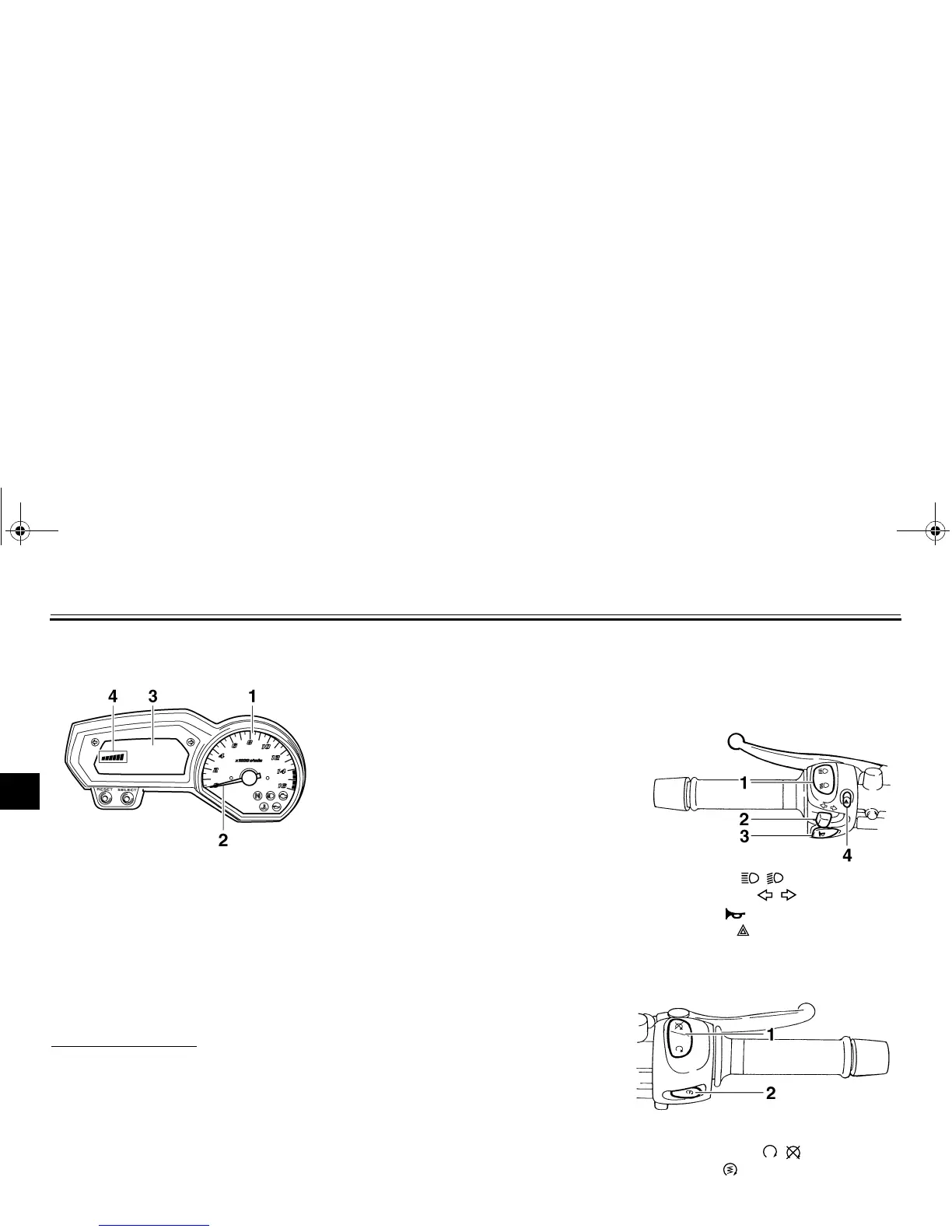
1. Tachometer panel
2. Tachometer needle
3. LCD
4. Brightness level
1. Dimmer switch “ / ”
2. Turn signal switch “ / ”
3. Horn switch “”
4. Hazard switch “”
1. Engine stop switch “ / ”
2. Start switch “”
U4S811E0.book Page 8 Wednesday, August 8, 2007 1:14 PM



 To Next Page