PERIODIC MAINTENANCE AND ADJUSTMENT
7-11
1
2
3
4
5
6
7
8
9
the original position.
EAU34290
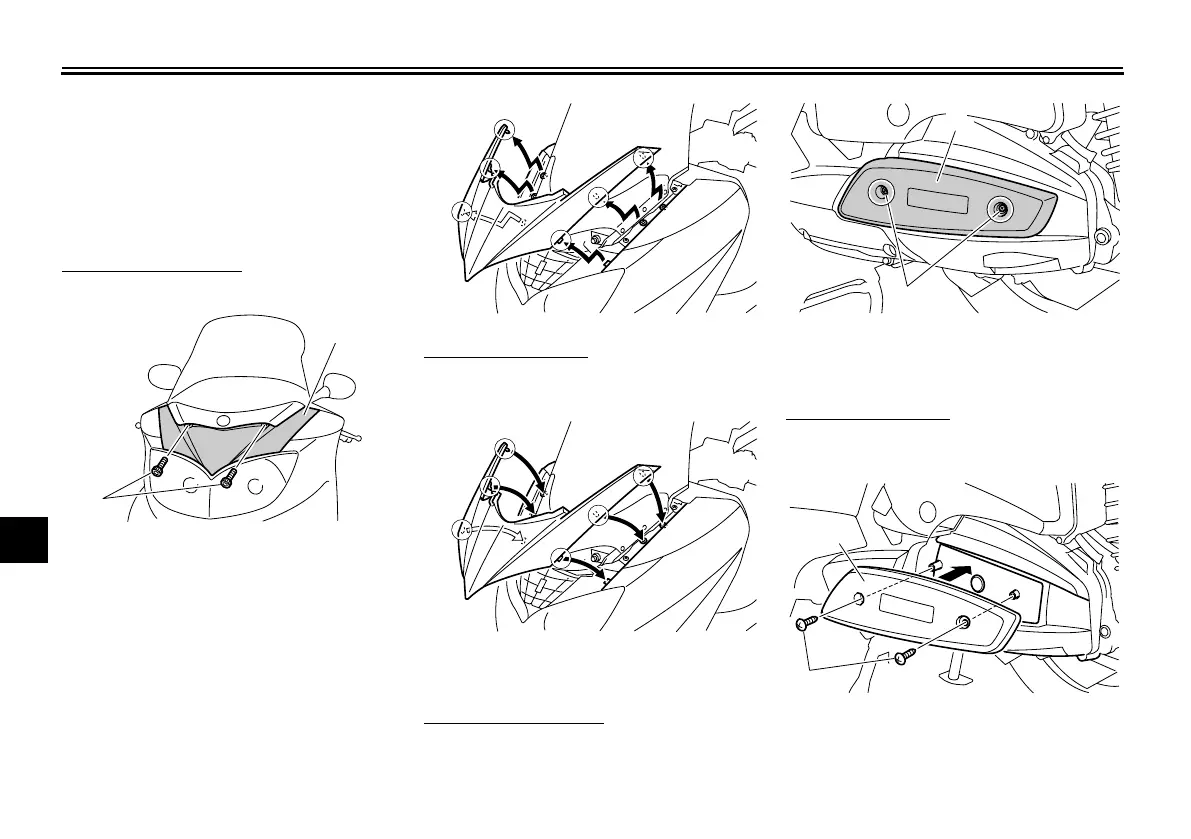
Panel A
To remove the panel
1. Remove the bolts.
2. Pull the panel out as shown.
To install the panel
Place the panel in the original position,
and then install the bolts.
Panel B
To remove the panel
Remove the screws, and then pull the
panel outward.
To install the panel
Place the panel in the original position,
and then install the screws.
1. Bolt
2. Panel A
2
1
1. Panel B
2. Screw
1. Screw
2. Panel B
✼✦✧✯✪✥✲✣ ✤✤






 To Next Page