Getting to Know the MT50
5
MT50 User’s Guide
0
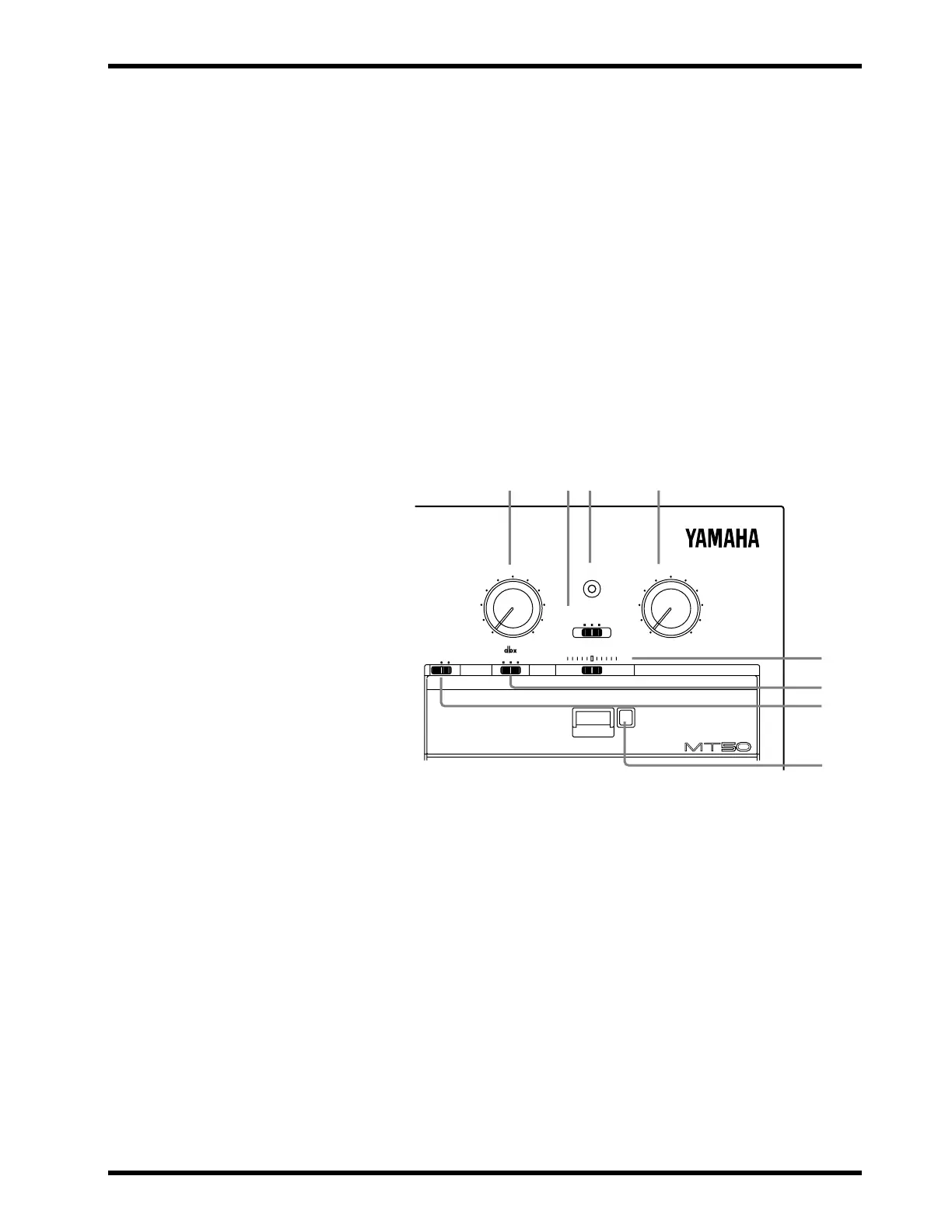
AUX RETURN control:
This control sets the level of the AUX
RETURN input signal (i.e., the level of the processed signal from
an external effects processor) back into the stereo mix.
A
MONITOR SELECT switch:
This switch determines the sig-
nal source for the PHONES and the MONITOR OUT.
Stereo
— This setting selects the L and R signals controlled by the
Pan control (the level of these signals is adjusted by the faders).
Cue
— The signal source is CUE (controlled by the CUE sliders).
Use this for overdub recording.
Mix
— The signal source is the stereo mix and CUE. Use this for
punch-in/out recording.
B
POWER indicator:
This indicator lights up when the MT50 is
powered-on and ready for use.
C
MONITOR/PHONES control:
This control is used to adjust
the PHONES and MONITOR OUT levels.
D
PITCH slider:
This control is used to adjust the tape speed plus
or minus 10%. The center position is normal speed (9.5 cm/sec).
In general, set this slider to the center position.
E
dbx switch:
“dbx” is a sophisticated noise reduction system
that can help you make cleaner-sounding recordings. This switch
is used to turn the dbx noise reduction ON and OFF. The switch
has three positions:
OFF
— dbx noise reduction is OFF.
ON
— dbx noise reduction is ON for all four tracks.
SYNC
— dbx noise reduction is ON for tracks 1, 2, and 3, but not
4. Use this setting when track 4 is striped with the FSK signal for
synchronized operation.
Note:
If you recorded a tape with dbx noise reduction set to either
ON or SYNC, make sure that ON or SYNC is used for playback too.
Do not change this setting half way through a recording session.
–
+
000
AUX RETURN POWER MONITOR/PHONES
0
10
MAXMIN
ZERO STOP
OFF ON
PITCH
SYNC OFF ON
STEREO MIX CUE
MONITOR SELECT
MULTITRACK CASSETTE RECORDER
0A C
B
D
E
F
G



 To Next Page