Performance Editor Essential Owner’s Manual 5
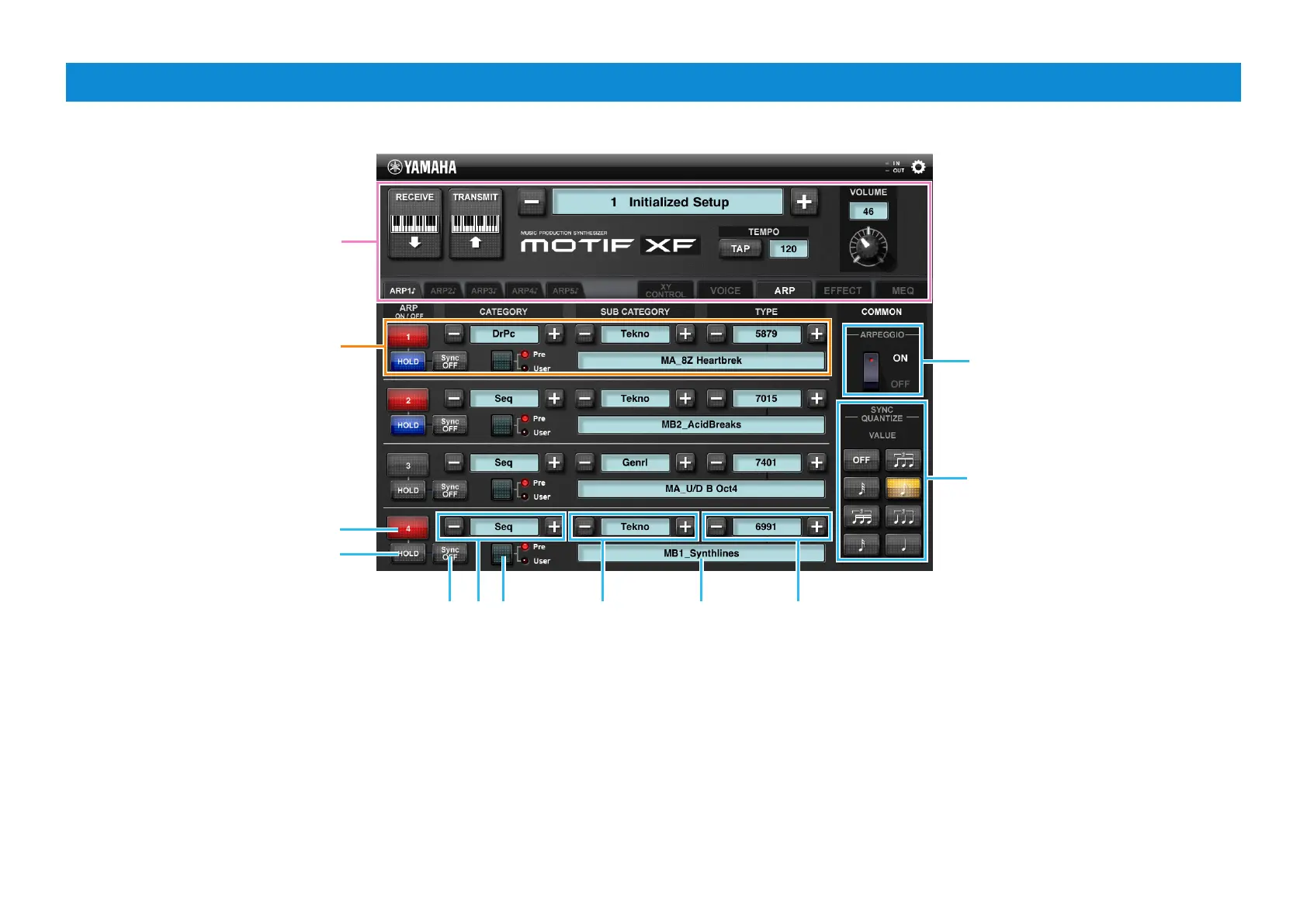
ARP display
1
2
3
4
5
6
7 8
1 Turns on/off ARP Part Switch. The red color indicates the on status while the
gray color indicates the off status.
2 Turns on/off ARP Hold. The blue color indicates the on status while the gray
color indicates the off status.
3 Sets ARP Hold to Sync Off. The blue color indicates the Sync Off status while
the gray color indicates a different status.
4 Tapping the [-]/[+] changes the Arpeggio Type to the first one of the new Main
Category. Tapping the indication between [-] and [+] calls up the Arpeggio
Type List.
5 Selects the Arpeggio Type Bank form “Pre” or “User.” The selected Bank lamp
lights.
6 Tapping the [-]/[+] changes the Arpeggio Type to the first one of the new Sub
Category. Tapping the indication between [-] and [+] calls up the Arpeggio
Type List.
7 Indicates the Arpeggio Type Name. Tapping here calls up the Arpeggio Type
List.
8 Tapping the [-]/[+] changes the Arpeggio Type. Tapping the indication
between [-] and [+] calls up the Arpeggio Type List.
Same as in the VOICE display
Lets you edit the Part 1 parameters.
Likewise, the parameters for the
Parts 2 – 4 can be edited in the
corresponding area.
Turns on/off ARP Common Switch.
Selects ARP Sync Quantize Value.


 To Next Page