Performance Editor Essential Owner’s Manual
iPad
iMX-1
MIDI OUT MIDI IN
MIDI IN MIDI OUT
Performance Editor Essential
MOTIF XF, S90XS/S70XS,
MOX6/MOX8, MOTIF XS
• Copying of the commercially available music sequence data and/or digital audio files is strictly
prohibited except for your personal use.
• The software and this owner’s manual are exclusive copyrights of Yamaha Corporation.
• Copying of the software or reproduction of this manual in whole or in part by any means is expressly
forbidden without the written consent of the manufacturer.
• Yamaha makes no representations or warranties with regard to the use of the software and
documentation and cannot be held responsible for the results of the use of this manual and the
software.
• The screen displays as illustrated in this Owner’s Manual are for instructional purposes, and may
appear somewhat different from the screens which appear on your devicer.
• Apple, iPad are trademarks of Apple Inc., registered in the U.S. and other countries.
• The company names and product names in this Owner’s Manual are the trademarks or registered
trademarks of their respective companies.
© 2011 Yamaha Corporation. All rights reserved.
For information about the MIDI settings of the MOTIF XF, S90XS/S70XS, MOX6/MOX8, and MOTIF XS, refer to the respective manuals.
What is Performance Editor Essential?
This application lets you edit the VOICE/ARP/EFFECT/MEQ parameters in the Performance mode of the MOTIF XF, S90XS/S70XS, MOX6/MOX8, MOTIF XS from your iPad.
Select a Performance on the instrument, edit the parameters of the selected Performance on the iPad, then store the edited parameters on the instrument.
The instructions in this manual use the MOTIF XF as an example.
Depending on your particular musical instrument, there may not be equivalent displays or buttons.
Utility window
For setting the
parameters common
to all the displays.
VOICE display
For assigning the Voices to the
respective Performance Parts.
XY CONTROL display
Lets you control the specified
parameter change and MIDI Control
Change messages simultaneously by
dragging in the XY Pad area.
EFFECT display
Chorus display
Reverb display
Master Effect display
ARP display
MEQ display
By using MIDI cables and a Yamaha i-MX1, connect the
instrument to an iPad.
The MOTIF XF can be connected via wireless Network
MIDI. For details about wireless MIDI connectivity, refer
to the “New Functions in MOTIF XF Version 1.20” Manual.
NOTE
• Before editing, enter the Performance mode.
• After editing, store the edited Performance.

 Need help?
 General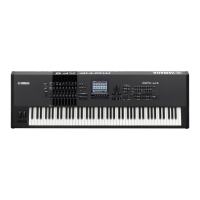

 To Next Page