Performance Editor Essential Owner’s Manual 7
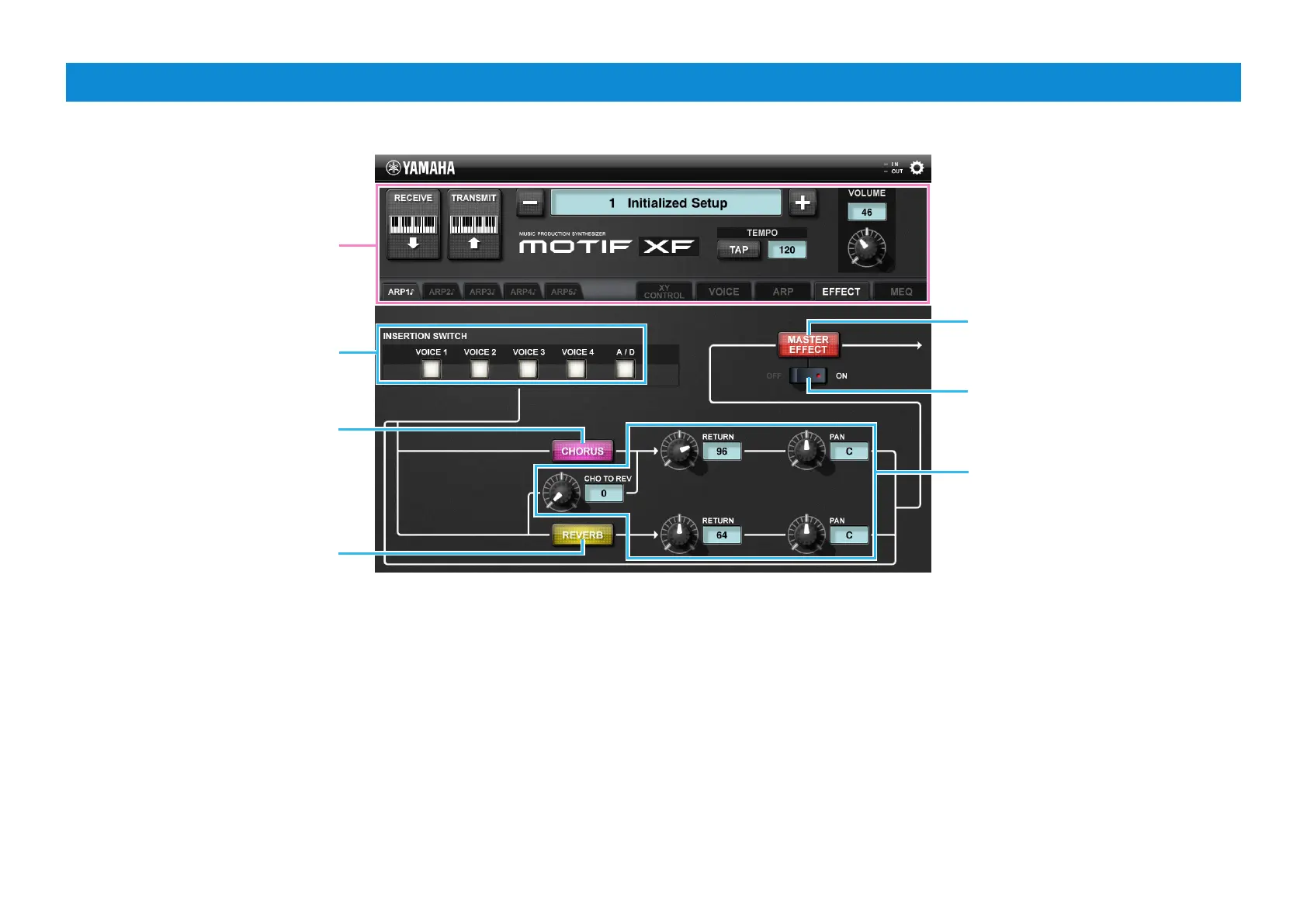
EFFECT display
Same as in the VOICE display
Lets you set the Insertion Switch to
on or off for each Part.
Tapping here calls up
the CHORUS display.
Tapping here calls up
the REVERB display.
Tapping here calls up the
MASTER EFFECT display.
To adjust each value, drag around
the knob or tap the value to call
up the slider then operate the
slider.
Sets the Master Effect ON/OFF.


 To Next Page