28
PSR-E343/PSR-E344/YPT-340
•
Other Tests
Popping Noise Check
Connect the oscilloscope to the L/R of the [PHONES/OUTPUT] jack and turn on and then off the [STANDBY/ON] switch. Make
sure that popping noise level is 1.0 Vp-p or less, and that no abnormal sound or popping noise is output from the speakers.
Noise Level Check
Connect the level meter (with JIS-C filter) to the L/R of the [PHONES/OUTPUT] jack. (33 Ω load)
Set the [MASTER VOLUME] to the maximum level and check the noise level. Do not insert any plugs to [AUX-IN] jack.
· PHONES L, R: –75 dBu or less
Battery Charging Check
Connect the AC adapter to the [DC IN] jack.
Confi rm that the unit shall be performed normally, and no voltage is generated between spring terminal A - B.
7XUQ
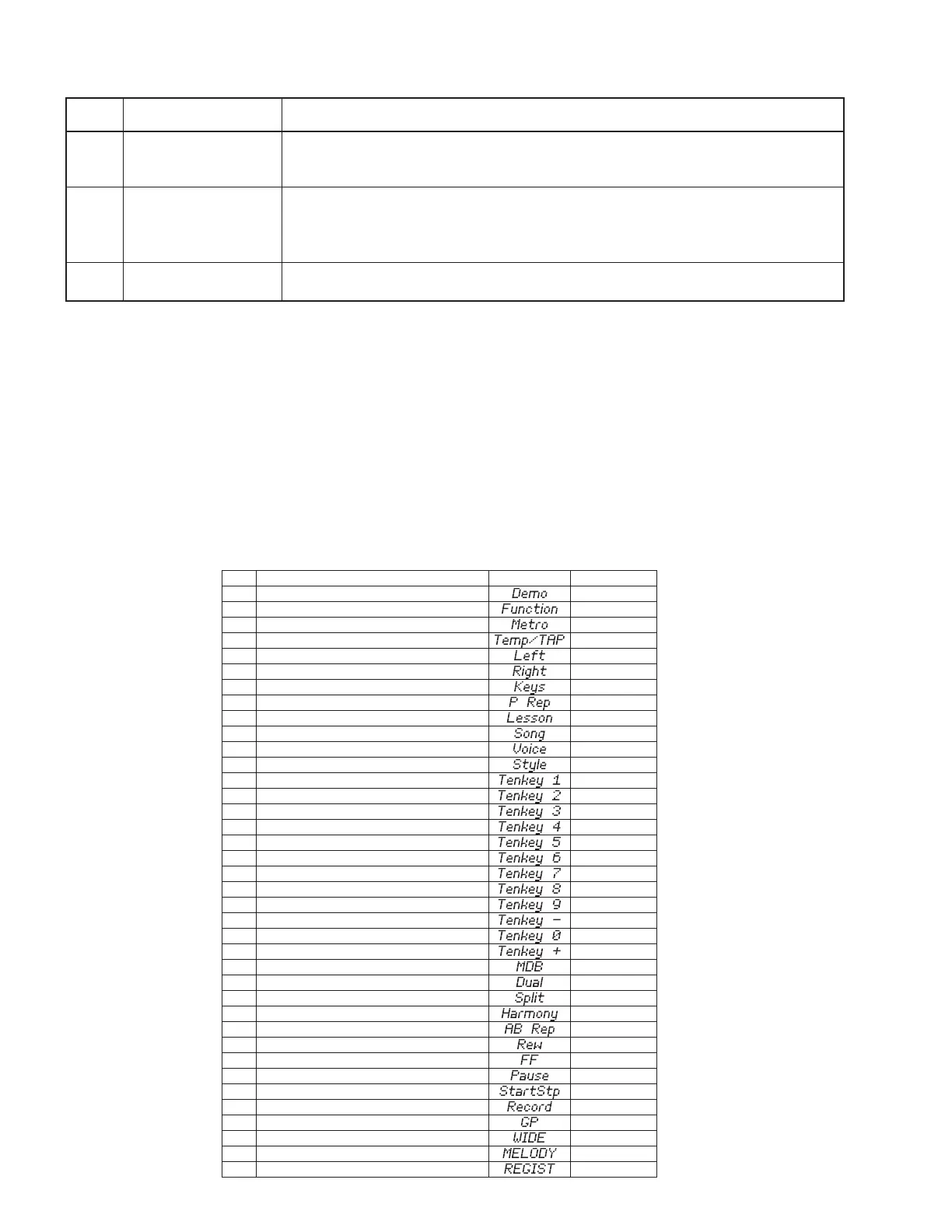
6ZLWFKWHVWLWHPOLVW
&
&
'
'
(
)
)
*
*
$
$
%
&
&
'
'
(
)
)
*
*
$
$
%
&
&
'
'
(
)
)
*
*
$
$
%
&
&
1RWH1XPEHU
'(02
)81&7,21
0(752120(
7(0327$3
/()7
5,*+7
.(<67268&&(66
3+5$6(5(3($7
/,67(1,1*7,0,1*:$,7,1*
621*
92&(
67</(
7(1.(<
7(1.(<
7(1.(<
7(1.(<
7(1.(<
7(1.(<
7(1.(<
7(1.(<
7(1.(<
7(1.(<
7(1.(<
7(1.(<
086,&'$7$%(6(
'8$/
63/,7
+$5021<
$%5(3($7
5(:
))
3$86(
67$576723
5(&
3257$%/(*5$1'
8/75$:,'(67(5(2
0(/2'<68335(6625
5(*,670(025<
6:1DPH
/&''LVSOD\
TEST
No.
LCD display
Test descriptions, judging conditions, etc.
57
057: FRomChk2
Checks the FROM connected to the CPU bus. (Full address)
Make sure that “FRom OK” is displayed on the LCD.
It will take about 100 seconds for the check.
60
060: Factory
Initializes the entire backup area to reset to the factory default.
“Fact --” is displayed on the LCD during the factory set.
“Fact End” is displayed on the LCD when the factory set is finished.
Do not turn off the power during this process.
61
061: TestExit
This will leave the test program, reset the system and change to the play mode.
Do not turn off the power until the main screen is displayed.



 To Next Page