Try Playing a Variety of Instrument Voices
PSR-E463/PSR-EW410 Owner’s Manual
21
Quick Guide
By dividing the keyboard into the two separate areas,
you can play a different Voice between the Left hand
and Right hand areas.
1
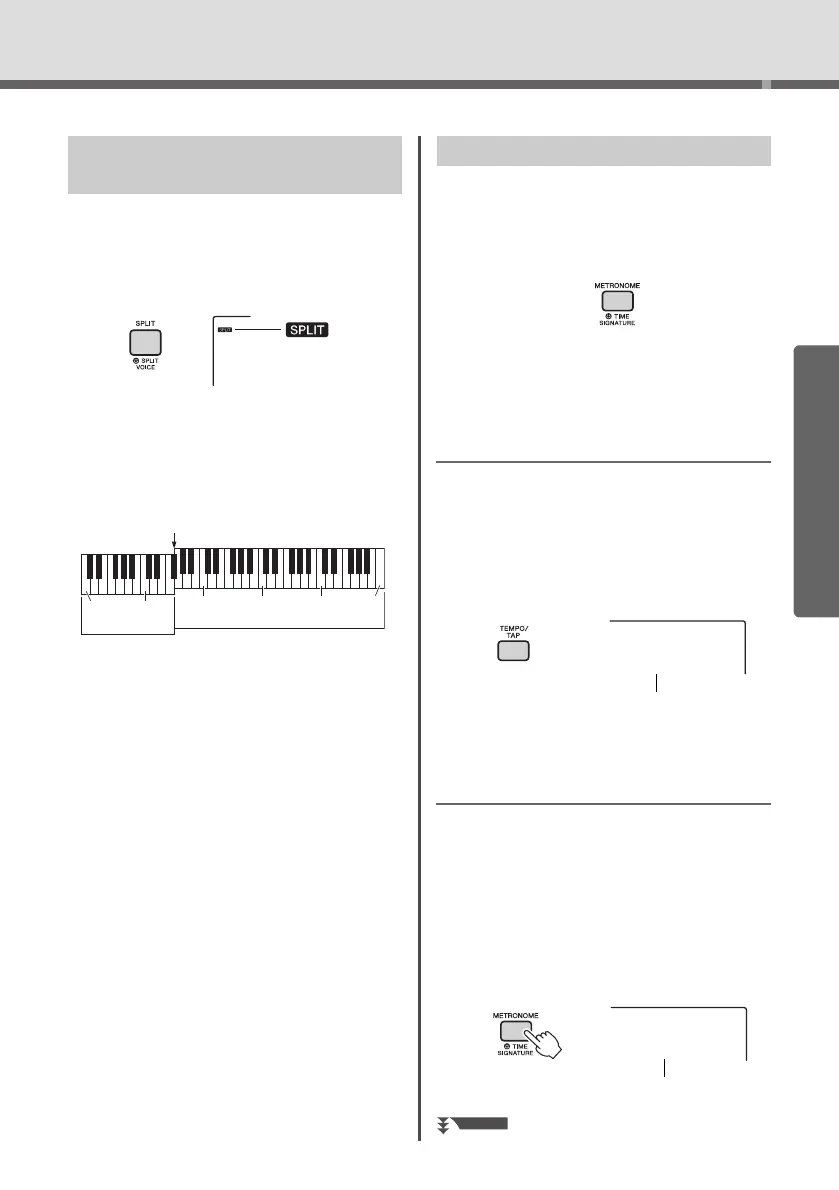
Press the [SPLIT] button to turn Split on.
The keyboard is divided into left and right hand
area at the Split Point. You can play a Split Voice
on the left hand area while playing a Main Voice
and Dual Voice on the right hand area of the key-
board.
The Split Voice (page 55) and the Split Point can
be changed as desired (page 62).
2
Press the [SPLIT] button again to exit
from Split.
This instrument features a built-in metronome which
can be used when practicing.
1
Press the [METRONOME] button to start
the metronome.
2
Press the [METRONOME] button again to
stop the metronome.
Adjusting the Metronome Tempo
This operation lets you adjust not only the metro-
nome tempo, but also the tempo of Style, Song and
Groove.
1
Press the [TEMPO/TAP] button to call up
“Tempo.”
The current tempo is shown on the display.
2
Adjust the tempo by rotating the dial.
Setting the Time Signature
This operation lets you change the time signature
from the default value. In this example, we’ll set a
time signature of 6/8.
1
Hold down the [METRONOME] button for
longer than a second to call up “Time-
SigN” (Time Signature Numerator).
The number of beats per measure is shown on
the display.
Playing a Split Voice in the Left
Hand area
Split Voice
Main Voice (and Dual Voice)
Split Point ... default value: 054 (F#2)
036
(C1)
048
(C2)
060
(C3)
072
(C4)
084
(C5)
096
(C6)
Using the Metronome
Tempo
090
Number of beats
per measure.
Hold for longer
than a second.















 To Next Page