Playing Songs
PSR-E463/PSR-EW410 Owner’s Manual
28
Quick Guide
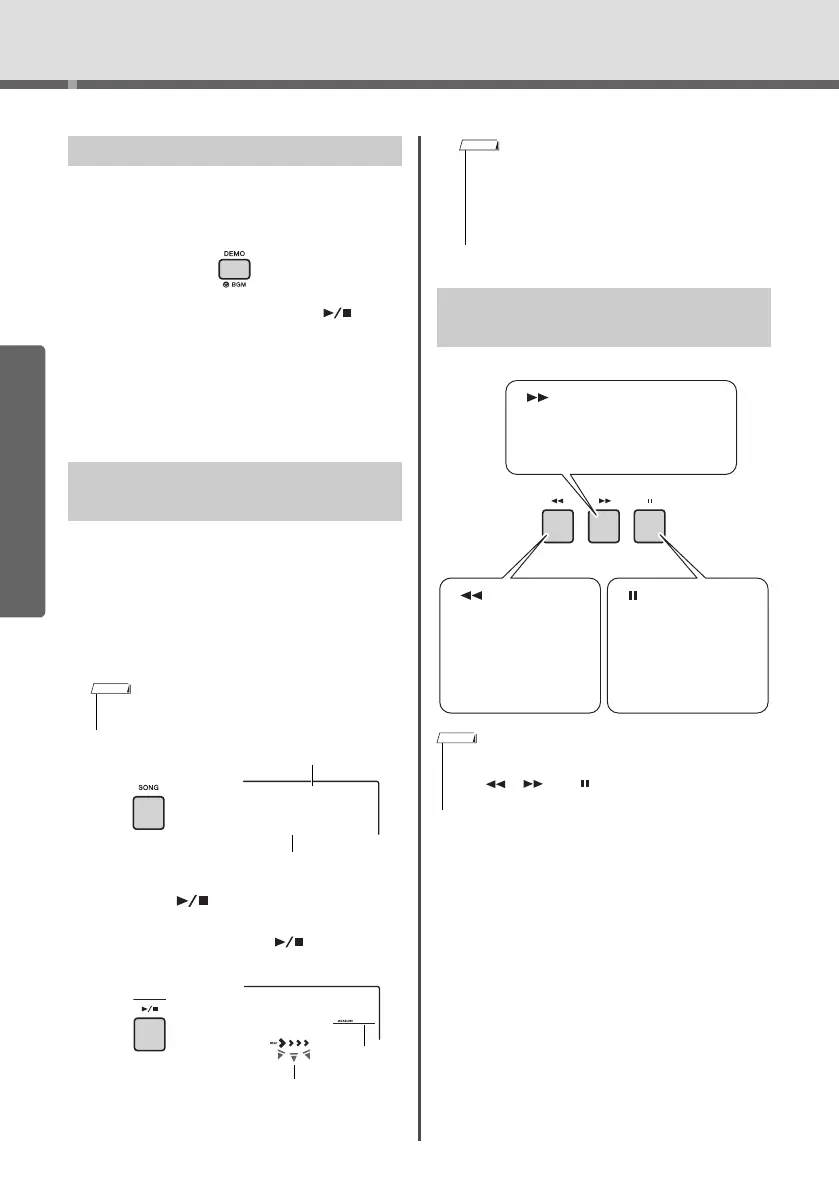
Press the [DEMO] button to play Demo Songs 001–
003 in sequence. Playback will repeat continuously,
starting again from the first Song (001).
To s to p p lay back, press the [DEMO] or [ ] (Start/
Stop) button.
Hold down the [DEMO] button for longer than a sec-
ond to use the instrument as a background music
source (page 64).
1
Press the [SONG] button, then rotate the
dial to select the desired Song.
For a list of available Songs, refer to the Song List
in the separate Data List.
Yo u can select User Songs, Songs transferred
from a computer, and Songs in the USB flash
drive in the same way as above.
2
Press the [ ] (Start/Stop) button to
start playback.
To s to p p lay back, press the [ ] (Start/Stop)
button again.
Listening to a Demo Song
Selecting and Playing Back a
Song
• The selectable Songs are number 4 and later. When
selecting the number 1 to 3, press [DEMO] button.
Each arrow mark flashes in
time with the beat.
Jeanie
013
001
• External MIDI Songs containing Portamento Control and
Scale Tune settings may not be played correctly.
• If playback of a Song in the USB flash drive or a Song
transferred from a computer produces distorted sound,
decrease the Song volume (page 65) to reduce the dis-
tortion, and then adjust the master volume (page 16).
Song Fast Forward, Fast
Reverse, and Pause
• When the A-B repeat is specified, the Fast Reverse and Fast
Forward will only work within the range between A and B.
• The [ ], [ ] and [ ] buttons cannot be used for Demo
Song playback started by using the [DEMO] button.
[] Fast Reverse
During playback,
press this button to
rapidly return to an
earlier point in the
Song.
[ ] Fast Forward
During playback, press this but-
ton to rapidly skip ahead to a
later point in the Song.
[] Pause
During playback,
press this button to
pause playback, and
press again to start
from that point.















 To Next Page