Playing Songs
PSR-E463/PSR-EW410 Owner’s Manual
29
Quick Guide
Yo u can play back only a specific section of a Song
repeatedly by setting the A point (start point) and B
point (end point) in one-measure increments.
1
Start playback of the Song (page 28).
2
When playback reaches to the point you
want to specify as the start point, press
the [ ] (A-B REPEAT) button to set
the A point.
3
When playback reaches to the point you
want to specify as the end point, press
the [ ] (A-B REPEAT) button again
to set the B point.
The specified A-B section of the Song will now
play repeatedly.
4
To cancel repeat playback, press the
[ ] (A-B REPEAT) button again.
To s to p p lay back, press the [ ] (Start/Stop)
button.
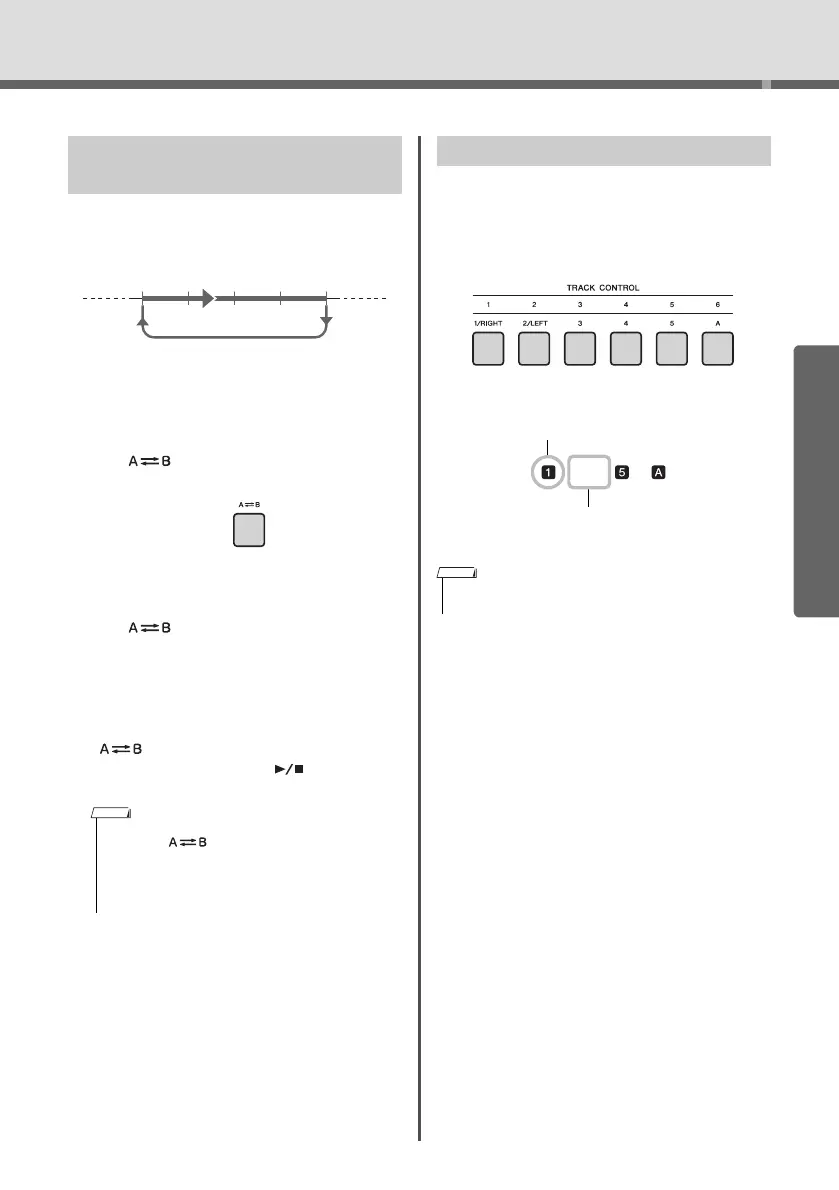
Each “track” of a Song plays a different part—mel-
ody, percussion, accompaniment, etc. Each of the
tracks can be muted so that you can play the muted
part yourself. Pressing the desired Track button
repeatedly will toggle the on/off status.
The status of each track is shown in the display.
Playing a Specified Section of a
Song Repeatedly (A-B Repeat)
• If you want to set start point “A” to the top of the Song,
press the [ ] (A-B REPEAT) button before starting
playback.
• If you want to set end point “B” to the end of the Song,
specify only the A point and play back the Song to the
end.
AB
Turning Each Track On/Off
• Up to two Track buttons can be pressed simultaneously for
turning on or off.
Tra ck number off—Track is
muted or contains no data
Tra ck number on—Track
will be played back















 To Next Page