Audio Playback and Recording
PSR-E463/PSR-EW410 Owner’s Manual
43
Quick Guide
1
Connect a USB flash drive to the [USB
TO DEVICE] terminal.
2
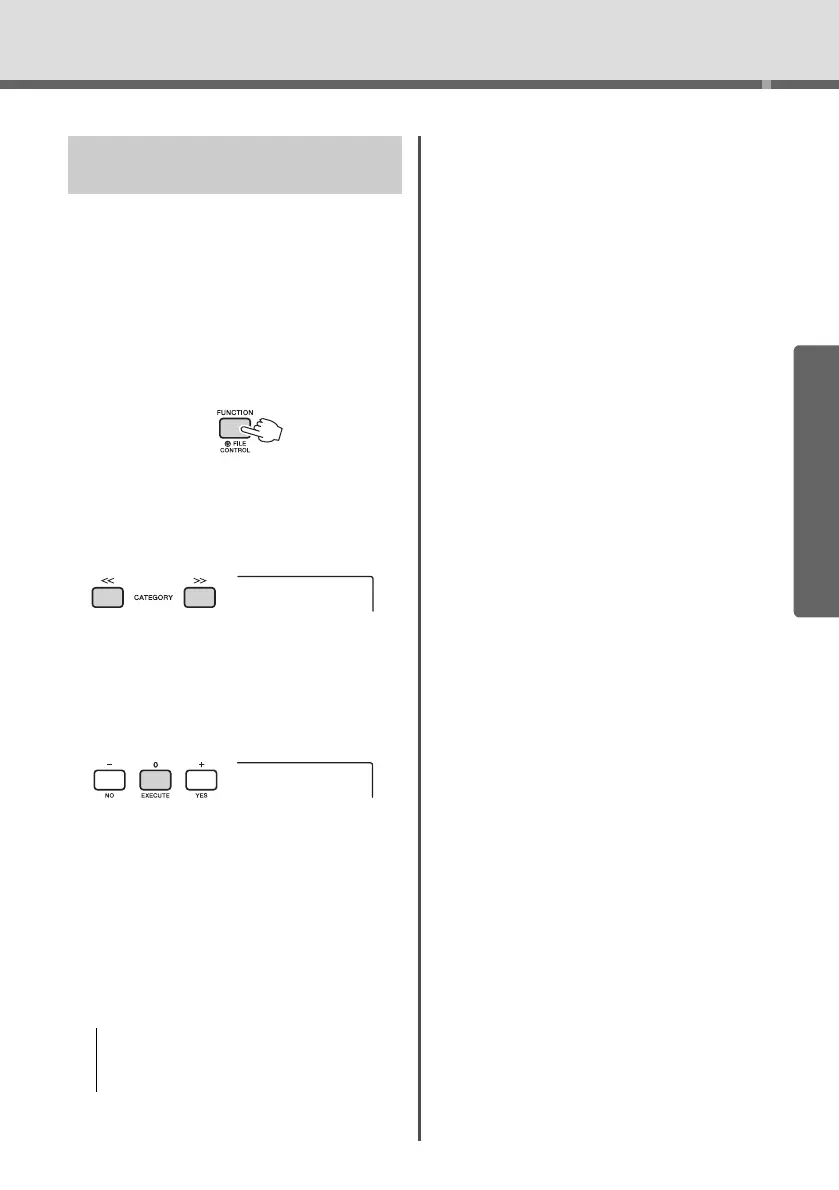
Hold the [FUNCTION] button for longer
than a second to call up the File Control
display.
If the instrument is in the Audio mode, press the
[AUDIO] button to exit from the Audio mode, and
then execute this operation.
3
Use the CATEGORY [<<] and [>>] but-
tons to call up “DelAUDIO.”
4
Press the [0/EXECUTE] button.
Audio file names in the USB flash drive appear
on the display as “AUDIO****” (****: number).
Use the dial or the [+/YES][-/NO] button to select
a different audio file.
5
Press the [0/EXECUTE] button again.
A confirmation message will appear. To cancel
the operation, press the [-/NO] button.
6
Press the [0/EXECUTE] button again, or
the [+/YES] button to execute the Delete
operation.
After a while, a message indicating completion of
the operation appears.
7
Press the [FUNCTION] button to exit
from the File Control display.
Deleting Audio Files from the
USB Flash Drive
• The Delete operation cannot be cancelled during exe-
cution. Never turn off the power or disconnect the
USB flash drive during the operation. Doing so may
result in data loss.
Hold for longer
than a second.
DelAUDIO















 To Next Page