10
Disabling an option unit
24
4
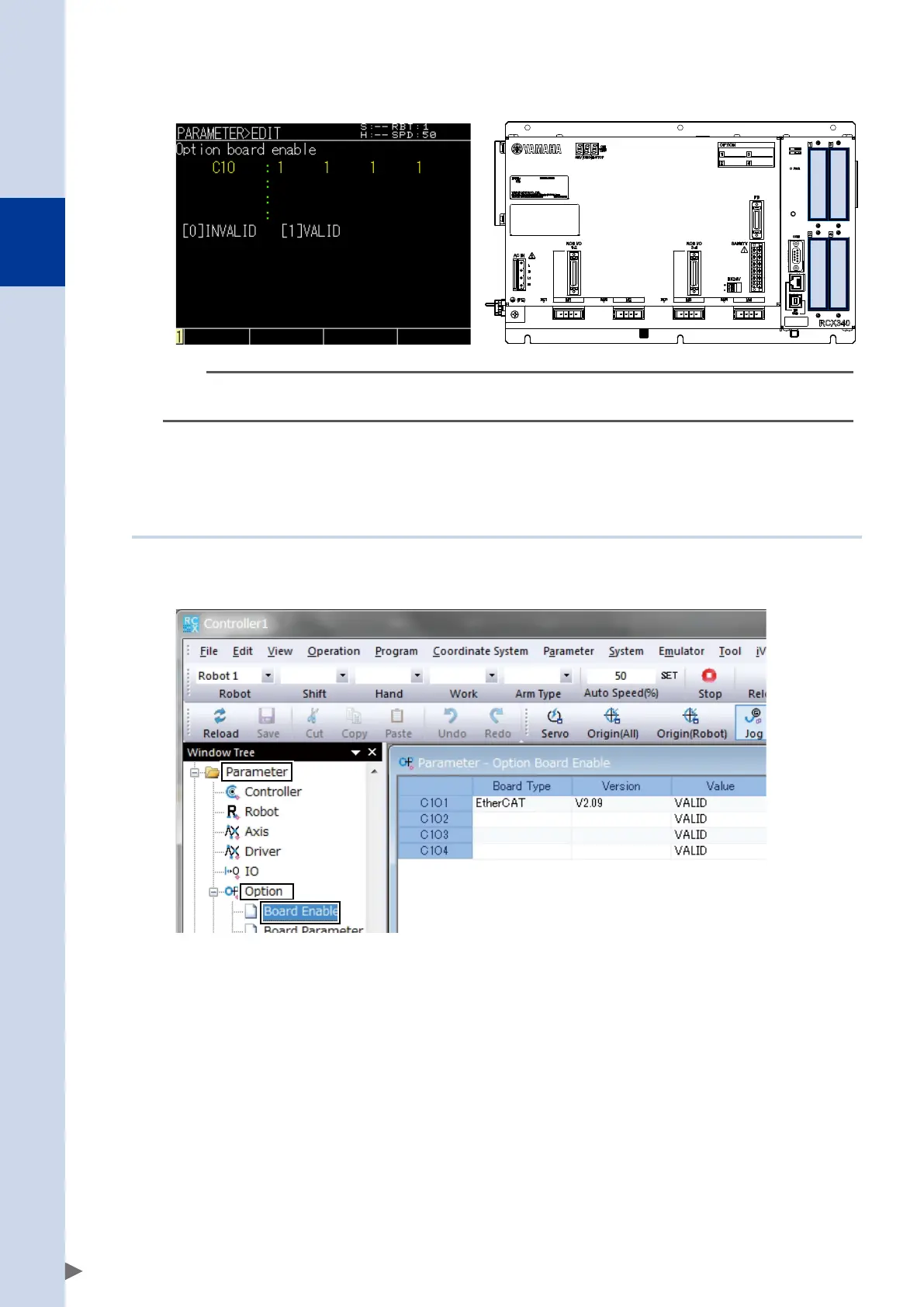
Edit the parameter.
Change the setting for the target slot, and press the enter key.
1 2
3 4
n
NOTE
The values of the option board enable parameter correspond to slots 1 through 4 starting from the left.
Verify the slot in which the network unit is installed, and change the value only for the target slot number.
5
Press the [ESC] key to end the editing operation.
The specified content is applied after the controller is restarted.
10.1.2 Using RCX-Studio PC support software
1
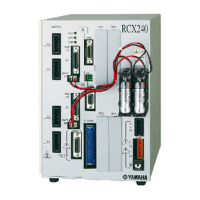
In the window tree, select the board parameters.
In the window tree, select [Parameter]-[Option], and double-click [Board Enable].
* C101-C104 correspond to slots 1--4.
Verify the slot in which the network unit is installed, and change the value only for the target slot
number.


 To Next Page