11
Actions to take if communication is not established
29
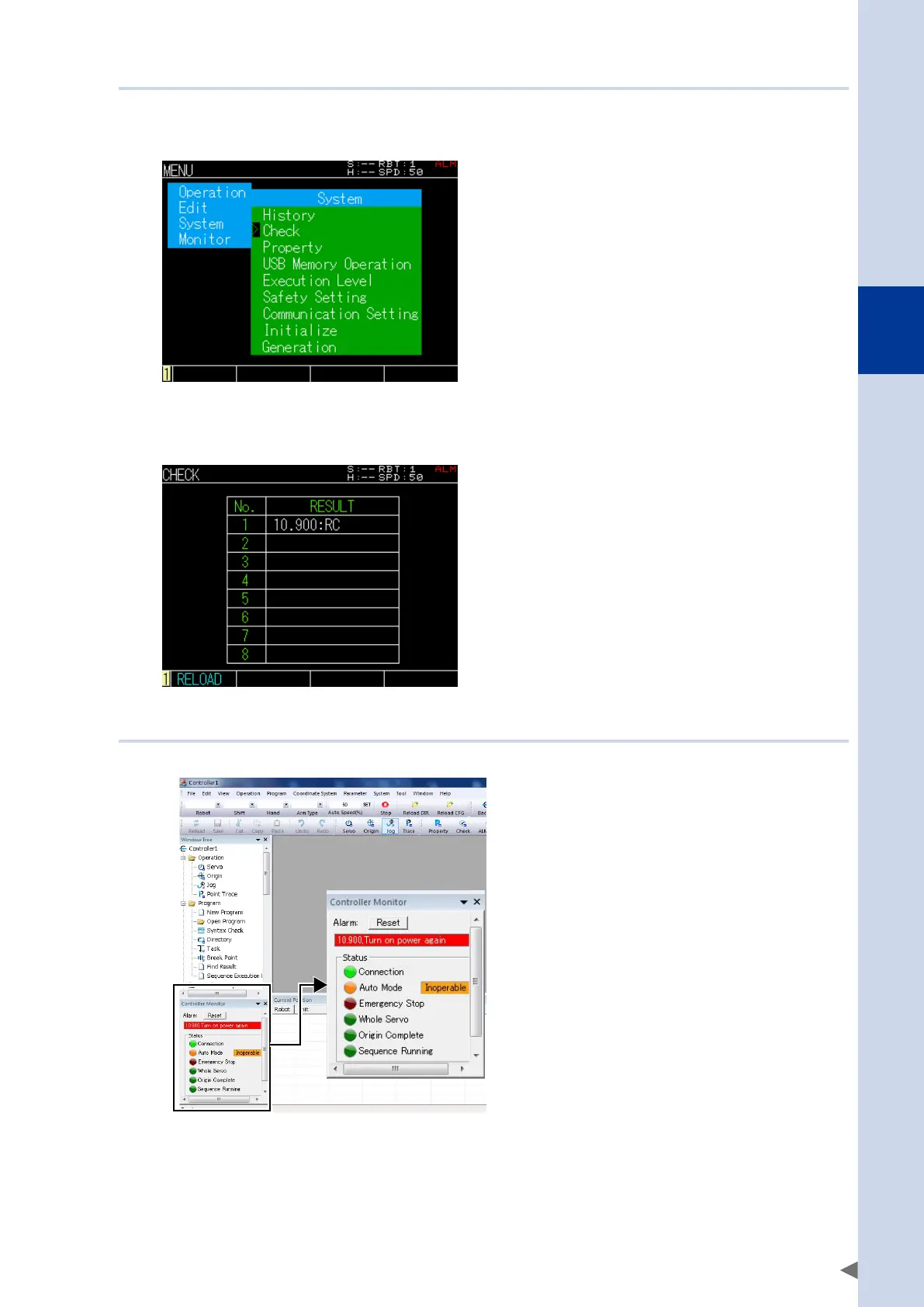
11.3.4 Checking alarm codes in the programming box
1
Open the Parameter Edit screen.
At the initial screen, select [Edit], press [Enter], then select [Parameter].
2
Check the alarm code that is occurring.
Press the F1 key (RELOAD) to update the display to the current state.
In the illustration, alarm code 10.900 is occurring.
11.3.5 Checking alarm codes in RCX-Studio PC support software
Alarm codes and alarm messages are shown in the "Controller Monitor" located in the lower left of the screen.


 To Next Page