12
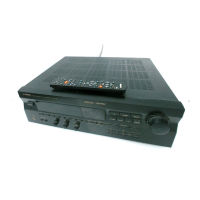
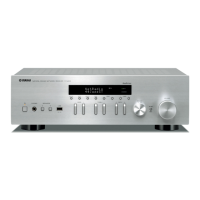
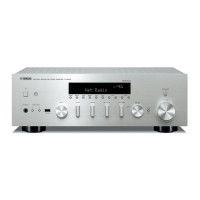
RDX-E700/NX-E700
RDX-E700
NX-E700
トレーロックモードは、トレーのオープン/クローズ機能
を一時的に停止する機能です。
● トレーロックモードの起動
1. 電源オフの状態で、TIMERキーとMODEキーを
押しながらSTANDBY/ONキーを 4 秒間以上押し続
けます。
2. トレーロックモードが起動し「TRADE ON」と表示し
た後、通常の表示に戻ります。
注 1: トレーロックモード起動後、オープン/クローズ
キー以外の操作は通常通り行うことができます。
注 2: DISCがトレー上にセットされていない場合、トレー
ロックモードは自動的に解除されます。
● トレーロックモードの解除
1. 電源オフの状態で、TIMERキーとMODEキーを
押しながらSTANDBY/ONキーを 4 秒間以上押し続
けます。
2. トレーロックモードが解除され「TRADE OFF」と表示
した後、通常の表示に戻ります。
■ TRAY LOCK MODE/トレーロックモード
■ FACTORY RESET/ファクトリーリセット
下記の場合、DVDメカニズムASSYの仕向け地別設定を行
うためにファクトリーリセットを行います。
・
DVDメカニズムASSY(MPEGP.C.B.を含む)を交換した場合
・MPEGP.C.B. を交換した場合
・DVD ファームウエアを更新した場合
● 操作方法
1. 電源オフの状態で、SOUNDキーとMODEキーを
押しながらSTANDBY/ONキーを 4 秒間以上押し続
けます。
2. サービスモードが起動した後、本機に接続したTVモニ
ターの画面上にソフトウエアバージョン情報が下記のよ
うに表示されます。
<表示例>
・SERVICE MENU・
DivX Version : MAIN02.03.00.09
MPEG Version : RDX-E70010042
MACRO VISION : 2005.06.01
Version Setting J 2
Push'MODE'Button4sforfactoryreset.
同時に本機の表示器にホストソフトウエアバージョンが
表示されます。
<表示例>
3. MODEキーを 4 秒間以上押し続けます。
本機の表示器が点滅を繰り返した後、自動的に電源が
OFF します。
以上の操作でファクトリーリセットは完了です。
Regioncode
050824-1
In the TRAY LOCK mode, the tray open/close function is
stopped temporarily.
● Setting Tray Lock mode
1. With the power turned off, while pressing the "TIMER"
key and "MODE" key, keep pressing the "STANDBY/ON"
key for 4 seconds or longer.
2. When the Tray Lock mode is set, "TRADE ON" is dis-
played which then returns to the normal display.
NOTE 1: Even after the Tray Lock mode is set, all functions
remain the same as usual except the "open/close"
key.
NOTE 2: If no disc is loaded in the tray, the Tray Lock mode
is cancelled automatically.
● Canceling Tray Lock mode
1. With the power turned off, while pressing the "TIMER"
key and "MODE" key, keep pressing the "STANDBY/ON"
key for 4 seconds or longer.
2. When the Tray Lock mode is cancelled, "TRADE OFF" is
displayed which then returns to the normal display.
When any of the following conditions applies, perform the
factory reset procedure to make setting of the DVD Mecha-
nism Ass’y suitable for the destination region.
• The DVD Mechanism Ass’y (including MPEG P.C.B.) has
been replaced.
• MPEG P.C.B. has been replaced.
• DVD firmware has been updated.
● Operation procedure
1. With the power turned off, while pressing the "SOUND"
key and "MODE" key, keep pressing the "STANDBY/ON"
key for 4 seconds or longer.
2. When the Service Mode is set, the software version in-
formation is displayed on the TV monitor screen con-
nected to the main unit as shown below.
<Example>
At the same time, the host software version is displayed
of the main unit.
<Example>
3. Keep pressing the "MODE" key for 4 seconds or longer.
The display unit of the main unit repeats flashing and
then the power is turned off automatically.
This completes the Factory Reset procedure.
050824-1
・SERVICE MENU・
DivX Version : MAIN02.03.00.09
MPEG Version : RDX-E70010042
MACRO VISION : 2005.06.01
Version Setting J 2
Push'MODE'Button4sforfactoryreset.
Region code


 To Next Page