En 5
4 Connecting the external devices
AC IN
HDMI 3 HDMI 4 HDMI 5 HDMI 6 HDMI 7
SINGLE CENTER
FRONT
ZONE 2
OUT
AUDIO
OUT
SURROUND SUBWOOFER
12
SUR. BACK
PRE OUT
R
L
SPEAKERS
FRONT CENTER SURROUND
SURROUND BACK/
BI–AMP ZONE 2/PRESENCE
EXTRA SP
R L R R RL L L
SINGLE
RS-232C
SIRIUS
+12V
0.1A MAX.
COMPONENT
VIDEO
VIDEO
TRIGGER OUT
DOCK
FMAM
75Ω
ANTENNA
P
R
P
B
Y
P
R
P
B
Y
AUDIO 2AUDIO 1
AV 6AV 5AV 4AV 3
(
CD
)(
TV
)
VIDEO
AV 2AV 1
COAXIAL OPTICALCOAXIAL
OPTICAL
AV
OUT
COMPONENT
VIDEO
R
L
HDMI OUT
ARC
12
HDMI 1
(BD/DVD)
HDMI 2
MONITOR OUT
IN
OUT
REMOTE
NETWORK
ZONE 2 ZONE CONTROL INFO MEMORY
PURE DIRECT
VOLUME
BD/DVD TV CD RADIO
SCENE
INPUT
MAIN ZONE
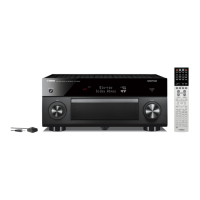
NATURAL SOUND AV RECEIVER RX-A810
PRESET
FM AM
TUNING/CH
CATEGORY
aa
b
b
c
c
d
d
HDMIOPTICAL
HDMI
HDMI
HDMI 1
(BD/DVD)
HDMI
HDMI
O
(
TV
)
OPTICAL
O
AV 4
HDMI OUT
ARC
12
HDMI
Audio out
(optical)
TV
HDMI in HDMI out
BD/DVD player
HDMI1 jackHDMI OUT 1
jack
AV4 (OPTICAL) jack
Turn on this unit
This unit (rear)
This unit (front)
To an AC
wall outlet
1
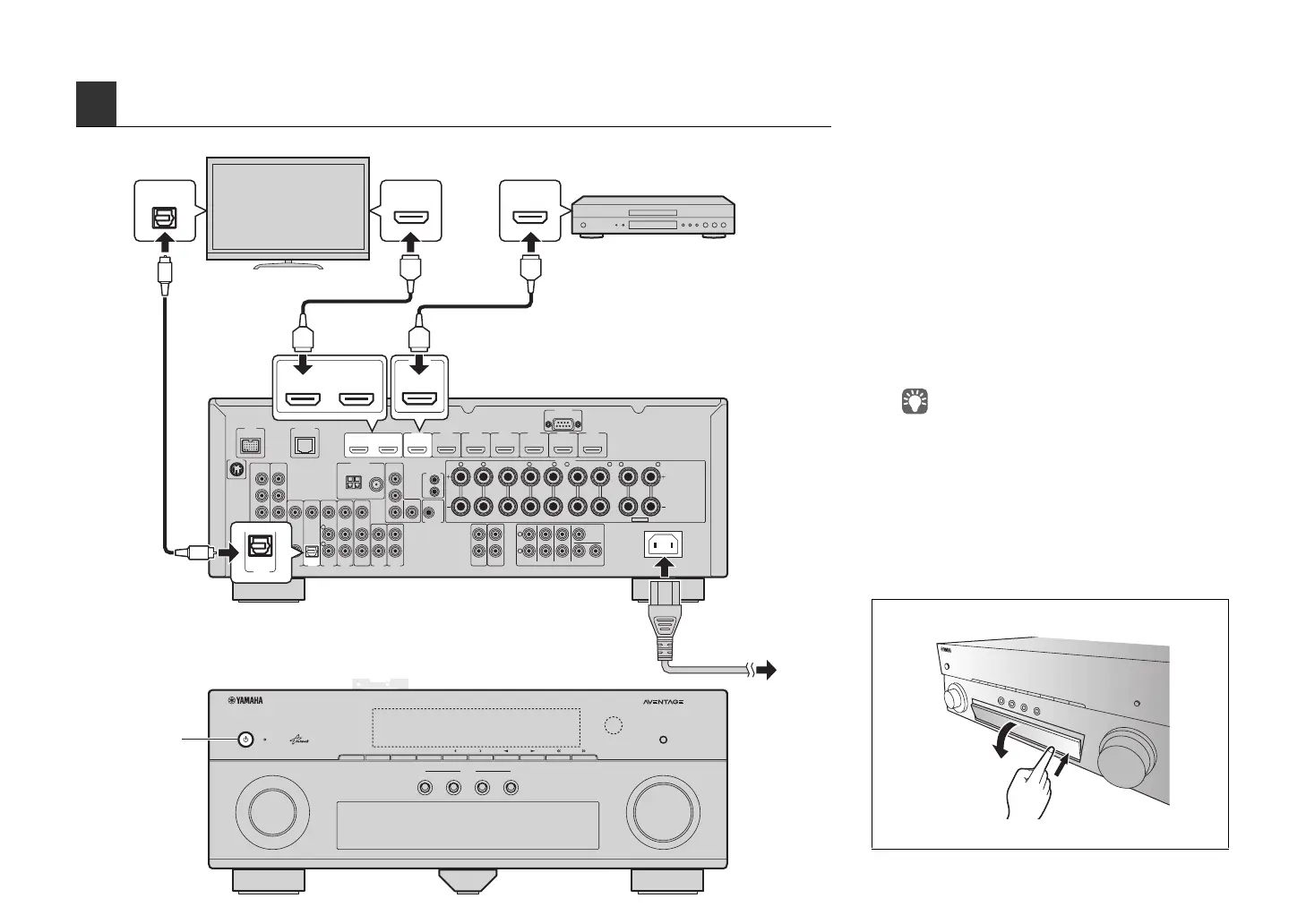
Connect the external devices to this unit.
a Connect the BD/DVD player and this unit with an
HDMI cable.
If the BD/DVD player is currently connected to the
TV directly with an HDMI cable, disconnect the
cable from the TV and connect it to this unit.
b Connect the TV and this unit with another HDMI
cable.
c Connect the TV and this unit with a digital optical
cable.
This connection is required to play back TV audio
on this unit. If your TV supports ARC (Audio Return
Channel), this connection is unnecessary.
d Connect the supplied power cable to this unit and
then to an AC wall outlet.
• For information on how to connect radio antennas or other
external devices, see “SETUP” in “Owner’s Manual”.
2
Turn on this unit, TV and BD/DVD player.
3
With the remote control of the TV, switch
the TV input to display the video from this
unit.
The connections are complete. Move to the next
page to optimize the speaker settings.
Opening the front panel door
Press the bottom of the door gently.



 To Next Page