SPX2000—Owner’s Manual 17
Operation
Other functions
Here’s how to edit the name of the recalled effect. You can
edit the name only for effects in the USER bank.
1 Select the USER bank
Use the [BANK] button (A) to select the USER bank.
2 Select an effect
Select the effect whose name you want to edit, and
recall it (page 12).
3 Select the “TITLE EDIT” function
Press the [UTILITY] button (L) several times to select
“TITLE EDIT.”
4 Edit the effect name
Use the following buttons to edit the effect name.
[BACK] button:
Moves the cursor toward the left.
[NEXT] button:
Moves the cursor toward the right.
[▲ INC] button:
Changes the character at the cursor location (A→B→C).
[▼ DEC] button:
Changes the character at the cursor location (C→B→A).
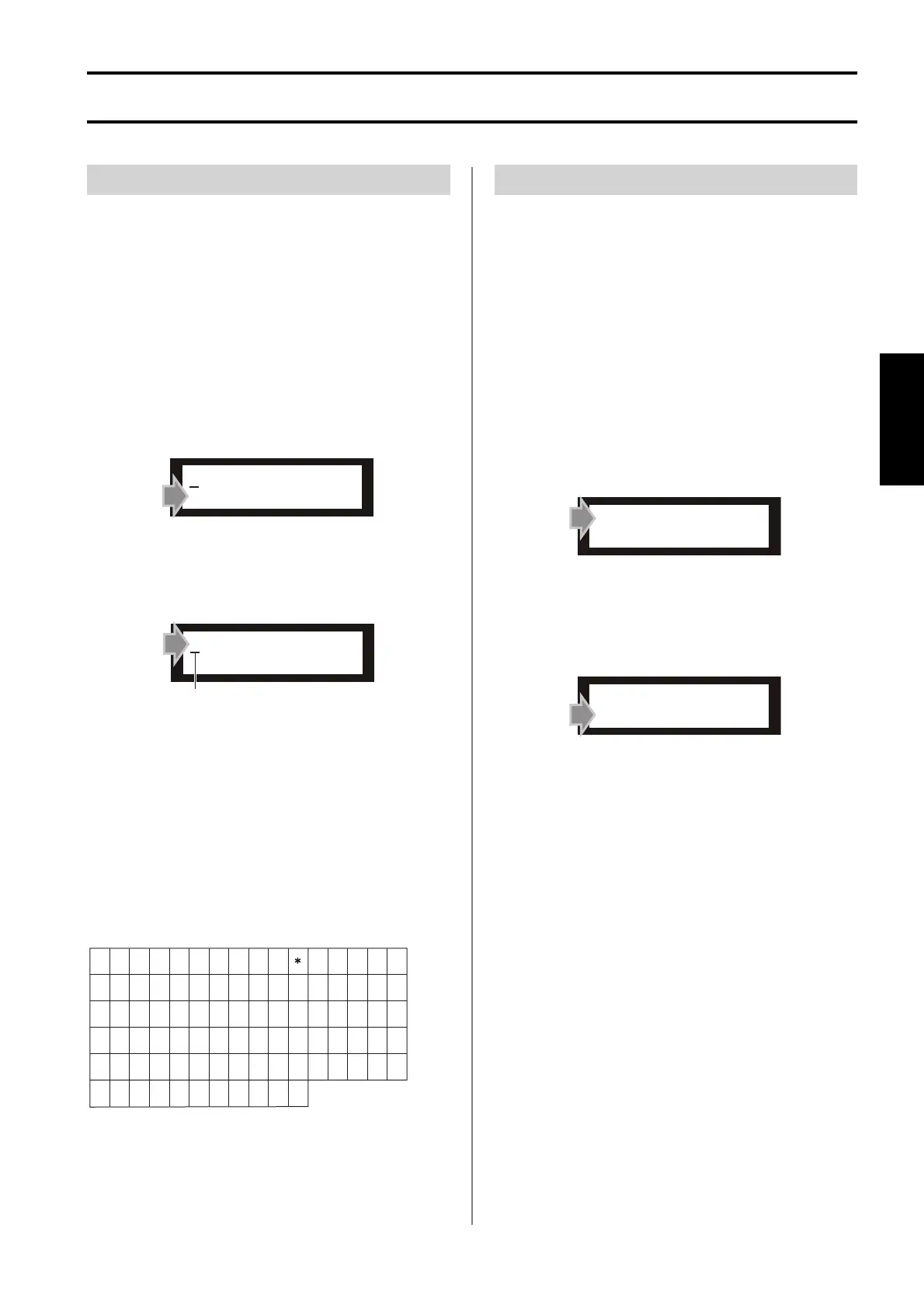
The effect name can be up to 16 characters long. You can
use the following characters.
You can switch the Protect setting on/off for the recalled
effect. Only effects in the USER bank can be protected. By
turning Protect ON for important effects, you can prevent
them from being overwritten accidentally.
1 Select the USER bank
Use the [BANK] button (A) to select the USER bank.
2 Select an effect
Select the effect whose Protect setting you want to
change, and recall it (page 12).
3 Select the “USER PGM PROTECT” function
Press the [UTILITY] button (L) several times to select
“USER PGM PROTECT.”
4 Turn Protect on or off
Use the [▲ INC]/[▼ DEC] buttons (G) to turn Pro-
tect on/off.
If you turn the setting ON, you will be unable to per-
form the following operations on that effect.
•Store
• Edit the effect name
•Delete
•Change the background color
If you turn the setting OFF, protect will be defeated and
you will again be able to perform Store operations, etc.
Editing the effect name
REV-X LARGE HALL
TITLE EDIT
REV-X LARGE HALL
TITLE EDIT
Cursor
A
R S T U V W X Y Z
ab cd e f g
xy z
[ ¥
!
@
./
0123456789 : ; <=>?
)
+,–
$%& ’ ("#
]
^
`
_
hi jk l m n o
pqr s t uv
w
BC D EFG H I J K L M N O
PQ
Protecting an effect
USER PGM PROTECT
*OFF ON
USER PGM PROTECT
*OFF ON



 To Next Page