Connecting to an audio device and to power
(
Before connecting devices, be sure to read the following precautions.
(
“Precautions for preparation”(p.18)
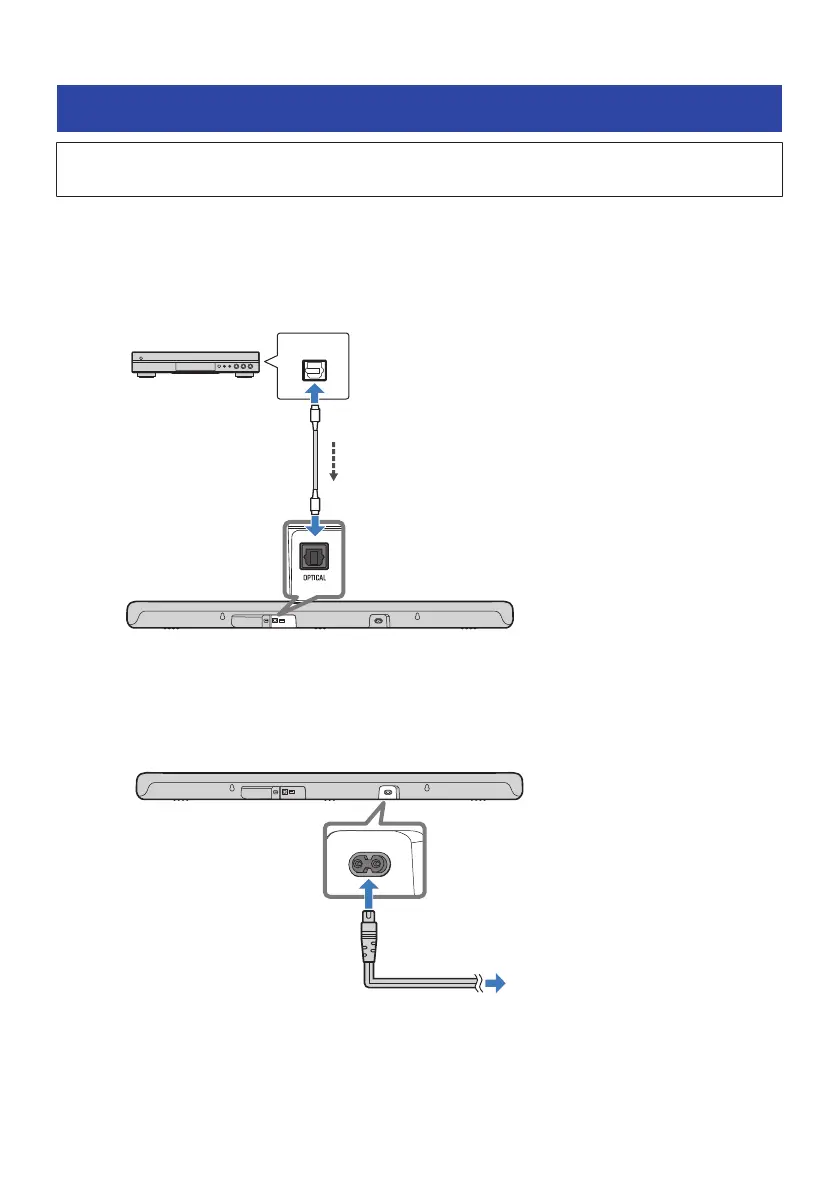
An audio device equipped with a digital optical audio output jack can be connected to the sound bar directly
with a digital optical audio cable (commercially available).
1 Connect an audio device to the sound bar.
Sound bar (rear)
Audio device
OPTICAL jack
Digital optical
audio output
jack
Audio signal
2 Connect the sound bar to power.
To an AC wall outlet
Power cord (included)
Sound bar (rear)
27
PREPARATION FOR USE > Connecting to an audio device and to power



 To Next Page