Initializing the sound bar
Reset the settings of the sound bar to the factory presets.
1 Turn off the sound bar.
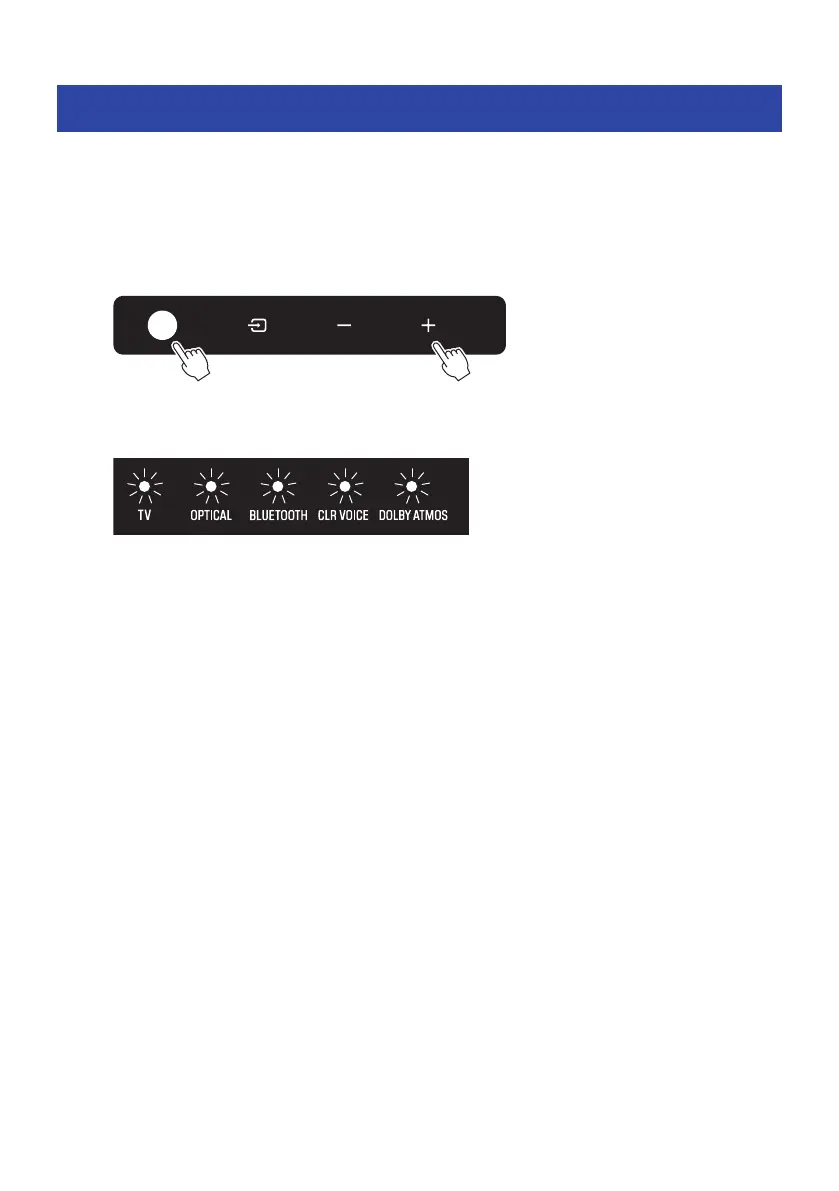
2 While holding down + on the sound bar, press the power button until all indicators
flash.
Initialization is performed. When initialization is complete, the indicators will show the
following.
Flash (initialization complete)
53
CHANGING AND INITIALIZING THE SETTINGS > Initializing the sound bar



 To Next Page