n
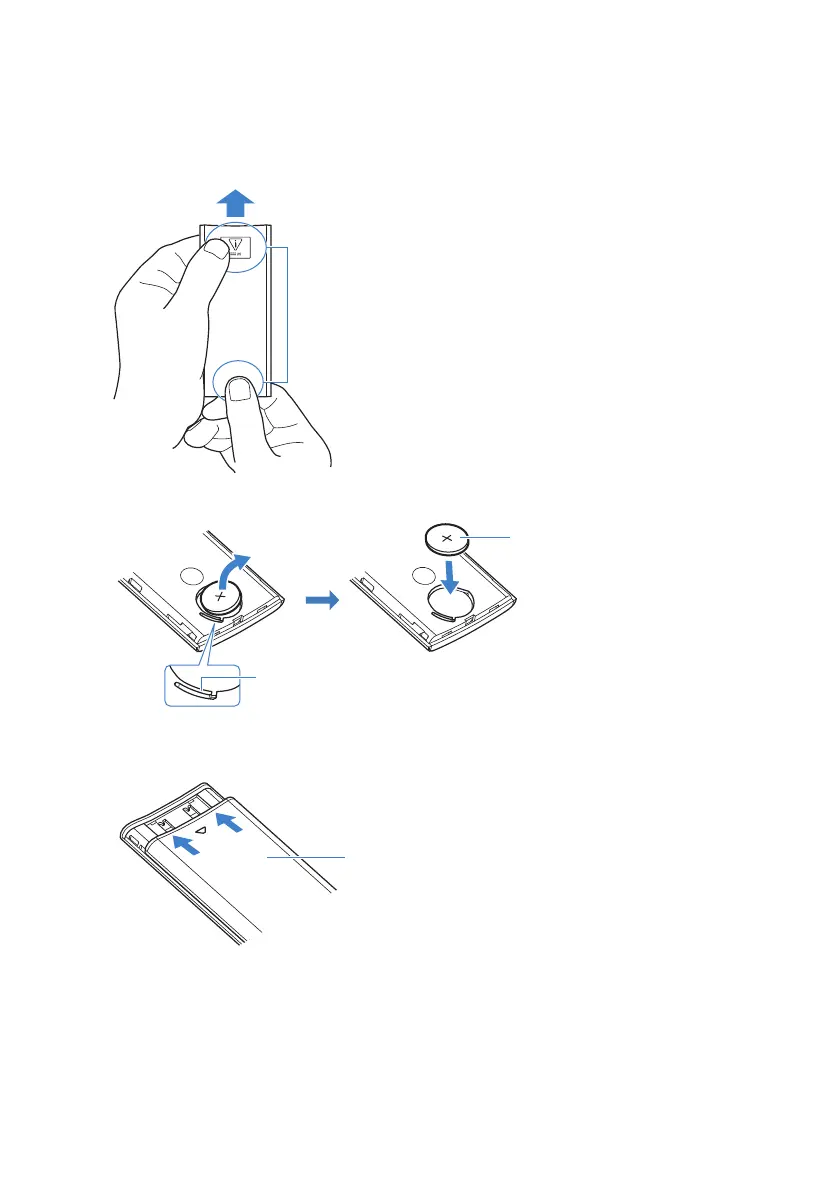
Battery replacement procedure
1 Slide the cover in the direction of the arrow to remove it.
Back of the remote control
Slide the cover with holding these positions firmly.
2 Remove the old battery and insert a new one.
Lithium battery (CR2025 ×1)
Pull the lever
3 Put the cover over the remote control as shown in the figure, and slide the cover
back into its original position in the direction of the arrow.
74
TROUBLESHOOTING > Other frequent actions



 To Next Page