Chapter 4 Options and usage
4-1. Fish species selection
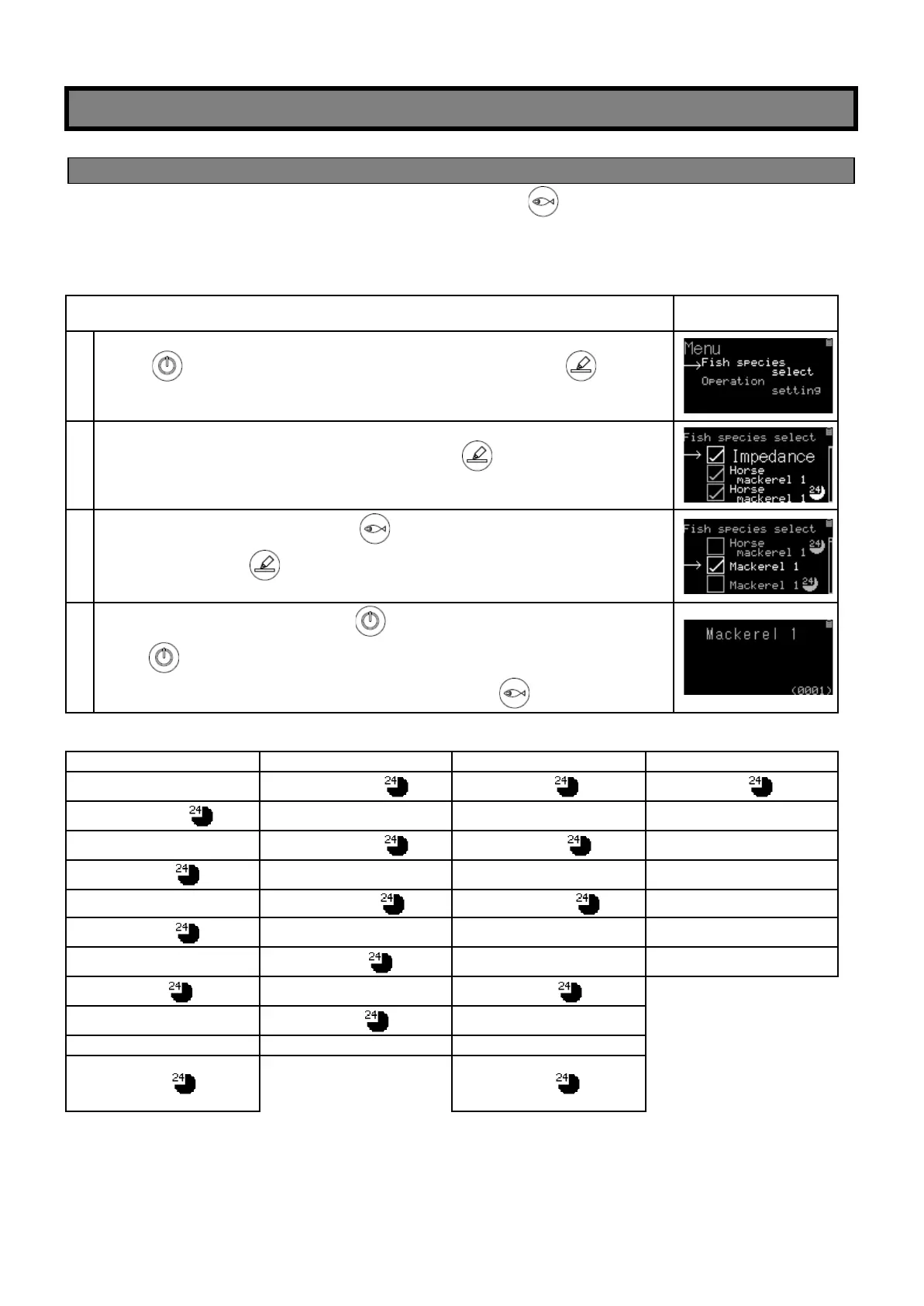
You can select the fish species to be measured by using the button, but you can select only the fish
species you want to measure in advance and exclude all the fish species you don’t want to measure from the
display for faster measurement.
As an example, measuring of “Mackerel “
Press key to turn on. From the home screen, hold down key until
Menu is displayed.
Match cursor (→)to “Fish species select” and press key to change
screen.
Move the cursor (→)by pressing key to a fish species (in this case,
Mackerel) and press key.
The species with check mark (レ) are only displayed.
After confirming the selection, press key to return to Menu screen.
Press key again to return to the home screen then setting is completed.
Confirm that only the selected species are displayed with key.
(List of all fish species)


 To Next Page