4-3. Display the average value
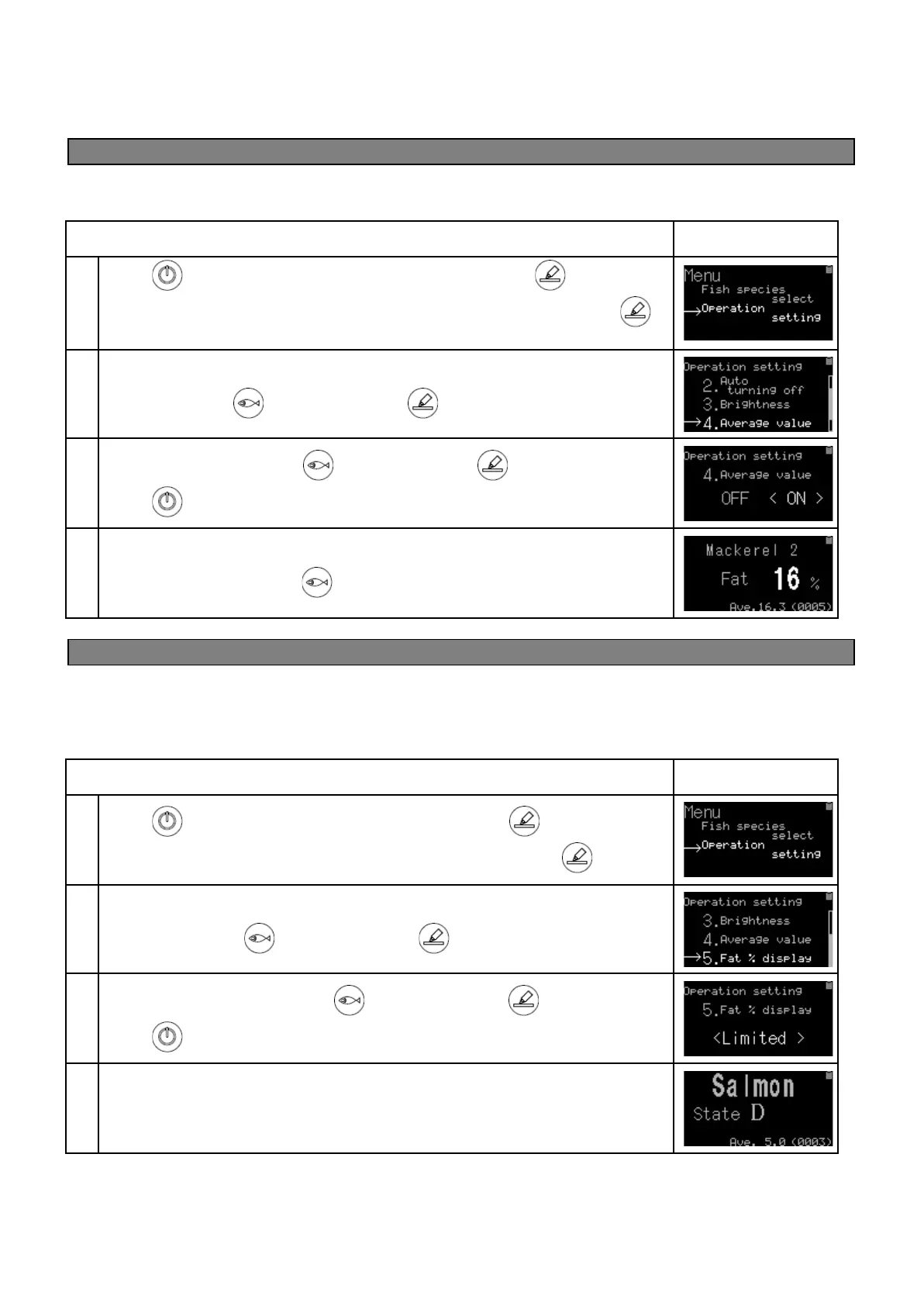
By enabling the operation setting "4. Average value", the average value of the measurement taken is displayed
at the bottom of the screen. It can be used to determine the fat percentage from multiple measurements and
from several fish within a container.
Press key to turn on. Under the home screen hold down key until
Menu is displayed. Match a cursor(→)to Operation setting and then press
key.
When the operation settings are displayed, move the cursor(→)to 4. Average
value by pressing key and then press key.
Choose<ON> by pressing key and then press key.
Press key under operation setting screen to return to the home screen.
The setting is completed. With this setting, the average value is displayed at the
bottom of the screen. Press key or the power button to turn off the device.
4-4. Limitations of Fish Fat measurements
In order for this device to measure accurate fish fat percentage, the fish needs to be “fresh”. If the fish is not
fresh, the fish fat percentage displayed will not be accurate. If the “Fish status” is displayed as grade "D" level,
the fish fat percentage will not display since the fish does not meet the “freshness” threshold and the fish fat
cannot be accurately measured.
Press key to turn on. Under home screen hold down key until Menu is
displayed. Match a cursor(→)to Operation setting and then press key.
When the operation settings are displayed, move the cursor(→)to 5. Fat %
display by pressing key and then press key.
Choose <Limited> by pressing key and then press key.
Press key under operation setting screen to return to the home screen.
The setting is completed.
No fat % is displayed when the status of fish is "D".


 To Next Page