38
4. Operating procedure
How to copy or delete programs
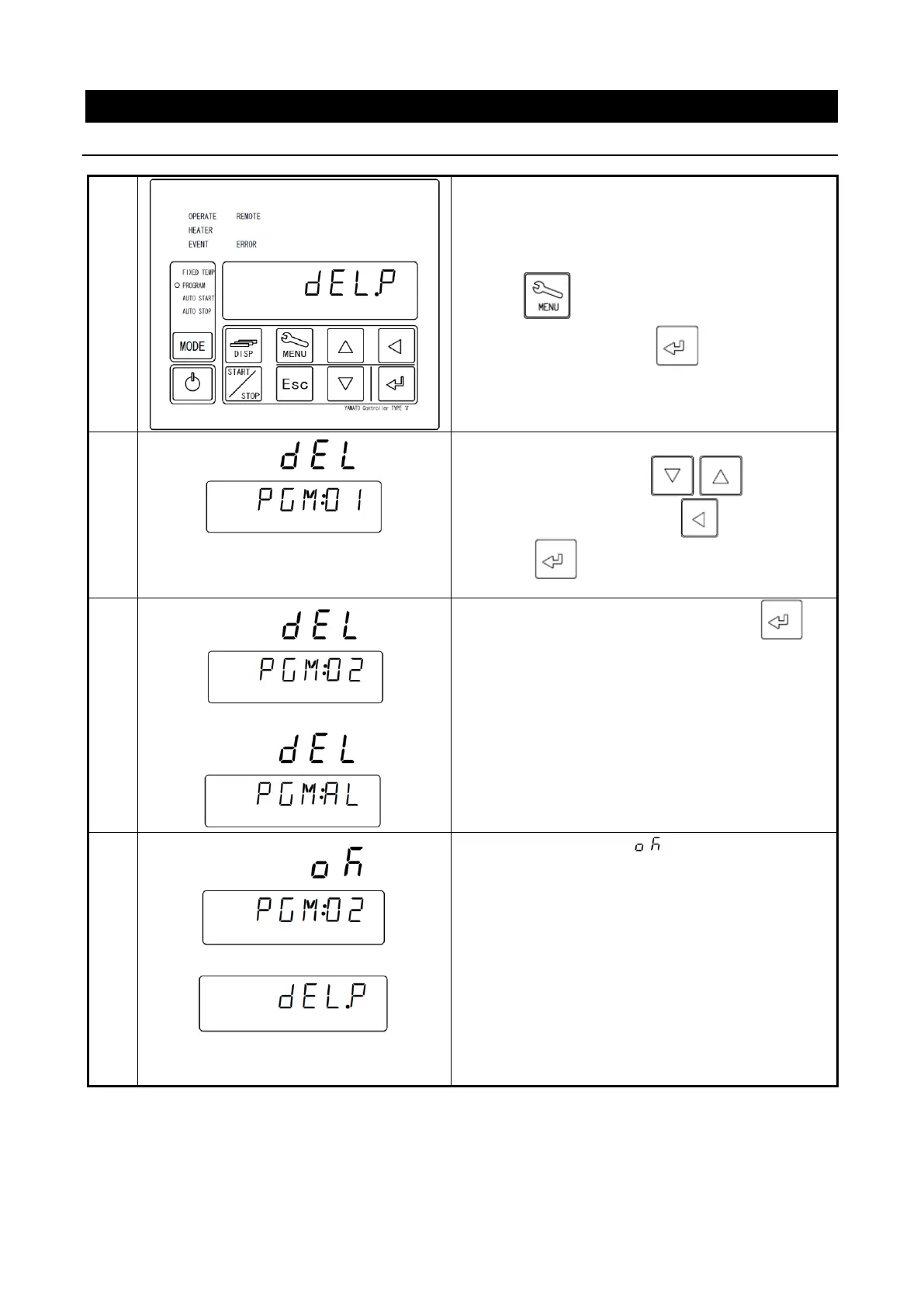
You cannot delete a program during operation.
Carry out deletion while the stand-by screen is
displayed.
Use the key to flash [DELP] on the Bottom
screen and then press the key.
When
[
01
] of
PGM
:01
flashes, select a pattern
number to delete with the keys or
select [
AL
](all delete) with the key and then
press the key longer.
When [
DEL
] flashes, determine using the
key.
The Top screen shows [ ] and the Bottom
screen shows the pattern number of the copy
source- copy destination number [PGM:02] then
the screen will move to the program delete screen.



 To Next Page