EasyManua.ls Logo

YASKAWA yasnac MX2 - Page 7

YASKAWA yasnac MX2
38 pages
To Next Page IconTo Next Page
To Previous Page IconTo Previous Page
Loading...
4.1.7
HOME
KEYS
4.1.
9
TAPE
FEED
AND
SYSTEM
NO.
SWITCHES
The
HOME
key
is
used
to
set
the
current
position
of
the
machine
tool
as
the
roigin
of
the
reference
coordinate
system.
The
origin
setting
can
be
made
for
each
axis.
The
reference
coordinate
system
means
the
coordinate
system
which
is
set
by
G92
command
or
the
automatic
coordinate
system
setting.
HOME
key
is
used
for
the
following
operation.
Reset
of
current
position
(UNIVERSAL,
EXTER¬
NAL)
Reset
of
tool
offset
values
Reset
of
operation
time
These
switches
are
mounted
above
the
tape
reader.
TAPE
FEED
switch
This
is
a
switch
to
wind
and
rewind
the
tape
manually
Setting
the
switch
to
F
(forward)
causes
the
tape
to
feed.
To
rewind
the
tape.
set
the
switch
to
R
(reverse).
This
switch
is
effective,
either
manually
or
automatically
O
-\0
0
bYsTLM
l
PARAMETER
TAPE
FEED
2
E
3
LOAD
4
TEST
M)l
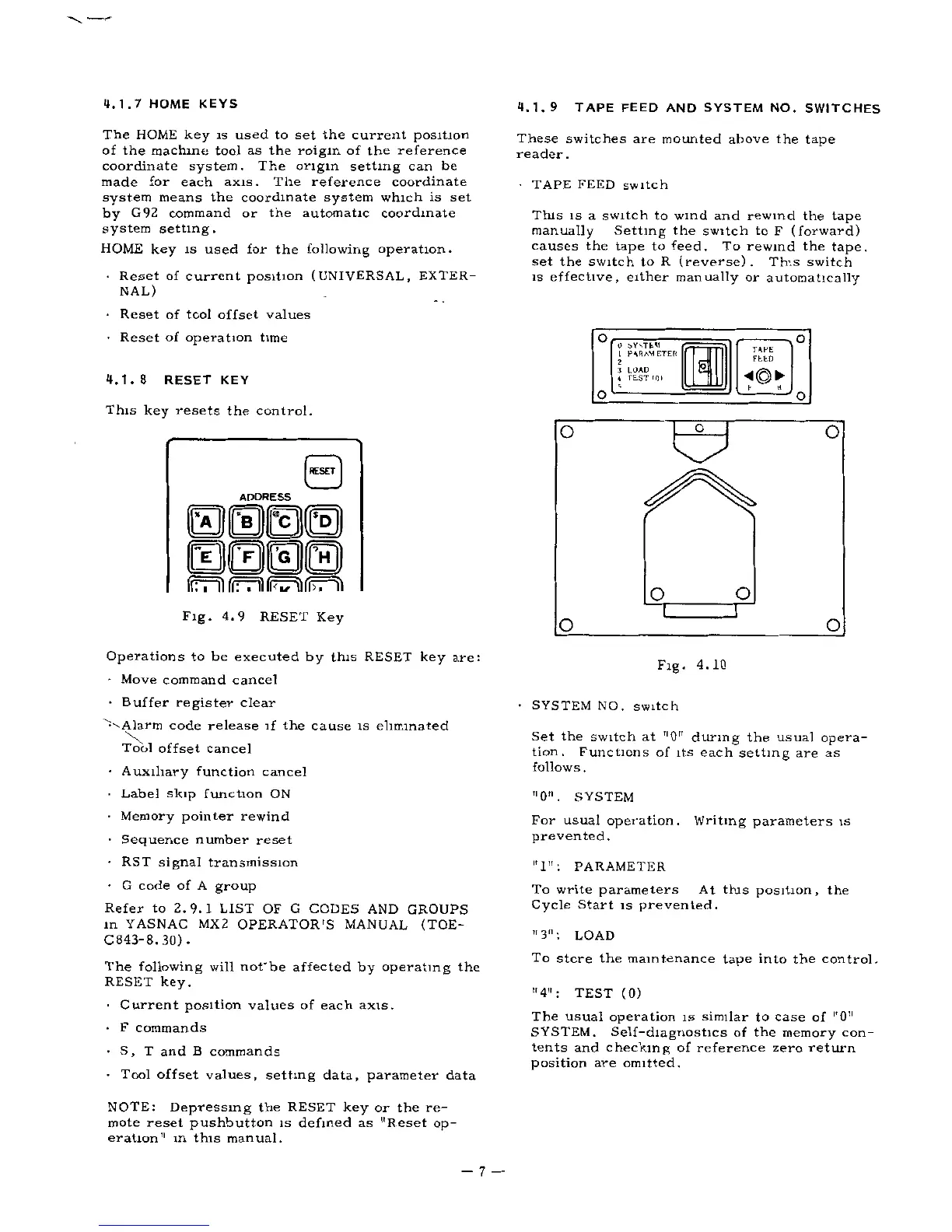
4.1.
8
RESET
KEY
O
O
This
key
resets
the
control.
O
O
O
0
ADDRESS
BBSS
0000
o
o
I
Fig.
4.9
RESET
Key
O
O
Operations
to
be
executed
by
this
RESET
key
are:
Move
command
cancel
Buffer
register
clear
code
release
if
the
cause
is
eliminated
Tool
offset
cancel
Auxiliary
function
cancel
Label
skip
function
ON
Memory
pointer
rewind
Sequence
number
reset
RST
signal
transmission
G
code
of
A
group
Refer
to
2.9.1
LIST
OF
G
CODES
AND
GROUPS
in
YASNAC
MX
2
OPERATOR'S
MANUAL
(TOE-
C843-8.30).
The
following
will
not'be
affected
by
operating
the
RESET
key.
Current
position
values
of
each
axis.
F
commands
S,
T
and
B
commands
Tool
offset
values,
setting
data,
parameter
data
Fig.
4.10
SYSTEM
NO.
switch
Set
the
switch
at
"0"
during
the
usual
opera¬
tion.
Functions
of
its
each
setting
are
as
follows.
"0".
SYSTEM
For
usual
operation.
Writing
parameters
is
prevented
.
II
J
II
.
To
write
parameters
At
this
position,
the
Cycle
Start
is
prevented.
PARAMETER
u
311
.
To
store
the
maintenance
tape
into
the
control.
LOAD
"4":
TEST
(0)
The
usual
operation
is
similar
to
case
of
"0"
SYSTEM.
tents
and
checking
of
reference
zero
return
position
are
omitted.
Self-diagnostics
of
the
memory
con-
NOTE:
mote
reset
pushbutton
is
defined
as
"Reset
op¬
eration"
m
this
manual.
Depressing
the
RESET
key
or
the
re-
7

Related product manuals