EasyManua.ls Logo

YASKAWA YRC1000 - User Manual

YASKAWA YRC1000
493 pages
Print Icon
To Next Page IconTo Next Page
Loading...
MANUAL NO.
HW1485509
5
YRC1000/YRC1000micro
INSTRUCTIONS
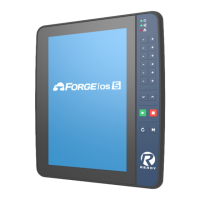
FOR Smart Pendant
(JZRCR-APP30-1)
Upon receipt of the product and prior to initial operation, read these instructions thoroughly, and
retain for future reference.
MOTOMAN INSTRUCTIONS
YRC1000 INSTRUCTIONS
YRC1000 OPERATOR’S MANUAL (GENERAL) (SUBJECT SPECIFIC)
YRC1000 MAINTENANCE MANUAL
YRC1000 ALARM CODES (MAJOR ALARMS) (MINOR ALARMS)
YRC1000micro INSTRUCTIONS
YRC1000micro OPERATOR’S MANUAL
YRC1000micro MAINTENANCE MANUAL
YRC1000micro ALARM CODES (MAJOR ALARMS) (MINOR ALARMS)
YRC1000/YRC1000micro INSTRUCTIONS FOR Smart Pendant (JZRCR-APP30-1)
184775-1CD
5
1 of 493

Table of Contents

Other manuals for YASKAWA YRC1000

Questions and Answers

  • R
    Richard SmithJul 25, 2025
    Why does ALARM 1926, TRQ SENSOR RECEIVING ERROR occur repeatedly on my YASKAWA YRC1000?
    • K
      Kirsten WilliamsJul 25, 2025
      If ALARM 1926, TRQ SENSOR RECEIVING ERROR occurs repeatedly on your YASKAWA Controller, it could be due to a noise source near the manipulator. To resolve this, try to protect the manipulator from noise. For example, install the torque sensor cable and the manipulator cable away from each other.
  • M
    Mr. Jason Snyder DDSJul 31, 2025
    What to do if a protective stop occurs when no force or a weak force is applied to my YASKAWA YRC1000?
    • S
      Susan KruegerAug 1, 2025
      If a protective stop occurs when no force or a weak force is applied to your YASKAWA Controller, first check if the tool mass is set correctly. If the problem continues, adjust the torque sensor home position over again.
  • J
    Jacqueline JenningsAug 6, 2025
    How to fix the avoidance function if it does not work on YASKAWA Controller?
    • J
      James JohnstonAug 6, 2025
      If the avoidance function on your YASKAWA Controller isn't working, you can try increasing the start threshold. Alternatively, check the tool file settings.
  • T
    Terri BarnesAug 12, 2025
    What to do if the tool is clamped during contacting work and the escape from clamping function does not work on YASKAWA YRC1000?
    • T
      Tammy HolmesAug 12, 2025
      If the tool or other object is clamped (stuck) during contacting work with your YASKAWA Controller, causing continuous forces and the escape from clamping function isn't working, temporarily disable collaborative operation (muting). Then, use the escape from clamping function.
  • M
    Maria MannAug 18, 2025
    How to resolve protective stop against external forces near singularity on YASKAWA YRC1000 Controller?
    • M
      Matthew TurnerAug 18, 2025
      If a protective stop against external forces always occurs near a singularity on your YASKAWA Controller, making it impossible to operate the manipulator, temporarily disable the PFL function and move the manipulator away from near the singularity.

YASKAWA YRC1000 Specifications

General IconGeneral
ModelYRC1000
CategoryController
Cooling SystemForced air cooling
Ambient Temperature0 to 45°C
Protection ClassIP20
Number of Controlled AxesUp to 8 axes
Programming LanguageInform III
Operating SystemProprietary Yaskawa OS
Storage Temperature-10 to 60°C
InterfaceEthernet, USB
Safety StandardsISO 10218-1, ISO 13849-1
MountingFloor or wall
Communication InterfacesEthernet, RS-232
Power Supply3-phase AC 200V to 230V
Humidity20% to 85% (non-condensing)

Related product manuals