6 Robot Settings
6.7 Home Position Calibration
6-52
HW1485509
HW1485509
6.7.2.3 Manual Calibration Procedure
Use this method if the manipulator or YRC Controller is replaced with a
new unit. This method is also used to re-enter the existing Home Position
values that appear to be correct but are not “set”.
1. Go to {MENU}
→ {Robot Settings} → {Home Position Calibration}.
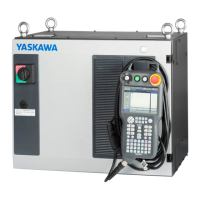
2. Locate the “ABSOLUTE DATA” white tag on the YRC Controller
containing the factory default robot encoder calibration.
Fig. 6-33: “ABSOLUTE DATA” white tag
3. Check the {Manual Entry?} checkbox.
Fig. 6-34: Manual Axis Home Position Calibration
4. Manually enter the data for each axis using the keyboard.









 To Next Page